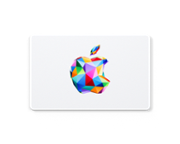
A:AnswerGo to the app store on the phone you want to redeem on, click on the circle or picture symbol in the top right corner, then you will see Redeem Gift Card or Code.
A:AnswerGo to your App Store.
Click on your Profile Picture in the top right-hand corner of your screen. From there you should see a list of options:
Purchased
Subscriptions
Redeem Gift Card or Code ----- This is the one you want.
From there, it will ask you if you want to use your camera to scan it in or type it in(we're typing).
After you've typed it in, you should be all set.