“Does the unit have a switch to disable the wifi when not in use?”
Answer This Question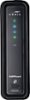
1-10 of 11 Answers
Yes. Login to the router as admin, click the wireless link on the blue bar at the top of the page. Click the dropdown beside Wireless (the first dropdown on the page) and select Disabled and then Click Apply.
Sorry, there was a problem. Please try again later.No. It does not have a Wi-Fi off/on switch.
Sorry, there was a problem. Please try again later.Yes, in the software
Sorry, there was a problem. Please try again later.No, this unit does not require to be turned off when not in use, actually it automatically senses or engages with your device automatically.
Sorry, there was a problem. Please try again later.No it does not and it does not have a push button to connect other devices. You must manually input the information into your WiFi devices.
Sorry, there was a problem. Please try again later.I don't think so. Mine is placed in a spot where it is hard to reach. Could try using a power supply with a on and off switch. When powered back on it will reset and start connecting devixes familiar with it.
Sorry, there was a problem. Please try again later.Not that I've noticed.
Sorry, there was a problem. Please try again later.No. It needs to be powered off by unplugging or using an external switch.
Sorry, there was a problem. Please try again later.no switch just a power cord to unplug it
Sorry, there was a problem. Please try again later.No
Sorry, there was a problem. Please try again later.