Questions & Answers
- Model:
- MX239H
- |
- SKU:
- 8767053
Highly rated by customers for: Image Quality, Design, HDMI
Page Showing 1-7 of 7 questions
Q: QuestionMacBook Pro compatable?Work with MacBook Pro? What cables are needed?
Asked by Lucy.
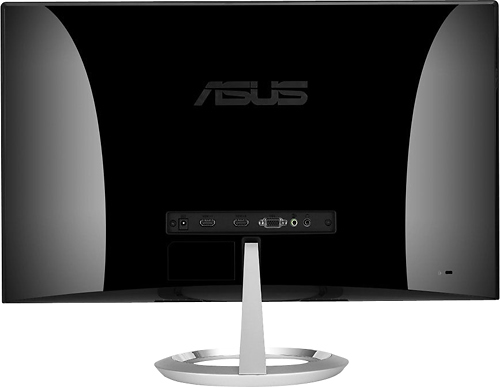
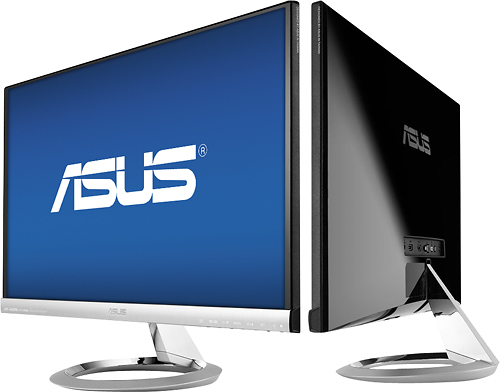
- A:Answer This model unit has HDMI x 2, D-Sub, DVI-D ports and it also have 3.5mm Mini-Jack.
Answered by ASUS Answers

Q: QuestionWould this be a good monitor for photography?Mainly looking for color representation
Asked by Anonymous.
- A:Answer I really enjoy this monitor but honestly I can't say I would recommend it for photography. It's not terrible, but the colors start to get a little (emphasis on "little") washed out depending on the angle you're sitting and for photography I don't think that would be ideal. Then again this is my opinion and you might find the monitor to be perfect for your needs.
Answered by Zatchillac
Q: QuestionI see on the monitors, the height is generally not listed. I have only 19" clearance. How can I find out the height?
Asked by audio1999.
- A:Answer The height of this monitor with the stand is 392.2mm or approximately 15.4 inches.
Answered by ASUS Answers

Q: QuestionHow many hz does this monitor have
Asked by Damien.
- A:Answer This monitor has a 60 Hz refresh.
Answered by CommunityAnswer
Q: QuestionCould I use this monitor as a Kitchen TV by running a DirecTV box into it with an HDMI cable?
Asked by Joe.
- A:Answer Yes, you can use ths monitor as a Tv. Yes, this model has 2 HDMI inputs.
Answered by ASUS Answers

Q: QuestionShould I buy a HDMI cable? I have read that a HDMI-to-DVI cable is included, is better having HDMI to HDMI or should I use this cable? HDMI or DVI which is better for watching Movies, editing photos?
Asked by davidking20.
- A:Answer It doesn't state what type of DVI port it has, but I would definitely recommend using the HDMI inputs, being both Audio and Video transfers through HDMI. HDMI also has an advantage in throughput rate, so the colors would be more vivid, and native to 1080P. Definitely go with HDMI to watch Movies.
Answered by Jaxxx
Q: QuestionHow do you mount this on the wall?
Asked by Sonny.
- A:Answer You cannot wall mount this monitor. It does not have a mounting base where you can attach a mounting socket.
Answered by ASUS Answers

Page 1, Showing 1-7 of 7 questions
Most-viewed items
- $149.00$149.00The price was $399.00
- $329.99$329.99The price was $469.99
- $159.99$159.99The price was $179.99
- $122.00$122.00The price was $129.99
- $449.99$449.99The price was $649.99
- $1,149.00$1,149.00The price was $1,299.00