1-5 of 5 Answers
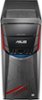
On the bottom right of the tray. When you push just right it will pop down the cover and roll out. Or I find it easier just to use the eject command when you right click the drive in my computer.
Sorry, there was a problem. Please try again later.Top door flops down and there's an eject button inside that access.
Sorry, there was a problem. Please try again later.Right click on the drive in my computer, and select eject.
Sorry, there was a problem. Please try again later.You can open it by pulling down the top front panel to expose the drive or you can go to file explorer, select the drive and select eject.
Sorry, there was a problem. Please try again later.You actually just press on the door for the DVD drive. This will cause the DVD tray to slide out and also push open the door.
Sorry, there was a problem. Please try again later.