“I've tried to change the color of the LED. But once I click save they are still the same color as before. Any Ideas?”
Answer This Question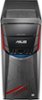
1-4 of 4 Answers
try to hit apply will work then hit save. will fix the problem
Sorry, there was a problem. Please try again later.Possibly see if there is an update for the drivers that control that feature.
Sorry, there was a problem. Please try again later.Not sure but you might try a reboot after locking in the color.
Sorry, there was a problem. Please try again later.The only LED that changes color is the one that is directly under the power button. The other LED's do not change from the default red color. I have not encountered any issues in changing the color of the LED under the power button. I'd call Asus customer service. They are surprisingly easy to get a hold of.
Sorry, there was a problem. Please try again later.