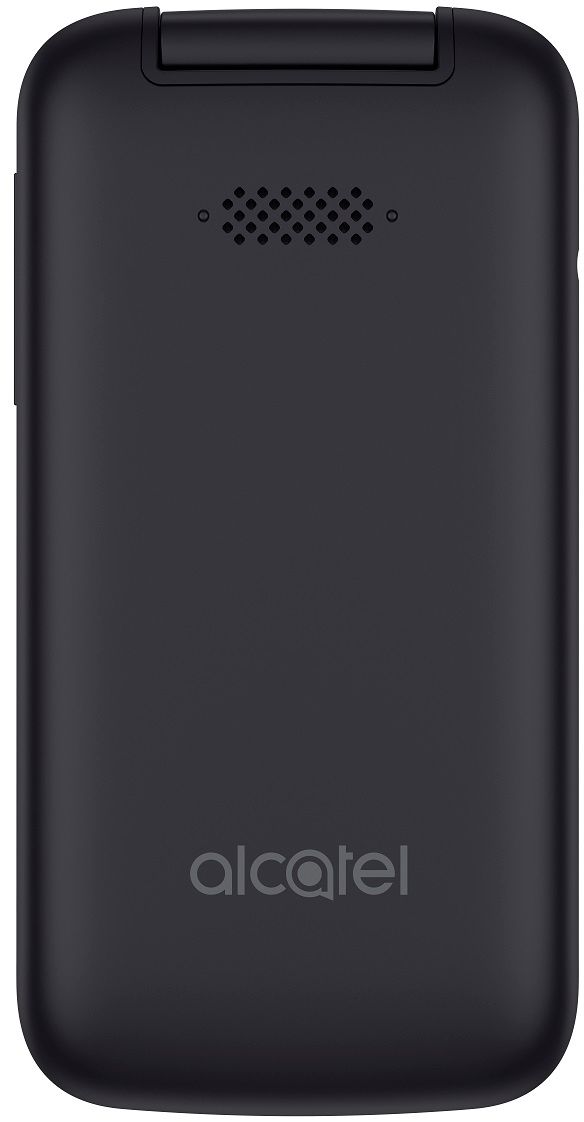
A:AnswerAny telephone number should be able to be ported into a new activation on AT&T. I had to get my account number and PIN from my service provider and then went to the AT&T store to activate the phone using the information. It was an AT&T phone I already had and the store gave me a new SIM for free. The port was fast, it was finished when I left the store.
A:AnswerYes, without an activated SIM (or an expired SIM) it will perform limited functions. If you have WiFi it will be able to download apps from the KaiOS store that will work on WiFi. The email app works on WiFi.
Anything requiring mobile data using AT&T prepaid service won't work, such as messaging or calling.
A:AnswerDo you mean transfer your account from the old SIM to the new one?
If you're on AT&T prepaid already and want a new phone, and the SIM cards are the same size (the AT&T Alcatel Smartflip 4052R has a NANO size SIM), you can just transfer your current Nano SIM to the new phone. It should work without calling AT&T to tell them. I swapped SIMs from a prepaid smartphone to another one and the AT&T system updated the new phone info.
If your current phone has a larger SIM than NANO, (Micro size came before Nano, and Standard was the old larger size my 2005 phone had), then it can't be swapped to the new phone.
You can have AT&T update the new phone SIM with your old phone's SIM info. My AT&T Smartflip paperwork said to update a SIM by calling 800.901.9878. From the main menu choose "more options" then press 0 to talj to someone. Or visit att.com/myprepaid and select "My Device" then update the SIM number. Additional assistance call 800.331.0500.
Or have it done at the local AT&T store.
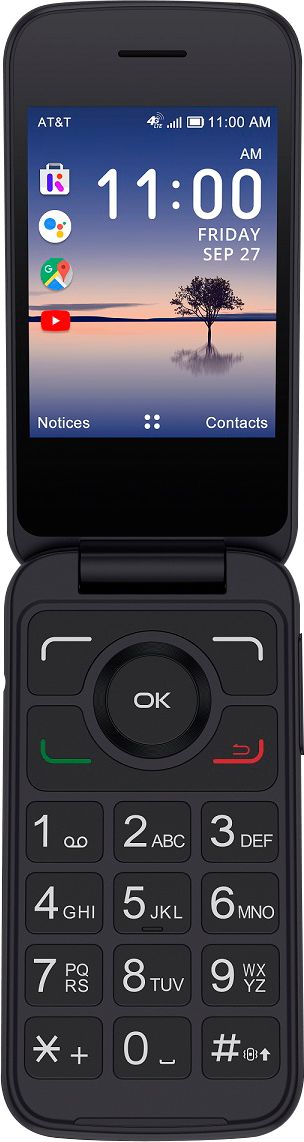
A:AnswerYou can swap your old SIM into a new AT&T prepaid phone if your current phone is an AT&T prepaid phone AND if the SIM cards are the same size.
The phone should work with the SIM swap without calling AT&T, their system updates the info. I've done SIM swaps on prepaid AT&T phones and when I went to the AT&T store to add funds, they said the phone I swapped SIMs to was registered on their system.
If the old phone's SIM is bigger than the new AT&T phone's SIM, you can have the new phone SIM updated with your old SIM's info.
My AT&T Alcatel Smartflip's paperwork says if your SIM doesn't fit the new phone, to visit att.com/myprepaid and select "My Device." then update with the new SIM number.
Or call 800.901.9878 and say "more options" at the main menu. Press 0 to speak with someone. Additional assistance, 800.331.0500.
You might also try to get it done at an AT&T store.
This will transfer your current prepaid account to the new SIM.
A:AnswerAs far as I know you can only install apps on the AT&T Smartflip that are on the KaiOS Store that's on the phone. The store has a lot of little apps, games and tools, nothing very advanced. However the flip has a mobile browser that can be used on WiFi to save mobile data. You might be able to access social sites that way. It does email over WiFi.
A:AnswerThe Pantech Breeze is fairly old and probably has a Standard size SIM, not the current NANO.
My AT&T Alcatel Smartflip paperwork says if your SIM doesn't fit the new phone, you can update your new SIM with the info from your old SIM. Visit att.com/myprepaid and select "My Device", then update with the new SIM number.
Or call 800.901.9878 and say "more options" at the main menu. Select 0 to speak to someone.
Additional assistance call 800.331.0500
Or have the update done at an AT&T store.
Updating your SIM is less risky than cutting the SIM which might damage it.
A:AnswerDon't think it can be set permanently. That's the purpose of the up/down volume buttons. I'm afraid your mom will have to hold the phone just below those buttons.
A:AnswerUnless you can Bluetooth or download some ringtones to the phone from computer or another source, ones that will sound louder than the few pre-installed ones, I don't know of a way to get louder volume from the phone.