“Can I add apps to this phone or is it filled with stuff I don't want and can't delete (like my AT&T ZTE Maven)?”
Answer This Question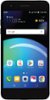
1-4 of 4 Answers
I deleted many of the unwanted APPS - If you are connected to the internet, you can add APPs!
Sorry, there was a problem. Please try again later.You can add app from the playstore without any problem..
Sorry, there was a problem. Please try again later.Yes, applications are able to be added to the phone using the Google Play Store. The LG Phoenix 4 has 16 GB of internal memory. Some of that will be used by pre-installed applications. If you need further assistance, you can contact our Customer Support by any of the below options: Phone: 1-800-243-0000 LiveChat: https://www.lg.com/us/support/chatbot Email: https://www.lg.com/us/support/email-appointment Facebook Messenger: https://www.facebook.com/LGUSA/ Twitter: @LGUSSupport The LG Community Forum is also a great resource for getting help from other LG customers: https://lgcommunity.us.com/
Sorry, there was a problem. Please try again later.You can definitely add apps. I would first go to Google Play, and turn off the Auto-Update on the apps because the first thing it wants to do is update the apps to full bloated versions. You can then go through the phone and delete, or disable the apps you don't want or don't need. The ones you can't delete, you can only disable. I added a few games for my daughter, including Pokemon Go, and I have 9.2 GB used of 16 GB with no SD card. Definitely get an SD card for your photos. Installing or moving games to your SD card hasn't worked too good for me with past android devices, so I can't comment on that with this one.
Sorry, there was a problem. Please try again later.