A:AnswerWe apologize for the inconvenience caused due to this. Please try the following steps and if the issue still remains unresolved, please contact Dell Tech Support Team for further assistance.
Check Battery Orientation – Ensure batteries are inserted correctly and are fresh.
Reconnect Keyboard – Remove and re-pair the keyboard via Bluetooth or USB receiver.
Try Another Port/Device – Test the keyboard on another device or USB port.
Update Drivers – Go to Device Manager and update keyboard drivers.
Restart PC – A simple reboot can often resolve connectivity issues.
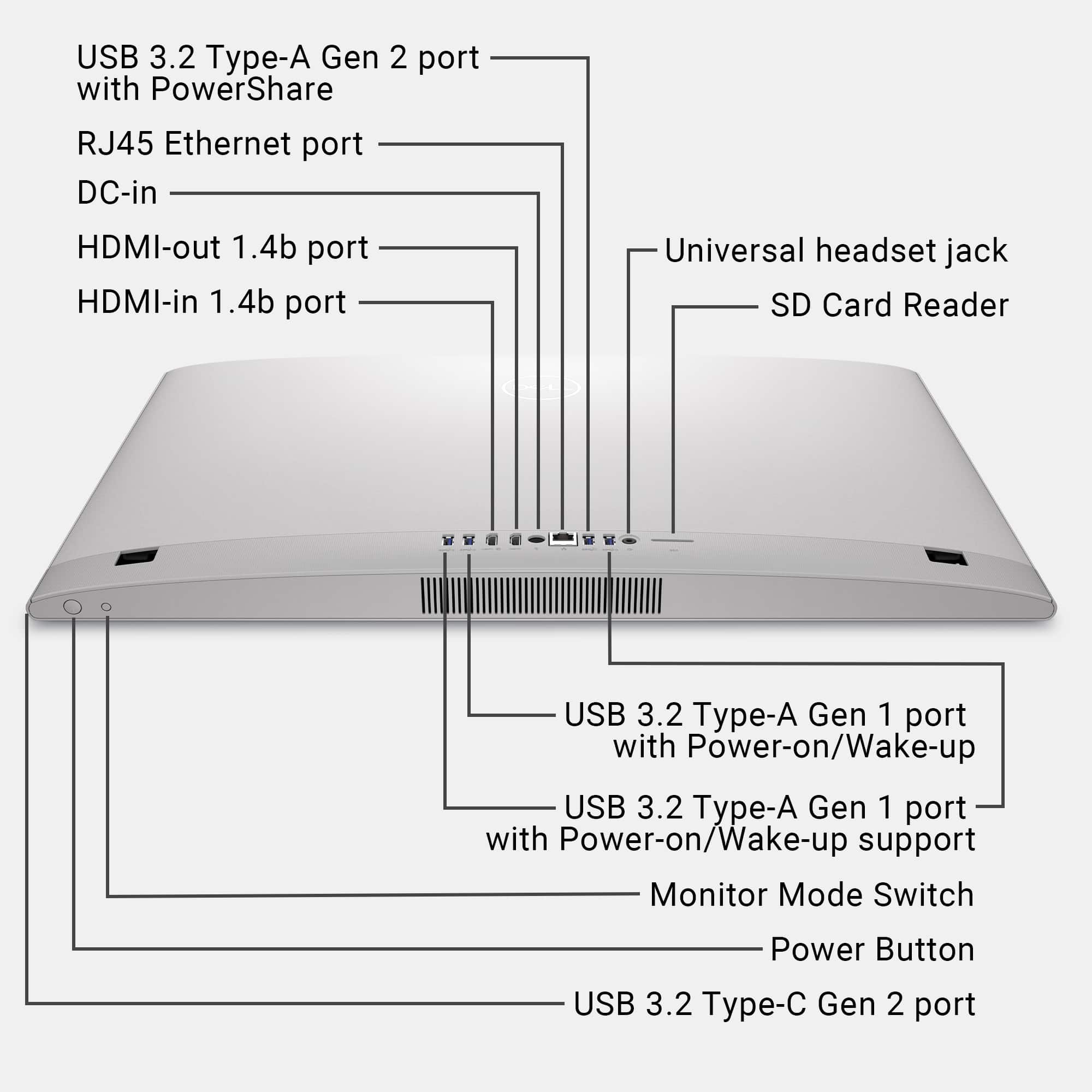
A:AnswerOnly one External Monitor can be added via HDMI-out port and also to use this All in one device as a monitor to connect a laptop / desktop, One HDMI-in port is provided.