Winter SaleEnds 1/19. Limited quantities. No rainchecks.Shop now

Main Content

Questions & Answers

Your price for this item is $799.99
Page Showing 21-38 of 38 questions
  • QuestionCan Ram be upgrade

    Asked by Anonymous.

    • Answer No, the memory is onboard and cannot be upgraded.

      Answered by YourDellTeam

  • QuestionDoes it have windows photo gallery.

    Asked by Anny.

    • Answer Yes, it has Windows Photos application.

      Answered by YourDellTeam

  • QuestionUp to what Mbps is this laptop capable of?

    Asked by Doug.

    • Answer supports Wi-Fi 7 (802.11be) via the Qualcomm FastConnect 7800 wireless module. 📶 Maximum Wireless Speed Capability: Up to 5.8 Gbps with Wi-Fi 7 routers and ideal conditions.

      Answered by YourDellTeam

  • QuestionCan i connect docking station via USB-C?

    Asked by AU.

    • Answer Yes, the laptop does support USB-C docking stations such as Dell WD25 Pro Dock and Dell D6000 Universal Dock.

      Answered by YourDellTeam

  • QuestionDell - Inspiron 14 I my question when do I know when Dell laptop is fully charged? Also when charging I noticed my question when do I know when Dell laptop is fully charged? Does it over heat when using this laptop? Want to make sure for safety

    Asked by NG.

    • Answer This model supports Smart Charging, which is enabled by default on Dell laptops with Qualcomm Snapdragon processors. When fully charged, the battery icon will show a heart symbol in Windows 11—this indicates that smart charging is active and the battery is at 100%. It uses passive cooling and low-power ARM architecture, which means it runs cooler than traditional Intel-based laptops.

      Answered by YourDellTeam

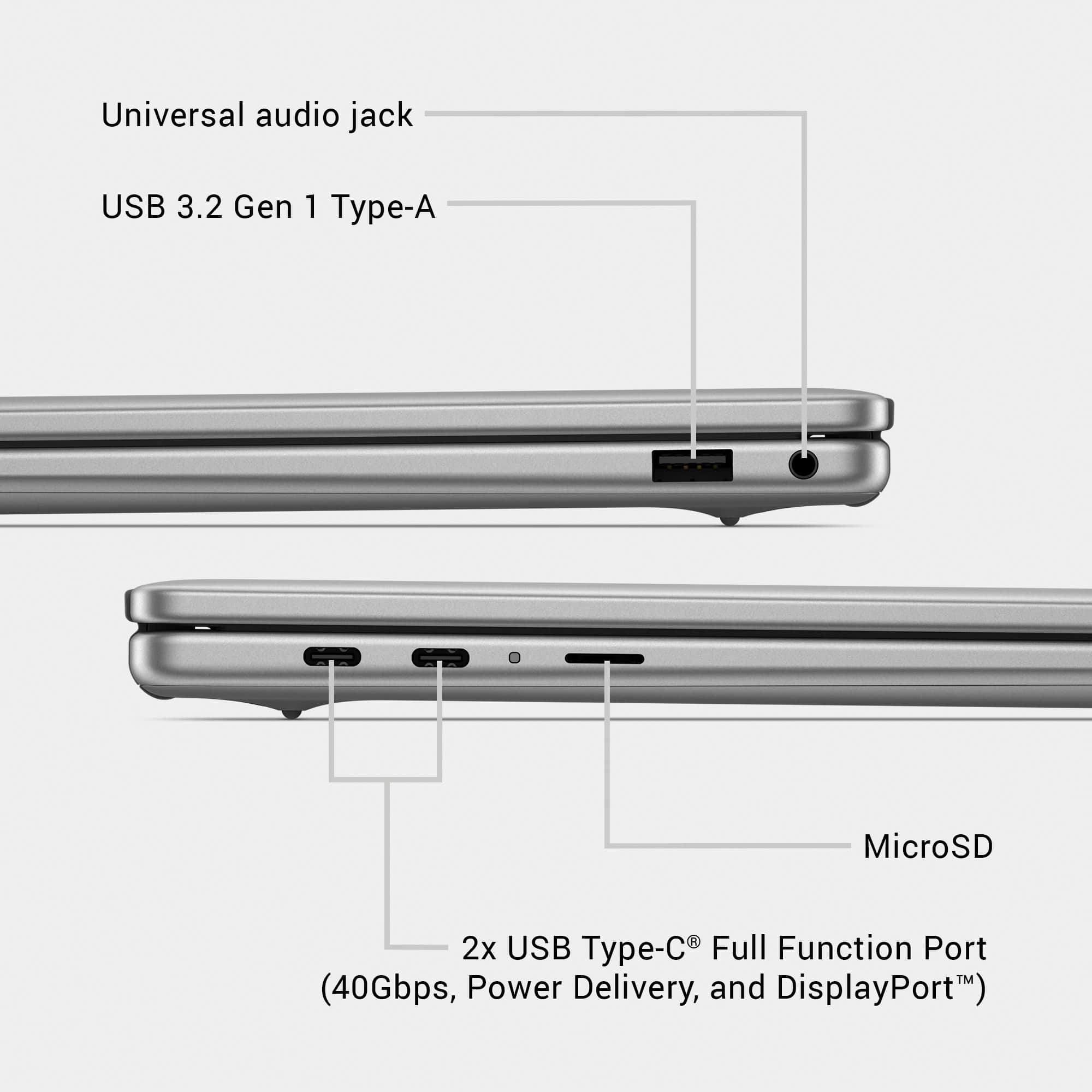
  • QuestionDoes it have an HDMI port?

    Asked by Tuna.

    • Answer No. But you can buy a USB-C to HDMI converter cable to use.

      Answered by BRETB

  • QuestionDoes this Dell have USB ports?

    Asked by Anonymous.

    • Answer Yeah

      Answered by MariamaI

  • QuestionDoes this laptop have an SD port?

    Asked by Mike.

    • Answer No. It does have a microSD card slot, but not the full sized SD memory slot.

      Answered by BRETB

  • QuestionDo I need to charge it before downloading anything?

    Asked by Desi89.

    • Answer Most laptops come charged to about 60 or 70%, so that battery can be stress tested at the factory before shipping. However, you do not need to charge it before using it. It's a good idea to fully charge the battery just for convenience of not having to be interrupted by a low battery, but it's not required.

      Answered by BRETB

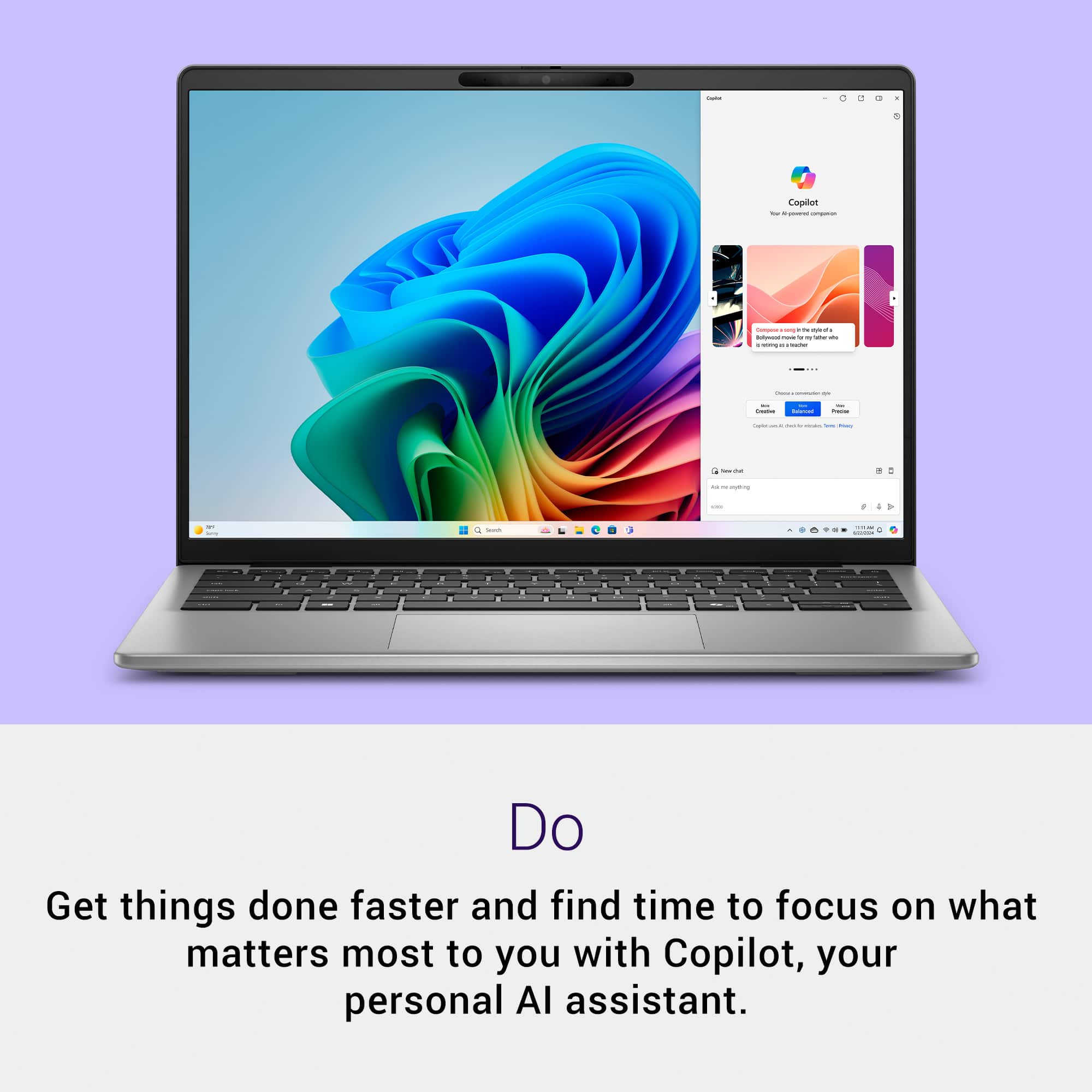
  • QuestionDoes this laptop come with Windows 11 pre-installed?

    Asked by Reston.

    • Answer Yes.

      Answered by Nickname

  • QuestionHow does this laptop hold up with gaming? Can I play graphic-intensive games?

    Asked by Lttl.

    • Answer Hi Lttl, and thanks for reaching out. Snapdragon X Series processors are designed primarily for thin and light devices, excelling in productivity, media consumption, and creativity. However, we understand the importance of gaming for many users. We have rigorously tested and validated hundreds of leading games on our platform, and we are continuously adding more. You can find a list of fully validated games at www.WorksOnWoA.com
      Answered by Snapdragon team

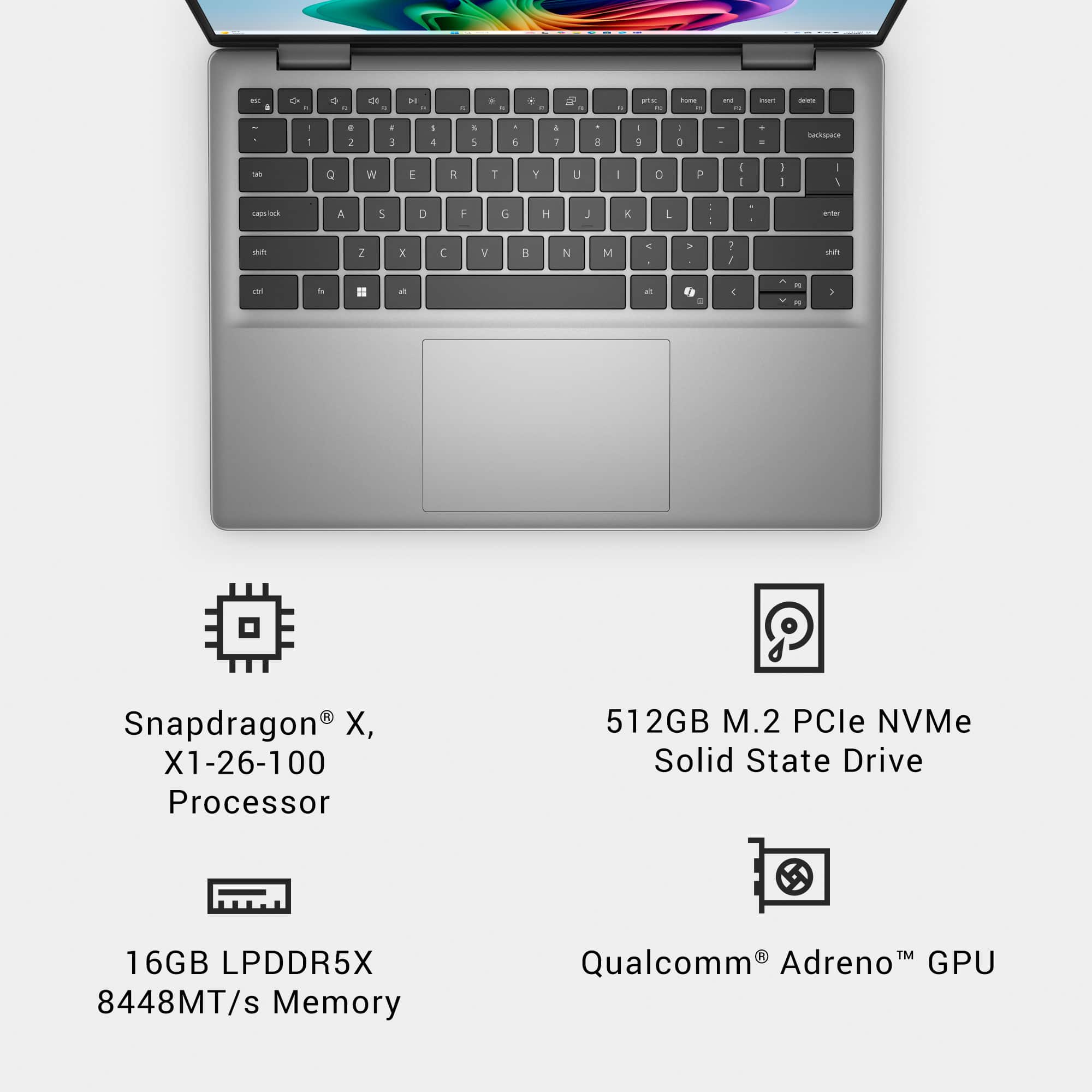
  • QuestionIs this Laptop RAM expandable

    Asked by Winnie.

    • Answer NO. The RAM in this laptop is built onto the system board. It is not exchangeable or upgradable.

      Answered by BRETB

  • Questionplz share grapic card details. is this ok for auto cad software use

    Asked by naveen.

    • Answer NOT recommended. The CPU and GPU (even the NPU) are all slightly above "entry" level. Not intended to handle heavy loads. I would not recommend this laptop for intense graphic games or CAD applications.

      Answered by BRETB

  • QuestionWhat is the battery life on this laptop

    Asked by Jess.

    • Answer Hi Jess, and thanks for reaching out. The Dell Inspiron 14" FHD+ has up to 21 hours of battery life.

      Answered by Snapdragon team

  • QuestionHow does this laptop connect to a 2nd monitor?

    Asked by Aej.

    • Answer The only connection ports are 3 USB ports (2 x USB-C and 1 x USB-A). You can buy a USB-C to HDMI (or display port) cable that will allow you to connect this laptop to an external monitor. I have also connected it to my "dock" (port replicator) that has up to two additional external monitors connected. This laptop can control THREE monitors (internal screen, plus 2 external monitors).

      Answered by BRETB

  • QuestionWhat is the battery life? How long?

    Asked by Ksantam760.

    • Answer I was VERY impressed with the battery life on this laptop. A full charge can last between 14 and 18 hours (best case scenario). But that's utilizing the power save function and with lightweight use. Normal use is still probably a good 8 to 10 hours. The processor is incredibly efficient and battery life should not be a problem with this system.

      Answered by BRETB

  • QuestionIs it compatible with 220V in the Philippines? If not, how can I use it there without causing damage?

    Asked by 123js.

    • Answer Almost ALL laptop power adapters are dual voltage and work anywhere in the world with the correct physical adapter. You should have no problem using this laptop/power adapter in Philippines since the outlets there are the same as USA. The only problem you MIGHT have is that the power plug is "grounded" plug (three prong) and you might need an adapter if you do not have a "grounded" plug in Philippines.

      Answered by BRETB

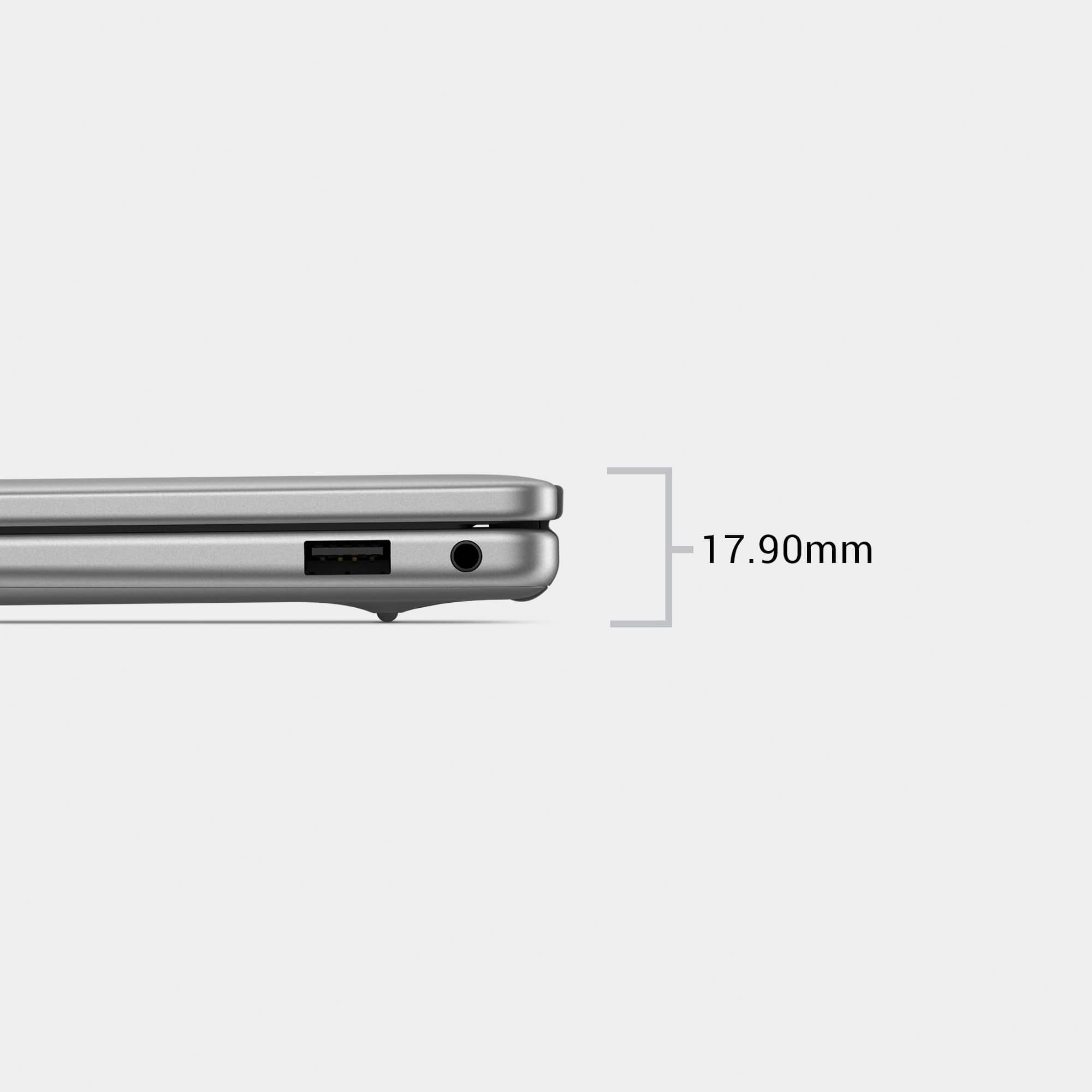
  • QuestionDoes it have metal body?

    Asked by Anonymous.

    • Answer Yes.. aluminum

      Answered by BRETB