Main Content

Questions & Answers

$99.99
Page Showing 1-20 of 52 questions
  • QuestionCan I easily switch between horizontal and vertical filming with this gimbal?

    • Answer Yes, the Quick Roll feature allows for easy switching between horizontal and vertical filming.
    This question and answer was generated by AI based on customer and product data.
  • QuestionHow does the Osmo Mobile SE handle fast movements?

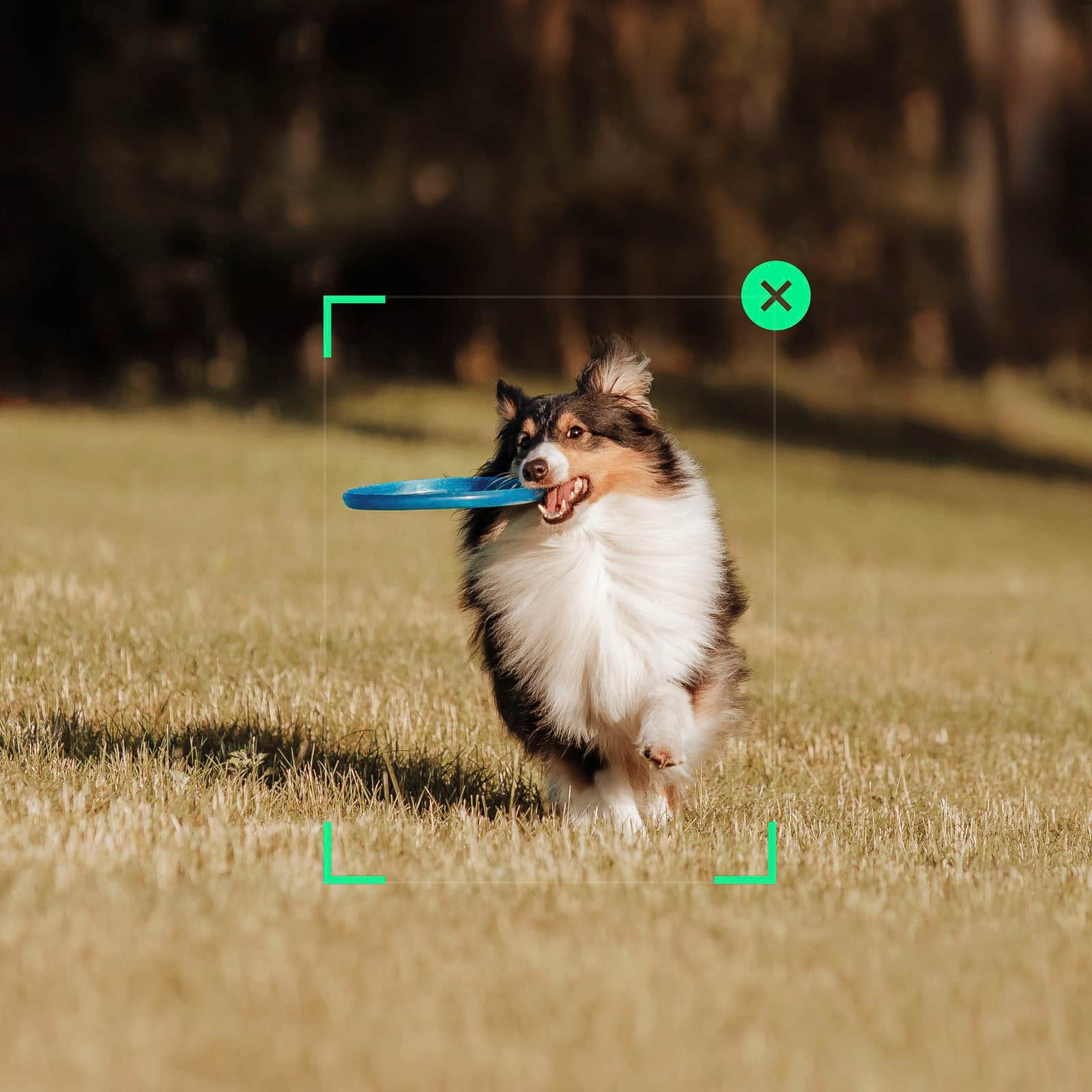
    • Answer The ActiveTrack 6.0 feature is optimized to track subjects even during fast movements.
    This question and answer was generated by AI based on customer and product data.
  • QuestionWhat is the battery life of the Osmo Mobile SE?

    • Answer This gimbal stabilizer has a battery life of up to 8 hours.
    This question and answer was generated by AI based on customer and product data.
  • QuestionDoes the Osmo Mobile SE support timelapse photography?

    • Answer Yes, the Osmo Mobile SE supports Timelapse, Motionlapse, and Hyperlapse.
    This question and answer was generated by AI based on customer and product data.
  • QuestionIs the Osmo Mobile SE compatible with smartphones other than iPhones?

    • Answer Yes, the Osmo Mobile SE is compatible with a wide range of smartphone brands, including Apple, HUAWEI, HONOR, Samsung, Xiaomi, OPPO, vivo, OnePlus, Google, and Nothing.
    This question and answer was generated by AI based on customer and product data.
  • QuestionDoes this work with the Samsung Galaxy S23 Ultra?

    Asked by MikeW.

    • Answer I just got mine today and it isn't working properly with my S23 Ultra. Your suppose to pull the trigger once and it will follow you with active track, that doesn't seem to work. Also the button that changes to the front camera doesn't work. But the record button on the handle works to start and stop video or take pictures. I also couldn't find where to download an app for the DJI Osmo Mobile SE. I found a compatibility list that shows the s22 ultra is compatible. But it doesn't show the S23 ultra on the list. The Gimbal works great with with the S23 Ultra. Very smooth videos and like that they are automatically level. I will probably trad up for the 360 instant flow. If anyone knows how to fix these problems let me know.

      Answered by Larry

  • QuestionDoes this come with video editing software?

    Asked by CharlyC.

    • Answer Dear Customer, Yes, you can use LightCut app with DJI osmo Mobile SE. You can download the LightCut app from major app stores, or from the Downloads page on the DJI official website: scroll to the bottom, go to Download Center > Top Downloads. Should you need any further assistance, please feel free to contact our DJI support at http://www.dji.com/support, we are always here to help. Best Regards, DJI Support

      Answered by DJI Official

  • QuestionDoes the magnet ever fail or is very reliable?

    Asked by Anthony.

    • Answer Very Reliable.

      Answered by NagarajuG

  • QuestionWill this hold an iPad?

    Asked by Itsme.

    • Answer No. It’s not made for an iPad or any other tablet

      Answered by MuhammadK

  • QuestionWill this work with a Samsung Galaxy a35 5g phone? Thanks

    Asked by superman52.

    • Answer Dear Customer, Thank you for your inquiry. The Osmo Mobile SE is not compatible with the Galaxy A35 5G phone. you can check the compatibility list in DJI website Should you need any further assistance, please feel free to contact our DJI support at http://www.dji.com/support, we are always here to help. Best Regards, DJI Support

      Answered by DJI Official

  • QuestionIs this compatible with iPhone 17 Pro Max?

    Asked by Zenergy.

    • Answer Hi there, Thank you for your inquiry. The Osmo Mobile SE is compatible with the iPhone 17 Pro Max. Thank you for your support, and please feel free to contact us if you have any other questions.

      Answered by DJI Official

  • QuestionDo I have to download an app for this to work? I only really want it to live stream HS basketball games for facebook friends

    Asked by BBALLEr.

    • Answer For this one you don't need the app, it will just work. The best part is the trigger, when you squeeze the trigger it will lock the phone in the direction you point it. Which means if you are walking down the stairs but you want to keep the camera from moving up and down while walking, just squared the trigger and it will stay aimed in that direction. You can even move the gimbal left, right, up or down and it will stay aimed straight ahead ( or where ever you have it aimed)

      Answered by ManuelA

  • QuestionWill this work with a GoPro?

    Asked by Joe.

    • Answer Might need an attachment!

      Answered by FLAT

  • QuestionWould this hold a webcam and prevent wobble from shaky desktop? I have a sit to stand on carpet and don't want to stabilize that. I have it currently mounted on wall but want to be able to sit, stand and have the tripod on desktop

    Asked by rambler.

    • Answer It's for your phone.

      Answered by FLAT

  • QuestionDoes this take a panorama shot? I saw a video of someone focusing on a building, then they pushed a button and the gimbal took 4 shots of its own and sewed the shots into a beautiful panoramic picture.

    Asked by Nonnie.

    • Answer Yes it does. It can take up to 3 shots for panoramic shots. You can also be in those shot too and it will come out as if you have clones of yourself all in one panoramic shot.

      Answered by Passi

  • QuestionHow does this differ from the Osmo 7p version?

    Asked by Someone123.

    • Answer Dear Customer, thank you for your interest in DJI! Compared to the Osmo Mobile SE, the Osmo Mobile 7P supports larger and heavier smartphones, features a three-axis magnetic folding design for a more compact size. Regarding the magnetic phone clamp, the Osmo Mobile SE requires manual balancing adjustment, while the Osmo Mobile 7P adopts an intelligent magnetic design that allows quick attachment and automatic leveling. The Osmo Mobile SE supports ActiveTrack 5.0, whereas the Osmo Mobile 7P is upgraded with ActiveTrack 6.0 for more precise tracking. If you need an extension rod, the Osmo Mobile SE requires an additional accessory, while the Osmo Mobile 7P has a built-in retractable extension rod (approximately 215mm). Additionally, unlike the Osmo Mobile SE which needs manual gimbal adjustment, the Osmo Mobile 7P enables one-touch switching between horizontal and vertical shooting. Should you need any further assistance, please feel free to contact our DJI support at http://www.dji.com/support, we are always here to help. Thank you for your understanding and continued support. Wishing you a wonderful day! Best Regards,  DJI Support

      Answered by DJI Official

  • QuestionThis gimbal is compatible with my DJI Osmo 4 sports camera.

    Asked by PARACHO.

    • Answer Dear customer, thank you for your inquiry. Please be informed that the Osmo Action series cannot be used with the Osmo Mobile series devices. Main reasons are as follows: 1. The Osmo Mobile series gimbal holding structure is specially designed for mounting mobile devices in the form of mobile phones. However, the Osmo Action series products do not meet the Osmo Mobile series hardware mounting requirements (weight, height, and width), which cannot meet usage experience. 2. When it comes to stabilization: The Osmo Mobile series adopts the mechanical gimbal technology, while the Osmo Action series adopts the electronic image stabilization (EIS) technology. Hope this information will help, should you need any further assistance, please feel free to contact our DJI support at http://www.dji.com/support, we are always here to help. Best regards, DJI Support

      Answered by DJI Official

  • QuestionIs this only for phones or can you use action cameras too?

    Asked by EvanS.

    • Answer No

      Answered by Dreaddabodyguard

  • QuestionCan you charge the phone off of the gimbal

    Asked by Bris.

    • Answer no

      Answered by CarlosV

  • QuestionDoes this version have the spin shot feature? I have an idea for a music video and need the spin shot feature

    Asked by KMB.

    • Answer Dear Customer, Thank you for your inquiry. Regarding your question. The DJI - Osmo Mobile SE does support the SpinShot mode, you can do either of the following: 1. Switch to SpinShot mode via the M button. 2. When Osmo Mobile SE is in photo, video, slow motion, or Hyperlapse mode, go to Settings > Gimbal in the DJI Mimo app, and enable SpinShot in Follow Mode. Then you can push the joystick to the left or right to spin the smartphone. Should you need any further assistance, please feel free to contact our DJI support at http://www.dji.com/support, we are always here to help. Best Regards, DJI Support

      Answered by DJI Official