“How do you take the batteries OUT? The batteries will NOT COME OUT of the mouse. They're dead and I need to replace them! What do I do?”
Answer This Question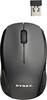
1-6 of 6 Answers
I haven't had this problem as of yet. My batteries are a little tight and I used a toothpick to catch the edge of one to pop it out the last time I changed them. I would say if you can't lightly pop them up with a toothpick or get them to come out by lightly tapping the mouse against the palm of your hand then I would bring it back to where you purchased it.
Sorry, there was a problem. Please try again later.Try pulling the rope thingy, also try using a bobby pin to pull it out.
Sorry, there was a problem. Please try again later.My HP wireless mouse's top cover comes off to replace the batteries. Maybe that's the case with yours.
Sorry, there was a problem. Please try again later.Use a knife, screwdriver or something similar to pulled out!
Sorry, there was a problem. Please try again later.You can use any device with a thin blade to pop them out. I usually use the edge of a butter knife to pop them out.
Sorry, there was a problem. Please try again later.To remove batteries from Logitech - Anywhere Mouse MX Wireless, turn it upside down and slide the bottom part with your thumb, this will expose the two AA batteries.
Sorry, there was a problem. Please try again later.