“one I don't know what is going on with my dynex mouse it's red light turns off by itself leaving me using my computer finger pad on my computer I dont know what is wrong with my computer mouse its was new about three weeks ago please help me understand what is happening before I go nuts.”
Answer This Question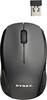
1-2 of 2 Answers
The red light is supposed to go off after 10 seconds. If the mouse isn't working, then it is either loosing power or getting disconnected. I would check the batteries and make sure they are firmly connected. You might also try new batteries just to make sure. After that, pull the nano receiver out and reconnect it to your computer and hit the connect button on your mouse. If it still won't work, then return it to the Geeksquad at your local Best Buy for warranty work.
Sorry, there was a problem. Please try again later.Three possible solutions: 1) For a wireless mouse, check the battery. 2) For a corded mouse, check the connection or try attaching it to a different USB port. 3) For a corded mouse which came with your PC, you might need to download the drivers again. Try the company website for alternate solutions.
Sorry, there was a problem. Please try again later.