“My mouse freezes every one or half second - what is happening? I bought this mouse 4 months ago at Best Buy. I just changed the batteries today, I've plugged into different USB ports, and pressed reconnect, but nothing. Please help! Thank you.”
Answer This Question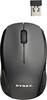
1-2 of 2 Answers
Sometimes with my wireless mouse (more from the cheaper ones I have had in the past) they would bug out on me the pointer would freeze up on me and I would it around a bit and get it to working. Later on I figured out that the wireless transmitter that plugs into the computer was out of range and I was sitting right next to it at my desk. So if this is happening to you I would advise relocating your USB wireless transmitter to closest USB to your mouse. If that does fix your problem I would advise going to bestbuy and buy a wireless mouse with better range or buy a wired mouse. Hope this helped.
Sorry, there was a problem. Please try again later.The first thing to do is to try new batteries. Since this started after the battery change, that would possibly fix it. The next step is to restart your computer. If it still does not work, the last troubleshooting step is to try to adjust the setting inside the control panel. If the mouse is still constantly freezing, then the only thing left to do is take it back to the Best Buy store for repair/replacement. If there are any issues at the store, then please call us at 1-800-305-2204 from the store so we can help you out.
Sorry, there was a problem. Please try again later.