Questions & Answers
- Model:
- R010111
- |
- SKU:
- 10736214
Q: QuestionIf I connect the Eero 6 to my existing Frontier router......can I change the EERO SSID and password to my current Frontier SSID and password? Just to eliminate the need of reconnecting everything.
Asked by Anonymous.
- A:Answer Yes you can. We would strongly recommend that you also change the name on the Frontier router, or disable the wifi on it. If both the Frontier router and the eero are broadcasting the same SSID and password your devices will not be able to distinguish between them, you will have odd connection issues. Changing/disabling the Frontier will ensure you can use your existing name/password on the eero and your devices should connect to it with no issue. Remember that SSID/Passwords are case sensitive and have to be put in exactly right.
Answered by eeroinc Team
Q: QuestionCan you use more than one hub with the LANs for example one connected to the modem the other upstairs plug into a game console?
Asked by Anonymous.
This question was asked about the related product: eero - 6+ Dual-band Mesh Wi-Fi 6 Router (1-pack) - White
- A:Answer Yes you can. You will still need one eero hardwired to the modem but a second eero can connect to the first one (wired or wirelessly) and you can hardwire devices directly to that leaf/wireless eero and those devices will get a hardwired connection. If you need to connect more than two devices to an eero use an unmanaged switch (like eero->switch->multiple devices)
Answered by eeroinc Team
Q: QuestionCan I hardwire one to my computer for a wired setup?
Asked by AdrianeS.
This question was asked about the related product: eero - 6+ Dual-band Mesh Wi-Fi 6 System (2-pack) - White
- A:Answer Yes, you can hardwire a computer or device to any of the eero (not just the gateway but to a wireless eero as well), and that device will see its connection as hardwired.
Answered by eeroinc Team
Q: QuestionI have 3 EERO Extenders in my Ranch Style to extend the WiFi signal. The EERO have died. Need them for WiFi cameras to work. Can I purchase the 3-Pack and Just plug them into the computer and other places they already were?
Asked by Lfortson.
- A:Answer Yes, that should work fine. The radios are different so the ideal placement for one model isn't necessarily the ideal for another, but going from eero 6 extender to eero 6+ won't involve a lot of difference, should be good.
Answered by eeroinc Team
Q: Questionhow do I download the app? I have 3 eero already in my home. How do I access my account
Asked by Eero.
This question was asked about the related product: eero - 6+ Dual-band Mesh Wi-Fi 6 System (2-pack) - White
- A:Answer Hello there! You can download the app on either the Apple App Store, Google Play or Amazon Appstore. You will need an email address and phone number to activate and sign into your account. Once you download the app for free on your mobile device it will walk you through all the steps to access your account or there will be prompts to recover your account if you can't remember your password or username. Hope that helps!
Answered by Amazon Devices Customer Support
Q: QuestionCan I use this router with a different modem
Asked by AndrickS.
- A:Answer Hello AndrickS, Absolutely, the Eero 6+ will work with virtually all Cable and DSL Modems. If you rent one from your service provider or purchase your own as long as it's DOCSIS 3.1 it will work just fine! I hope this answers your question!
Answered by Amazon Devices Customer Support
Q: QuestionWill this work with Verizon wireless network
Asked by Pineknot.
- A:Answer Hi Pineknot, yes — if you’re referring to Verizon home internet (like Fios or 5G Home), it will work with eero 6+. You just connect eero to your Verizon modem or gateway, and it will create your Wi-Fi network. Hope this helps!
Answered by Amazon Devices Customer Support
Q: QuestionIs this approved to work with Spectrum?
Asked by BusGuy.
- A:Answer Hello BusGuy, the Eero 6+ Mesh WI-FI will work with any Internet Provider. You will still need to have a Router provided from your ISP. Have a great day!
Answered by Amazon Devices Customer Support
Q: QuestionCan the Mesh be used outdoor? Like in a garage.
Asked by MJ.
- A:Answer yes. We use ours in the barn.
Answered by Glocake
Q: QuestionDoes this system work with ATT fiber optic WiFi
Asked by Horndog.
- A:Answer Hi Horndog, Yes it work with AT&T Fiber optic. The best setup involves connecting the EERO gateway directly to the AT&T Fiber Gateway via Ethernet. You could also disable the Wi-Fi on the AT&T Modem to avoid interference in a crowded building or area. Hope this helps!
Answered by Amazon Devices Customer Support
Q: Questionwill this work with an eero 6 router?
Asked by tacboss.
This question was asked about the related product: eero - 6+ Dual-band Mesh Wi-Fi 6 Router (1-pack) - White
- A:Answer Hello tacboss! Yes! The EERO mesh system is built to mix and match for your network. Important note that the 6 model capabilities will be limited by the least advanced unit compared to the 6+ model. Depending on your home internet plan. Top end speed can change depending on which unit your device is connected to.
Answered by Amazon Devices Customer Support
Q: QuestionI live with someone else who has Verizon WiFi buts it’s trash for gaming , can I buy this eero one pack for my room and connect it straight to my Xbox ?
Asked by Ajay.
This question was asked about the related product: eero - 6+ Dual-band Mesh Wi-Fi 6 Router (1-pack) - White
- A:Answer I asked what I call my Chat buddy, which is AI. I will show you what he says. You can also try chatting with AI. Can 1 Eero 6+ improve your Xbox speed? Yes — but only if you connect the Xbox to the Eero by Ethernet. Here’s why: Option 1: Xbox → Ethernet cable → Eero 6+ This gives you: The fastest possible connection Lower latency (better for gaming) More stable speeds Full benefit of your Google Fiber gigabit This is the best way to use a single Eero 6+ with an Xbox. Option 2: Xbox → Wi‑Fi → Eero 6+ This can still improve things if: Your current Wi‑Fi signal is weak Your Xbox is far from your router You place the Eero closer to the Xbox But Wi‑Fi will never beat a wired connection for gaming. Important note If you buy just one Eero 6+, it must be: Wired to your modem (or to your Google Fiber jack) And then your Xbox can be wired to the Eero’s second Ethernet port If you want to place the Eero somewhere else in the house wirelessly, you’d need at least two Eeros (one wired gateway + one wireless node).
Answered by Macs
Q: QuestionWill this work with Verizon Fios Internet? I do not have Verizon TV or phone packages. I have several hubs which I need to hook up. How would I do this with only two Ethernet connections in the back of the eero.
Asked by FSUNole.
This question was asked about the related product: eero - 6+ Dual-band Mesh Wi-Fi 6 System (2-pack) - White
- A:Answer It acts as a router so you will need to replace your old router or the one that they gave you with this. Wherever they connected it through the Ethernet you will need to hook your eero up. Now as far as what you are trying to connect you might need another eero to connect it through their Ethernet jack if it’s to far or if you want faster and more reliable connection. Hopefully this helps.
Answered by Joseph
Q: QuestionWill this be compatible with my preexisting linksys mesh system?
Asked by Andre.
- A:Answer Hi Andre. Thanks for reaching out about the eero 6+ system. To get the most out of your eero WiFi system, we recommend having your eero WiFi system replace your mesh system and having your gateway eero plugged directly into your modem. If you plug the eero into your Linksys mesh system, it will create a separate network, not expand the existing one. I hope this helps. Have a great day!
Answered by Amazon Devices Customer Support
Q: QuestionI have a euroPro 6E with three six plus Euros mesh I need to extend the Wi-Fi distance for my outside cameras what do I use
Asked by ThomasS.
- A:Answer Hi Tommy. Thanks for reaching out! You can extend the outdoor coverage of your eero network by adding an eero Outdoor 7. I hope this helps. Have a great day!
Answered by Amazon Devices Customer Support
Q: QuestionIs it mountable?
Asked by Rudy.
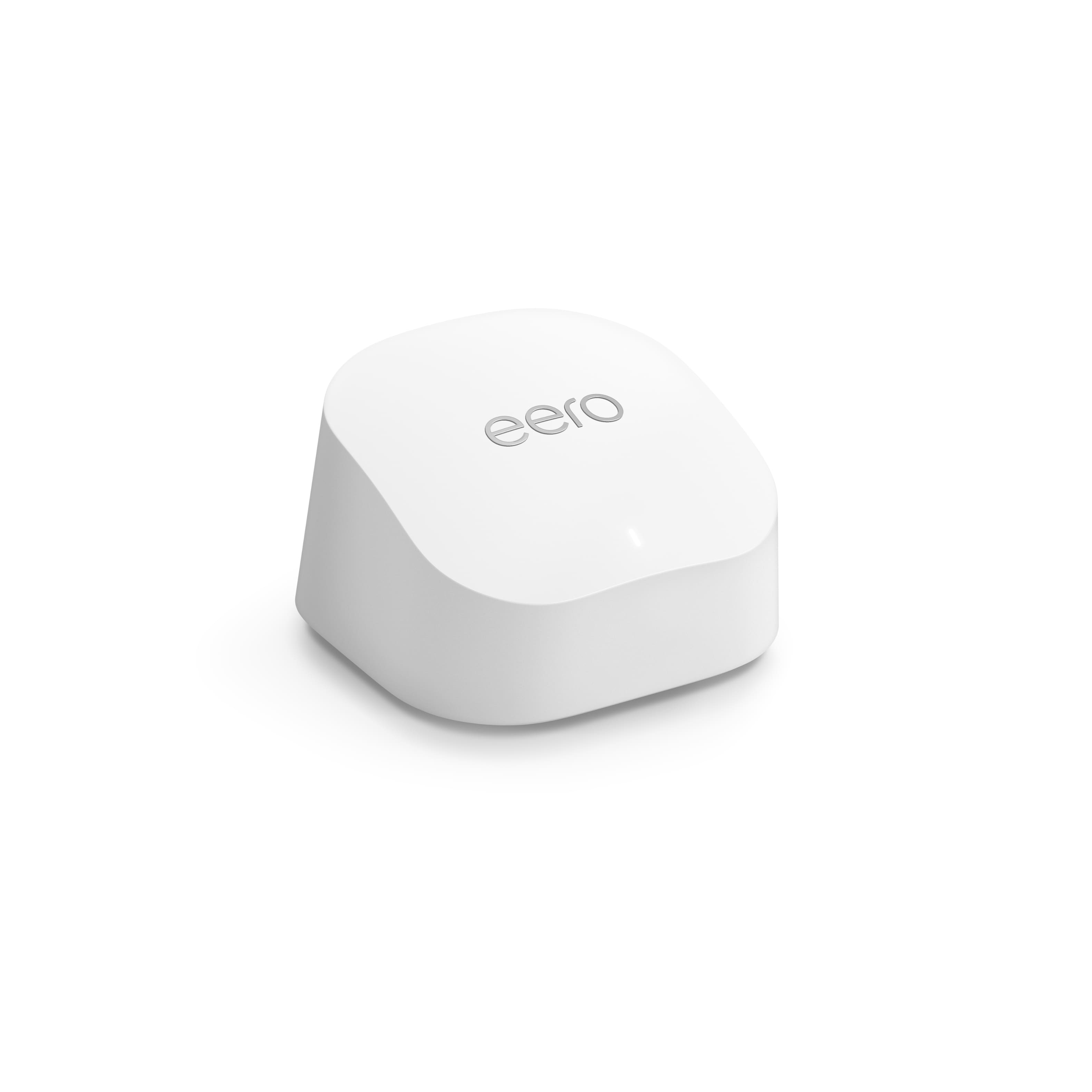
- A:Answer Hello Rudy! Thank you for your question. Yes, the eero 6+ units are mountable on walls or ceilings. Each unit has mounting holes on the bottom that allow you to hang them using screws. However, please note that mounting hardware is not included in the package, so you'll need to purchase appropriate screws and wall anchors separately. Just remember that for optimal performance, you'll want to ensure the units aren't blocked by large metal objects or placed in enclosed spaces, even when mounted. I hope that helps and have a great day!
Answered by Amazon Devices Customer Support
Q: Questiondoes every single eero in this system come with ethernet ports? or only 1
Asked by tyknight.
- A:Answer They all come with Ethernet ports. So it doesn’t matter which one you connect to the modem. Which ever one you connect to the modem, becomes the main router. And the other 2 are basically extenders you can use to hard wire things.
Answered by DylanC
Q: QuestionDo I need to buy the eero Beacon too or will these be fine? I'm assuming I connect one of the 3 to the modem and set the other two somewhere in the house to extend that wifi connection right?
Asked by Justo773.
- A:Answer I purchased just the pack of 3. Connected 1 to the modem and put the other 2 throughout my house to extend the WiFi. You can also use an Ethernet cable from the other two, to hard wire some electronics like your TV or gaming system.
Answered by DylanC
Q: QuestionPuedo conectarlo directamente con un cable Ethernet
Asked by Menena.
This question was asked about the related product: eero - 6+ Dual-band Mesh Wi-Fi 6 Router (1-pack) - White
- A:Answer Hola Menena, Gracias por tu pregunta. Sí, el eero 6+ se conecta directamente mediante Ethernet, ya que cada dispositivo cuenta con dos puertos Ethernet: uno para conectarlo al módem o enrutador y otro para conectar por cable otros dispositivos, como computadoras o consolas de videojuegos. ¡Espero que esto te ayude, que tengas un buen día!
Answered by Amazon Devices Customer Support
Most-viewed items
- $249.99$249.99The price was $399.99
- $89.99$89.99The price was $149.99
- $329.99$329.99The price was $349.99
- $349.99$349.99The price was $399.99
- $179.00$179.00The price was $199.99
- $229.90$229.90The price was $299.99
- $350.99$350.99The price was $429.99
- $279.00$279.00The price was $299.99