“I've ordered the Elgato HD60S+ to use on an iMac to connect my Nikon Z6 as a webcam for Zoom and other video conferencing. Do I need to connect the *both* the HDMI Out and the USC C to USB A to the computer?Wanna make sure I have the correct cables.Thanks”
Answer This Question
1-4 of 4 Answers
I can't speak to the Mac's or Nikon's functionality, but if you don't need to see the camera's live output while video conferencing, you don't need to connect "HDMI Out" to anything. The capture is sent to your computer via the USB connection. The "HDMI Out" port is for things like streaming Xbox or PS4 video games where you need to see what you're doing (on a dedicated screen) while capturing gameplay. Leaving it disconnected is basically equivalent to having a Cam Link.
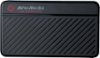
Sorry, there was a problem. Please try again later.What brand of GPU does your iMac have because this device requires an NVIDIA GPU to encode the video and no one told the Elgato developers that Apple hasn't made Macs with NVIDIA GPUs for quite a long time; they all have AMD GPUs. I was told it would work anyway on my 2018 MacBook Pro (and it does) but it uses my CPU to encode the video which causes my fans to spin up so loud that it drowns out my voice making the device useless for live production (which is why I purchase it). There are cheaper solutions like the AVerMedia Live Gamer MINI that include an on-board video encoder which keeps my fans nice and silent. I would not recommend the Elgato HD60S+ for Mac owners until Elgato either supports AMD GPUs our adds an on-board video encoder like AverMedia does. As for the correct cables, again it depends on your model of iMac. Unfortunate for me it comes with a USB-C to USB-A cable. This its completely useless for Mac users since most modern Macs only have USB-C ports. I tried using a USB-A to USB-C adapter but it didn't work. The video was all green and distorted. I had to purchase a separate USB-C to USB-C cable. For the price of this device, you would think Elgato would include the proper cables, after all it is a USB-C device! I now own a $200 Elgato "door stop" due to their poor Mac support but I'm very happy with my AVerMedia Live Gamer MINI which works great for Zoom meetings and with OBS.
I would recommend:
Sorry, there was a problem. Please try again later.you can record it with zoom
Sorry, there was a problem. Please try again later.Hi, We'd have to know more information regarding your specific iMac model and its connectivity. Please reach out so we can assist: help.elgato.com -Art
Sorry, there was a problem. Please try again later.