“Where are the USB ports located? I don't see any on the front - are they on the back, sides, top?”
Answer This Question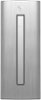
1-7 of 7 Answers
The USB ports are on the top and of course the back. The top ones are an interesting design and placement. My tower is in cabinet so they are not the most convenient to use. The way the top ports sit, items are plugged in from a back of the PC towards the front direction. So if you are plugging a flash drive in while you are standing in front of the tower you will basically be plugging the flash drive in blind. To me that is awkward. I recommend adding a USB hub to make it easier. Otherwise I still love this machine.
Sorry, there was a problem. Please try again later.The computer has 4 usb 3.0 and 4 usb 2.0 ports. One 3.0 port is on the top. The others are on the back.
Sorry, there was a problem. Please try again later.The USB ports are on the top. There is a sloped panel going down from back to front - there are USB ports on the back of where that panel meets the flat top (front) of the unit.
Sorry, there was a problem. Please try again later.USB 3.0 ports are located on the back. There are also 2 on the top of the case. The case has a nice tray on the top. None on the front
Sorry, there was a problem. Please try again later.SEE PICS
Sorry, there was a problem. Please try again later.on the top, about three inches behind the power button, on the incline
Sorry, there was a problem. Please try again later.On the back and on the top.
Sorry, there was a problem. Please try again later.

