Questions & Answers
- Model:
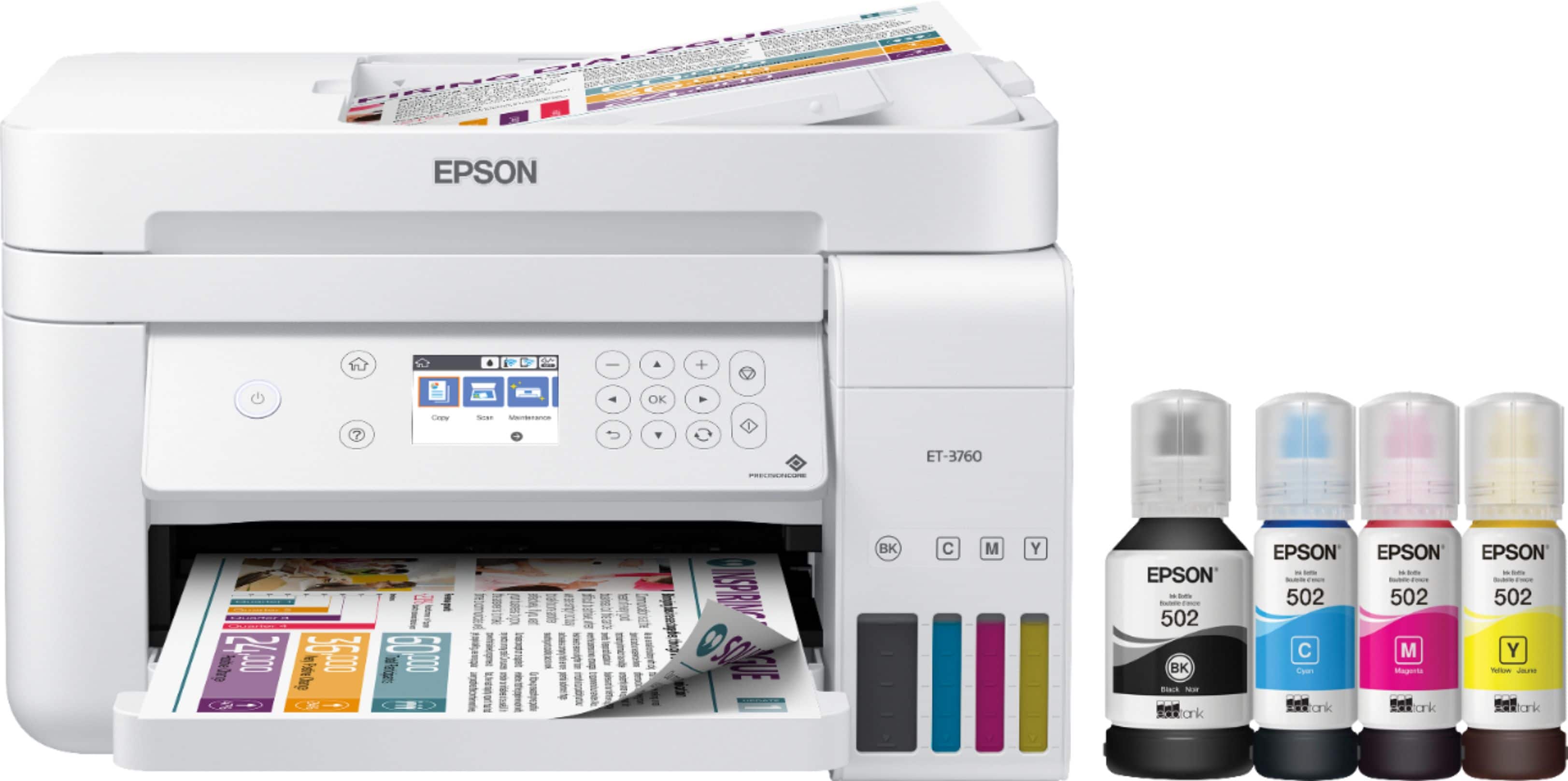
- EPSON ECOTANK ET-3760 C11CG20
- |
- SKU:
- 6347464
Highly rated by customers for: Print Quality, Ease of use, Size
Page Showing 61-80 of 198 questions
Q: QuestionCan you remove the printhead(s) for cleaning, maintenance or replacement?
Asked by homeworker23.
- A:Answer Hi homeworker23, The EcoTank ET-3760 has permanent printheads that last the life of the printer. They are not user-replaceable. Regards, Mark - The Epson Team.
Answered by Epson

Q: QuestionDoes this all in one have fax capability??
Asked by Shari.
- A:Answer Hello Shari. The ET-3760 is an All-One-Printer that includes printing, copying, and scanning features. Unfortunately, it does not support fax functionality. We recommend looking at the ET-4760 as it includes all the features mentioned and fax functionality as well. The ET-4760 is currently available on BestBuy's website at the time of this posting; however, availability is subject to change. Regards, Kevin - The Epson Team.
Answered by Epson

Q: QuestionCan the ADF be used to scan multiple sheets?
Asked by Russ.
- A:Answer Hello Russ. Yes, you can load approximately 30 sheets to scan in the Auto Document Feeder of the ET-3760. Regards, Kevin - The Epson Team.
Answered by Epson

Q: QuestionCan it print envelopes?
Asked by John.
- A:Answer Yes, the 3760 prints envelopes but you have to change settings not only on your computer but also on the printer itself each time! Inconvenient and time consuming especially when the printer is in a separate room. I returned it and went to Best Buy to inquire about this and the salesperson had no idea this 2-step process had to be done! That was no help at all.
Answered by ant1tEkkie
Q: QuestionIs the scanner glass letter or legal size?
Asked by Billypcb.
- A:Answer Hello Billypcb. The ET-3760 has a scanner bed that can process documents up to 8.5" x 11.7" in size. Regards, Kevin - The Epson Team.
Answered by Epson

Q: QuestionWhat happens to ink in long term storage say 1yr. How do you handle this problem.
Asked by SQEEKY.
- A:Answer Hello SQEEKY. Different variables can impact ink longevity, such as usage and environmental factors. Therefore, we recommend frequently doing maintenance such as nozzle check printouts and head cleanings to help avoid ink clogging on the ET-3760. For more helpful maintenance information, please visit our official Epson Support page. Regards, Kevin - The Epson Team.
Answered by Epson

Q: QuestionCan I print from my iPhone or iPad?
Asked by Glenn.
- A:Answer You sure can!
Answered by Anonymous
Q: QuestionWhat's the depth with paper tray out? As I understand, the printer is 19.8" front to back - not including the paper tray - yes?
Asked by Anonymous.
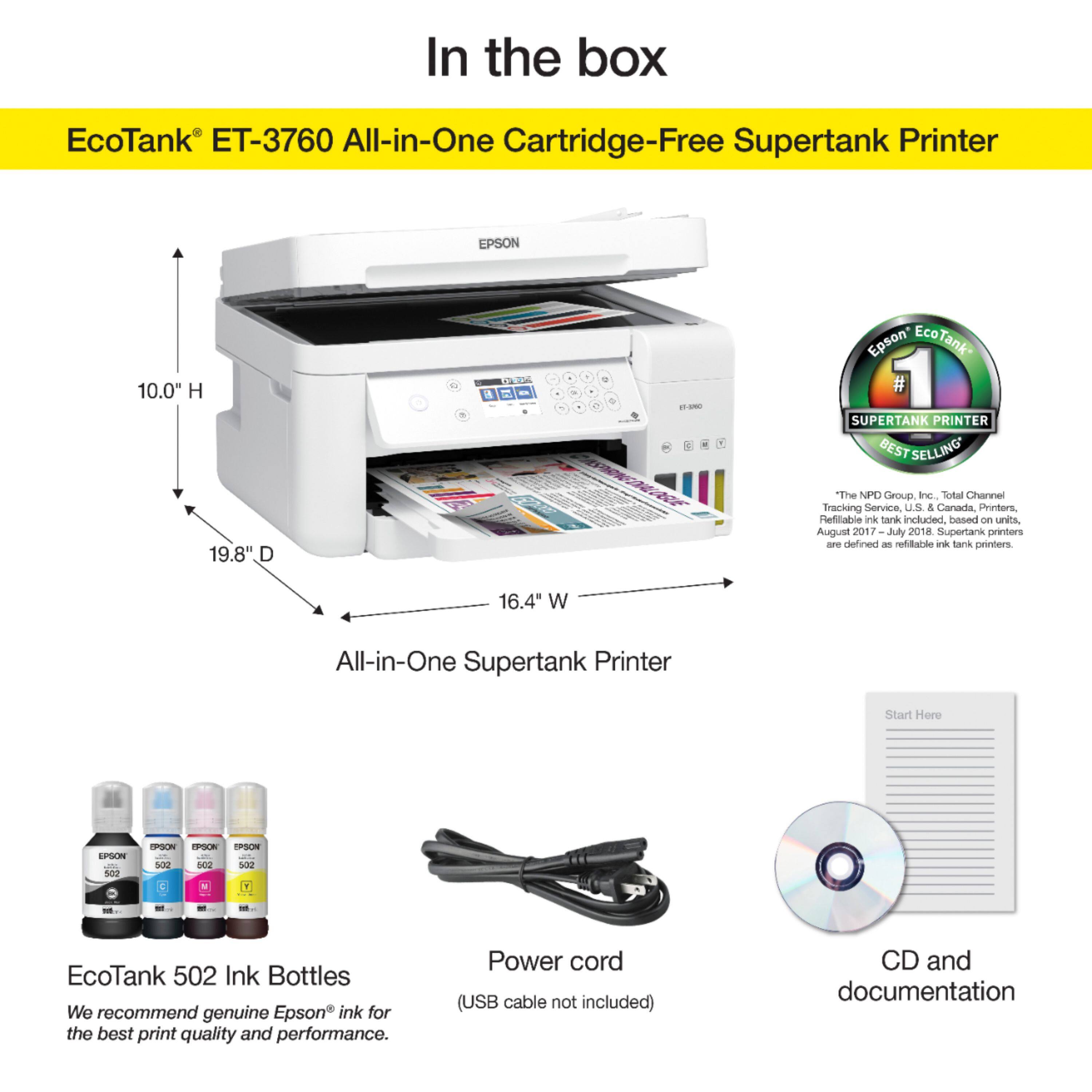
- A:Answer Hello. Yes, while printing with the paper extended, the ET-3760 has a measured depth of 19.8". With the tray closed, it measures 13.7". Regards, Kevin - The Epson Team.
Answered by Epson

Q: QuestionHow do I connect my Epson- EcoTank ET-3760 Wireless All-In-One Inkjet Printer to my mac?
Asked by Maddy.
- A:Answer Hello Maddy. You can connect your ET-3760 via USB, Wi-Fi, or Ethernet connections. Please visit our official Epson Support page to download the latest printer driver software to set up your printer. Regards, Kevin - The Epson Team.
Answered by Epson

Q: Questioncan it print on cd's or dvds
Asked by laserlady.
- A:Answer Hello laserlady. Unfortunately, the ET-3760 does not support printing on CDs or DVDs. Regards, Kevin - The Epson Team.
Answered by Epson

Q: QuestionCan the page feeder scan multiple documents to a file
Asked by Anonymous.
- A:Answer Hello. Yes, the ET-3760 supports scanning multiple documents through the Automatic Document Feeder. You can load approximately 30 sheets of 8.5" x 11" paper and approximately 10 pages of 8.5" x 14" paper size. Regards, Kevin - The Epson Team.
Answered by Epson

Q: QuestionIs this touch screen and how do I set it so I can scan documents using the automatic document feeder instead of have to use the glass each time?
Asked by Mcb.
- A:Answer Hello Mcb. Unfortunately, the ET-3760 does not have a touch screen. The only way to choose the Auto Document Feeder is from the Epson Scan software; there is no option for it on the display panel. Regards, Kevin - The Epson Team.
Answered by Epson

Q: QuestionDoes this printer auto feed documents through the scanner or do you need to place each page individually on the flatbed scanner?
Asked by scott.
- A:Answer Hello scott. You can scan through the Auto Document Feeder and the flatbed on the ET-3760. For additional information on the scanning feature, please visit the official Epson Support page. Regards, Kevin - The Epson Team.
Answered by Epson

Q: QuestionCant get printer to print in portrait mode, help
Asked by Junebug.
- A:Answer I used the Epson iPrint app on my iPhone for pictures worked great.
Answered by Nevets
Q: QuestionIs an Ethernet cable included in the box?
Asked by Mcb.
- A:Answer Hi Mcb, Sorry, the EcoTank ET-3760 does not include an Ethernet cable. Regards, Mark - The Epson Team.
Answered by Epson

Q: QuestionDoes it print labels, i.e. 30 to a sheet?
Asked by Bets.
- A:Answer Hi Bets. Unfortunately, we have not tested the Epson ET-3760 with labels to guarantee print functionality. We would recommend reaching out to the manufacturer of the labels for confirmation. Regards, Kevin - The Epson Team.
Answered by Epson

Q: QuestionIf printing wirelessly from my computer, how many documents can I send to the ET-3760 to remain in que to print? Is there some sort of number of pages memory limit?
Asked by Rome.
- A:Answer Hello Rome. The number of print jobs that can remain in the queue is primarily based on limits placed by the Operating System. As an example, Windows OS can hold up to 99,998 print jobs in the queue. However, other variables can affect print job stability, such as file size, computer resources, network bandwidth, and software being used. Regards, Kevin - The Epson Team.
Answered by Epson

Q: QuestionHow many copies in one time
Asked by Delia.
- A:Answer Hello Delia. The ET-3760's Auto Document Feeder holds up to 30 sheets of plain paper for scanning and copying. For more information, please visit the official Epson Support page. Regards, Kevin - The Epson Team.
Answered by Epson

Q: QuestionIf I print out a page that needs to be signed, can I scan that document and save as a pdf?
Asked by Resee.
- A:Answer Hello Resee. Yes, the ET-3760 is an All-In-One printer, any documents printed from the machine can be scanned back onto your computer. Regards, Kevin - The Epson Team.

Answered by Epson

Q: QuestionDoes this printer only do 2-sided printing?
Asked by Tanya.
- A:Answer Hello Tanyahut. No, the ET-3760 is also capable of printing regularly. The Automatic 2-sided printing is available as an additional setting through the printer software. Regards, Kevin - The Epson Team.

Answered by Epson

Most-viewed items
- $54.99$54.99The price was $69.99
- $329.99$329.99The price was $659.99
- $799.99$799.99The price was $1,199.99
- $129.99$129.99The price was $199.99
- $299.99$299.99The price was $449.99
- $59.99$59.99The price was $99.99
- $15.99$15.99The price was $29.99