“Before I purchased and added home base 3, my solar cam and wall light cam were constantly showing videos (my choice). Now I am not getting any recordings. What's the problem?”
Answer This Question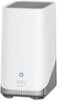
1-1 of 1 Answer
It seems that after adding the HomeBase 3 to your setup, there might be connectivity or configuration issues causing the cameras to stop recording. Here are a few steps you can take to troubleshoot the issue based on the provided knowledge: Check Network Setup: Ensure that your Solar Cam, Wall Light Cam, and HomeBase 3 are all connected to the same network, are added to the same home in the eufy Security app, and are associated with the same eufy account. Verify Firmware Version: Ensure that the firmware version of your HomeBase 3 is updated to version 2.1.1.9 or above. An outdated firmware might cause issues. Ensure Proper Setup: If the devices were removed or not added correctly to HomeBase 3, you may need to repeat the setup process for both the devices and HomeBase 3 to ensure proper operation. Check for Connection or Power Issues: Verify that all devices (Solar Cam, Wall Light Cam, and HomeBase 3) are powered on and functioning normally. Additionally, check whether your network router is operating properly, and consider restarting your router. Storage Settings: Recordings are initially stored on the camera. If you’ve enabled video backup to the HomeBase 3, you may want to confirm those settings. In the app, you can check where the recordings are stored by going to “Event List -> Filters -> HomeBase 3.” Stream Test Failure: If a stream test failure is detected during the connection process, ensure all devices are on the same network, powered on, and check the router. If the issue persists, you might need to verify the settings in the eufy Security app to ensure that the devices are linked correctly to HomeBase 3 and that recording settings are properly configured.
Sorry, there was a problem. Please try again later.