“how can i sync my vivosmart activity tracker to my mobile device how can i sync my vivosmart activity tracker to my mobile device”
Answer This Question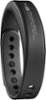
1-10 of 10 Answers
Turn on the vivosmart so you can see it light up, then put your finger on the display and hold for a few seconds. Then slide the menu to the double arrow (one pointing up and the other down) and push it. This will then sync your device to your Garmin Connect phone app.
Sorry, there was a problem. Please try again later.The only way to sync is using the Garmin Connect app. You can download for free from the App Store for iPhone. Not sure about Android. I didn't find this app to work very well. Just didn't sync accurately. The app would never show the same step count as the VivoSmart did even after a sync. Also, this app didn't connect with the MyFitnessPal app even though it was supposed to.
Sorry, there was a problem. Please try again later.This FAQ should help you with pairing your vívosmart to the Garmin Connect Mobile smartphone app: http://support.garmin.com/support/searchSupport/simpleCase.htm?caseId={e74e85d0-3f3f-11e4-eaba-000000000000}&kbName=garmin. Thanks! (KS)
Sorry, there was a problem. Please try again later.VIA the Garmin Connect app.
Sorry, there was a problem. Please try again later.Go to Garmin to download their GarminConnect app. Follow the instructions for pairing. Then with the app open, choose the sync icon in the VivoSmart tracker, and it will sync.
Sorry, there was a problem. Please try again later.download the app for it and go from there. works just fine.
Sorry, there was a problem. Please try again later.Syncing usually happens automatically when it is connected to your phone via the Garmin Connect app. But, if for some reason you need to force a sync, you can do so from the menu options on the Vivosmart screen.
Sorry, there was a problem. Please try again later.Download the app?
Sorry, there was a problem. Please try again later.In order to sync the vivosmart you have to first have the garmin app. Once it is connected to that it will automatically sync or you can double tap the screen to turn it on then hold you finger on it till the settings menus show up swipe until you see the two arrows, one pointing up and one pointing down. Push that and it will sync, if you get the no app connection warning make sure your vivosmart is connected to the app and it should sync.
Sorry, there was a problem. Please try again later.You have to download the Garmin Connect app.
Sorry, there was a problem. Please try again later.
