“For Vivosmart HR+, can settings be adjusted to show heart rate as first default screen?”
Answer This Question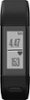
1-5 of 5 Answers
No. I tried it, and the display reverted to time.
Sorry, there was a problem. Please try again later.I have not found a way to set the HR as the default screen. Almost every other screen (steps, distance, floors climbed, intensity minutes, calories and VIRB remote) can be set as the default using either the GarminConnect app or webpage.
Sorry, there was a problem. Please try again later.Yes, you can change it in the app under: More > Garmin Devices > click on the vivosmart line > Device settings > Display Options > Home Screen > select your preference
Sorry, there was a problem. Please try again later.The vivosmart HR + does not have an option to display heart rate as a default screen. You can swipe through the screens to display the heart rate page.
Sorry, there was a problem. Please try again later.Yes you can, set it to display the previous screen without going back to the time. It will display heart rate if you keep it that way
Sorry, there was a problem. Please try again later.