A:AnswerYou can already stream on your laptop without the device. I purchased to stream to a tv. I can already watch an amazon movie or utube video on the laptop without the device. Now, I pull a video from my laptop / app to the tv. I hope this helps
A:AnswerIf you have a Google home mini, you can use the Google home app on your phone to link your Samsung account with Google Assistant to control TV over voice. In case you do not have a Samsung account you can create one and register you TV to that account. You wouldn't need a Chromecast to control your TV
A:AnswerThe chromecast must be connected to internet as well. If you have a hotspot from your phone then it's a possibility. They must be on the same network to cast.
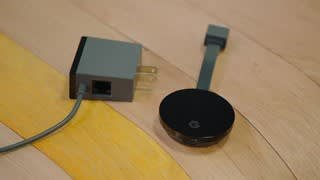
A:AnswerYes. It comes with a power brick that has a USB cord that is removeable so you can power from tv instead of an outlet. It is the original USB type not C.
A:AnswerReally, it’s not a big difference. The only thing is the pastes Chromecast can be pair with 2G or 5G WiFi network. But literally it’s the same.
A:AnswerNo, the device is for 1080 only, you would need to buy the more expensive machine. That says 4k and then you'll need the internet speed to be able to broadcast 4k.