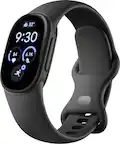
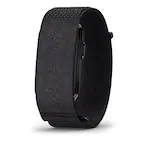
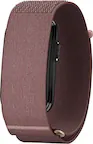
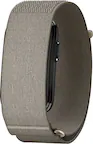
A:AnswerHi there, Neals2. You don't need to manually sync data between your two devices. Fitbit devices automatically sync to the cloud via the Fitbit app. As long as you log into the same account, your historical data, badges, and stats remain seamlessly connected.
A:AnswerThanks for asking. The Inspire 3 features "Reminders to Move", which alerts you to take at least 250 steps every hour between specific hours. If you want to customize or disable these inactivity alerts to avoid vibrating during meetings or downtime, you can do so directly within the Google Health app.
A:AnswerIt has golf as a selection in the exercise section. Im guessing it tracks time played, distance/steps and zone minutes.
There are a lot of exercises you can track, 38 I think.
A:AnswerThanks for asking, Otis. The Inspire 3 works with devices running Apple iOS 16.4 or higher. Check out this link for more information: https://support.google.com/product-documentation/answer/14226283?hl=en
A:AnswerGreat question, Yes, you’ll get a notification on your Inspire 3 when you receive a call then you can either accept or reject it — accepting a phone call answers the call on your nearby phone. Here’s a link with more details: https://support.google.com/fitbit/answer/14225533
A:AnswerThe main reason I bought this model was that I wanted to log my steps. I also set goals for cardio load, sleep duration, daily readiness for activity. It checks my skin temperature variation, heart rate, bpm, and stress management score.
A:AnswerThanks for asking, Tom. Unfortunately, the Inspire 3 does not directly sync data to the Apple Health app. You can learn more about how to manage your data here: https://support.google.com/fitbit/answer/14237921
A:AnswerThanks for reaching out. The Inspire 3 does not have a direct integration to display Dexcom G7 data on the device screen. You can, however, use the Fitbit app to manually log your glucose levels alongside your other health metrics.
A:AnswerThanks for reaching out, Mads. The Inspire 3 provides continuous heart rate monitoring throughout the day — you can view your real-time heart rate on the device screen by swiping through your stats. While you can use the tracker on its own, you will need to sync it with the Fitbit app on a compatible smartphone to set up the device and get access to all of its features. You can learn more here: https://support.google.com/fitbit/answer/14237921
A:AnswerThanks for the inquiry. The Inspire 3 will work with Apple devices running iOS 16.4 or higher. Here’s a link with more specifics: https://support.google.com/product-documentation/answer/14226283