Questions & Answers
- Model:
- 14-dq0002dx
- |
- SKU:
- 6425565
Q: QuestionIs this laptop able to run Adobe Creative Cloud or will that be too much software for the computer to handle?
Asked by eric.
- A:Answer This laptop cannot handle Adobe Creative Cloud. You need a computer with at least Intel i5 or Ryzen 5 processor or better with 8 GB or 16 GB of RAM and a discrete graphics card with 2 gigabytes or more of video memory to run the Adobe programs. They are big programs that require a lot of processing power to run.
Answered by HP Team

Q: QuestionWhat printer goes with this
Asked by Pere.
This question was asked about the related product: HP - 14" Laptop - Intel Celeron - 4GB Memory - 64GB eMMC - Pale Gold
- A:Answer Hi Pere! You can use any current HP printer with this laptop. Here is one I would suggest for home use: https://www.bestbuy.com/site/hp-envy-6055-wireless-all-in-one-instant-ink-ready-inkjet-printer-white/6404827.p?skuId=6404827
Answered by HP Team

Q: Questionmy mom uses cricut design for her website and business, will this run the app okay and can it be downloaded?
Asked by kayla.
- A:Answer Yes, it can. The laptop has Windows 10 Home in S mode. It just takes a minute or 2 to switch out of S mode. Here is a link to the process: https://support.microsoft.com/en-us/windows/switching-out-of-s-mode-in-windows-10-4f56d9be-99ec-6983-119f-031bfb28a307
Answered by HP Team

Q: QuestionCan my daughter play Star Stable on this?
Asked by Ss22.
- A:Answer Yes she can.
Answered by HP Team

Q: QuestionCan my son download and play farming simulator on this
Asked by Rl.
- A:Answer Yes Farming Simulator should work on this laptop.
Answered by HP Team

Q: QuestionCan this computer handle games like terraria?
Asked by Thor.
- A:Answer DONT WAIST YOUR MONEY AND TIME BUYING THIS COMPUTER, IT LAST ONLY A MONTH BEFORE START GIVING ME PROBLEMS AND EVEN TOUGH THAT YOU CAN CALL HP THEY ARE NOT CAPABLE TO FIX SIMPLE ISSUES CUZ THE PEOPLE ANSWERING THE PHONE DONT KNOW MUCH ABOUT THEIR COMPUTERS,,, BE AWARE, GOOD LUCK
Answered by Hansser
Q: QuestionWhat does the S mode mean? If I switch out of S mode, what changes? Can I go back to S-mode if I wish?
Asked by Cindy.
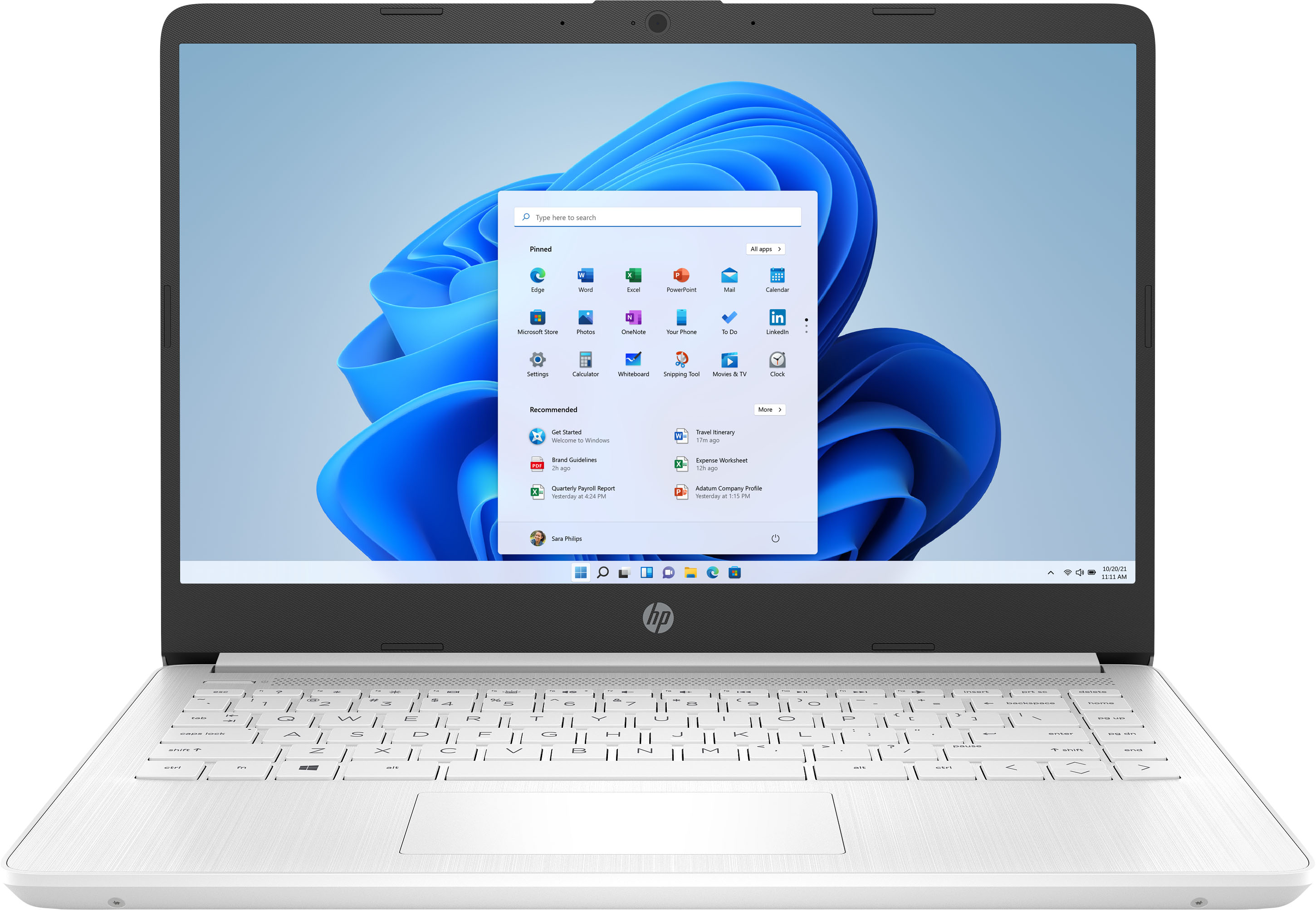
- A:Answer This laptop has Windows 10 in S Mode. That means you can only download apps from the Microsoft Store and use the Microsoft Edge browser. Once you switch out of the S mode, you cannot go back to the S Mode.
Answered by HP Team

Q: QuestionWhat does it weight? What is the time for a battery recharge
Asked by Anica.
- A:Answer It is light-weight. The battery is a problem for Me!! It doesnt take long for it to drain, and it goes very quickly!!
Answered by iCanOnlyBeMe
Q: QuestionCan you play Minecraft on it?
Asked by Bunny.
- A:Answer We recommend reaching out to the developer of any games that would be played to ensure this computer meets the specifications needed.
Answered by HP Team

Q: QuestionIs this Labtop refundable?
Asked by PS.
- A:Answer We recommend reaching out to the customer service team at Best Buy.
Answered by HP Team

Q: QuestionIs this a touch screen
Asked by Anonymous.
- A:Answer This laptop does not have a touchscreen.
Answered by HP Team

Q: QuestionOn Zoom I get video and audio but no one can hear me, why is internal mic not working?
Asked by Mattie.
- A:Answer Make sure you are selecting your microphone in the Zoom settings.
Answered by HP Team

Q: QuestionIs this good for coding?
Asked by Luey.
- A:Answer Yes this would work for coding. I would check with software you are using however, regarding RAM requirement. Some software may require more than 4GB of RAM.
Answered by HP Team

Q: QuestionDoes this computer comes with anti virus Norton?
Asked by Anonymous.
- A:Answer NO, it does not. That has to be purchased.
Answered by iCanOnlyBeMe
Q: QuestionCan you download lockdown browser if you disable S mode and why should I beware of doing this?
Asked by Christy.
- A:Answer Hi! Yes, you can. . It is very simple to do. You just need to be careful when doing so. Here is a link to switching out of S mode: https://support.microsoft.com/en-us/windows/switching-out-of-s-mode-in-windows-10-4f56d9be-99ec-6983-119f-031bfb28a307 Here are some instructions from microsoft: On your PC running Windows 10 in S mode, open Settings > Update & Security > Activation. In the Switch to Windows 10 Home or Switch to Windows 10 Pro section, select Go to the Store. (If you also see an "Upgrade your edition of Windows" section, be careful not to click the "Go to the Store" link that appears there.) On the Switch out of S mode (or similar) page that appears in the Microsoft Store, select the Get button. After you see a confirmation message on the page, you'll be able to install apps from outside of the Microsoft Store.
Answered by HP Team

Q: QuestionCan you put a disk in this computer?
Asked by Joni.
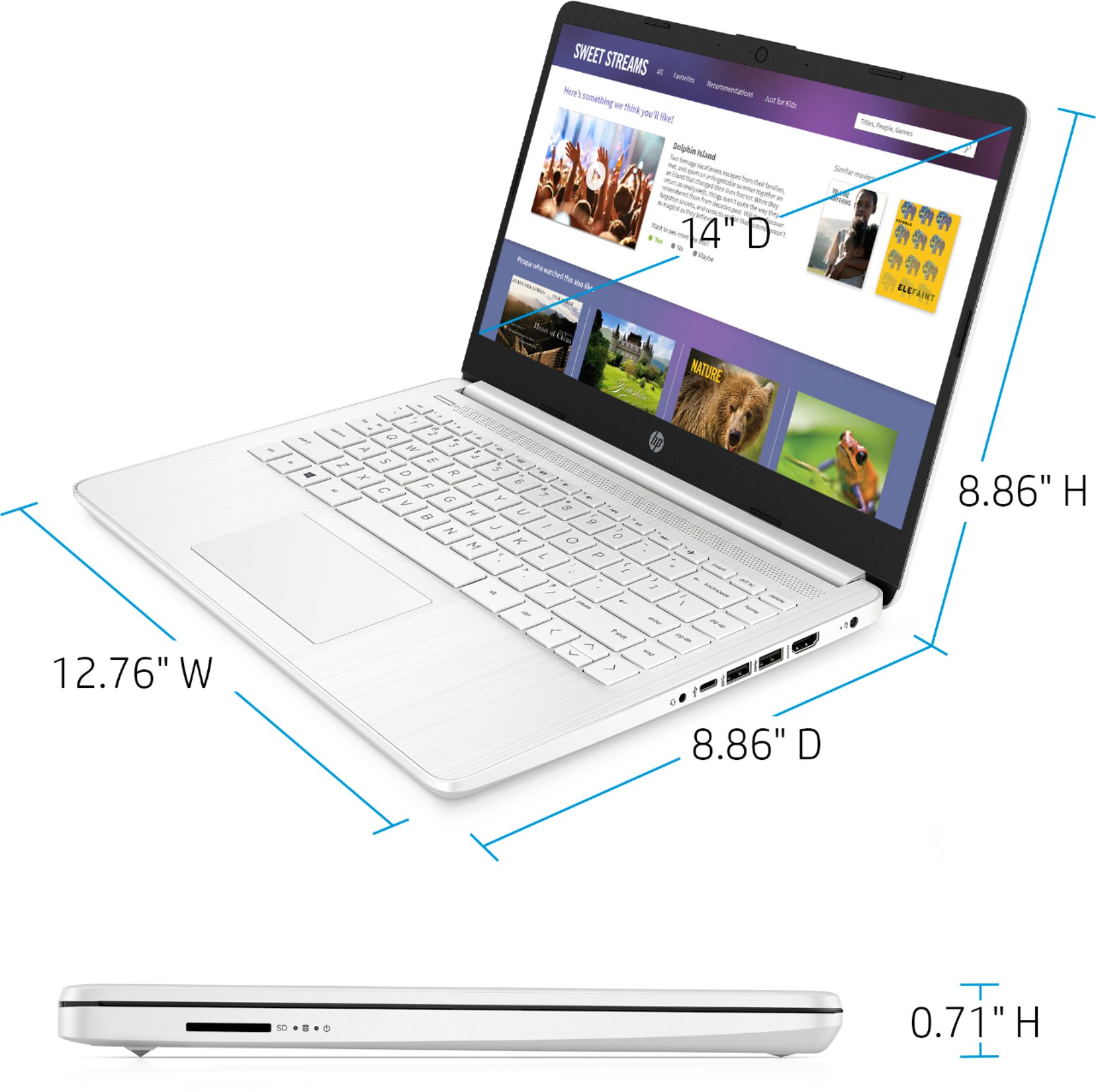
- A:Answer This laptop does not have a CD/DVD drive. You can use an external USB CD/DVD drive with this laptop.
Answered by HP Team

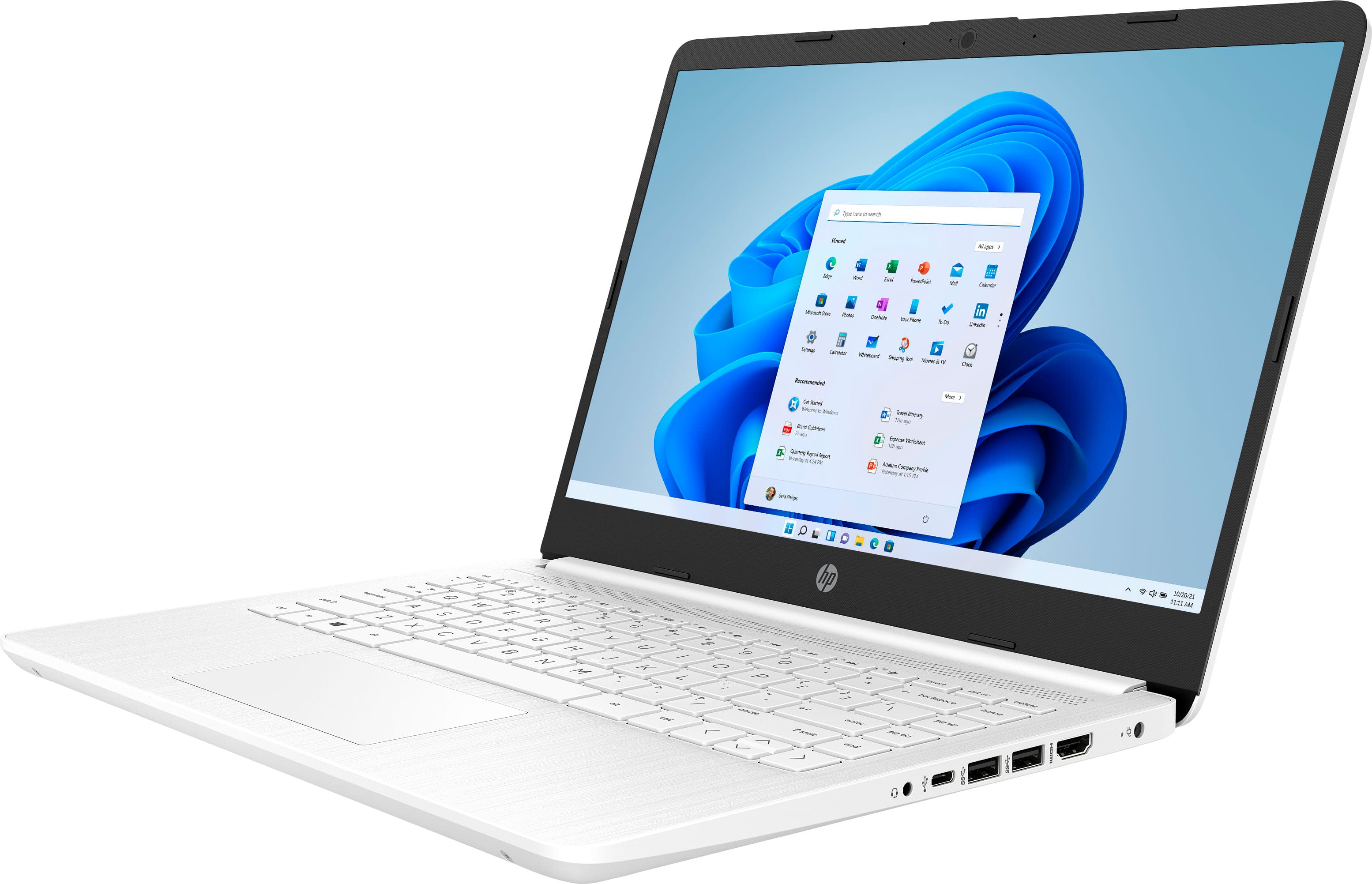
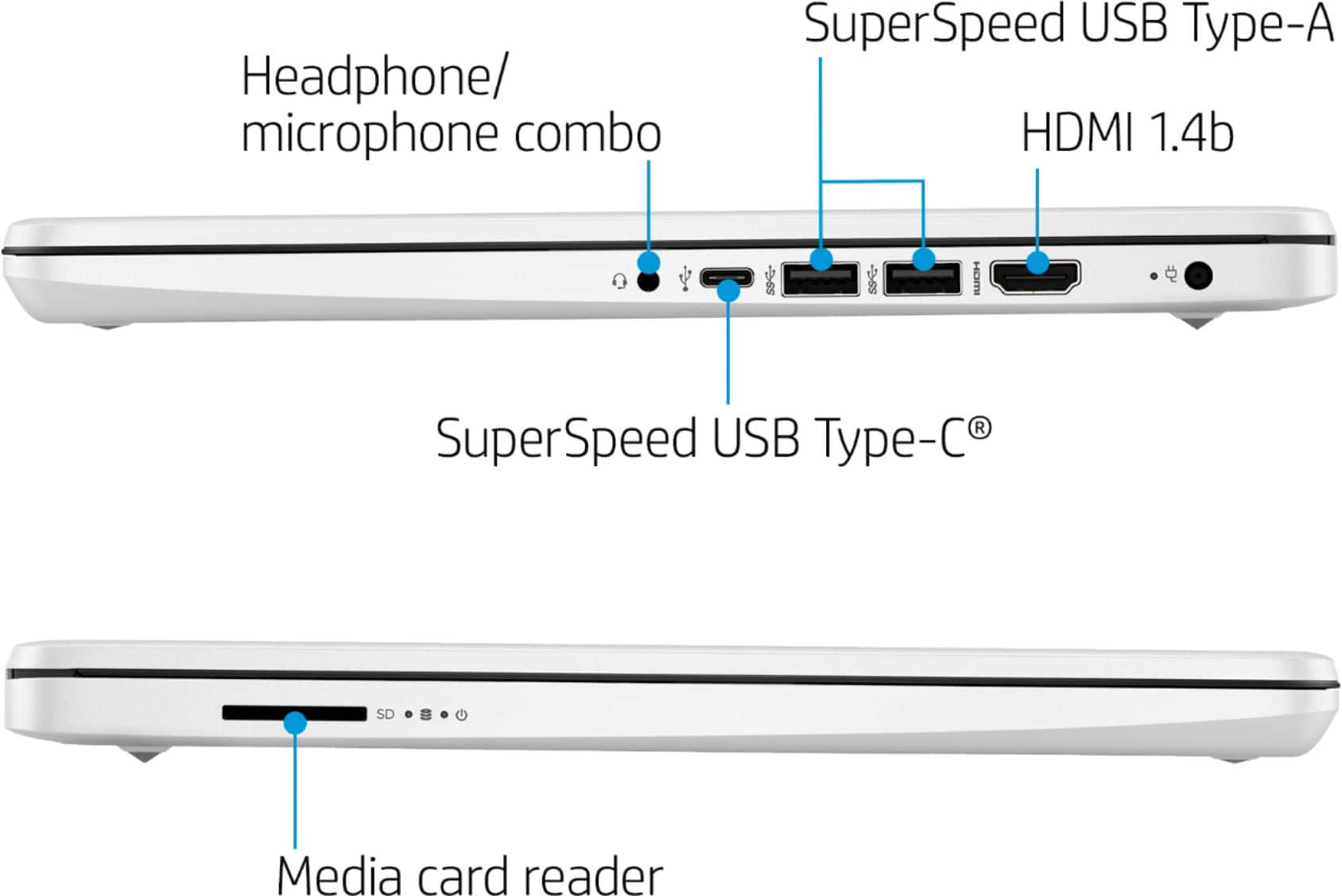
Q: Questionis there a usb port for any mouse? i’m going to use this laptop to play games.
Asked by loona.
- A:Answer Yes there is.
Answered by HP Team

Q: QuestionIs the computer compatible with the design space app to use for a Cricut?
Asked by Cricut.
- A:Answer Yes it is.
Answered by HP Team

Q: QuestionDoes this laptop have a cd port? If not, is there a way to play cd's? Thanks
Asked by djihani13.
- A:Answer No, this laptop does not have an optical (CD) drive. You can connect a USB external optical drive to play CD and DVD's.
Answered by HP Team

Best-selling Best Buy
- $329.00$329.00The price was $349.00
- $99.00$99.00The price was $129.00
- $14.99$14.99The price was $19.00
- $24.99$24.99The price was $29.99
- $329.99$329.99The price was $469.99
- $14.99$14.99The price was $19.00
- $59.99$59.99The price was $99.00