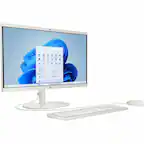
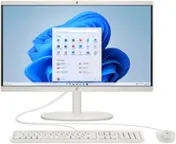
A:AnswerNo, it's not fast enough for a use like that, and it doesn't have enough memory for that kind of work. This would be a better computer for that kind of use. https://www.bestbuy.com/site/hp-23-8-full-hd-touch-screen-all-in-one-intel-core-i5-8gb-memory-512gb-ssd-snow-white/6557015.p?skuId=6557015
A:AnswerThank you for your question regarding the 21.5" All-in-One 22-dd0224. That would depend on the OS and drivers available for the Brother printer. As long as it has drivers for Windows 11 Home, it will work. You may want to check with Brother to see what OS are supported.
A:AnswerHello and thank you for asking. To ensure you get the correct replacement, please contact HP Support. You may call them at 800-474-6836 and they will help you.
A:AnswerYou can check the requirements for the software you would like to use by looking up the system requirements for it from the publisher's website. You will want to make sure that the device you want to use it on meets the minimum requirements. Updates and modifications can impact what settings you can run the software on or if you can use the software at all.
A:AnswerThank you for the question. No, this model has integrated graphics and an Intel Celeron processor. Runescape requires a fster processor (i3 processor at the least), and a discrete graphics card.
A:AnswerI am not sure about the first question. I have paid for MS 365 for many years. I believe I had a basic MS word, but that was about 10 years ago.
S Mode is designed to lock down the Windows operating system. You can only install apps from the Microsoft Store, and you have to use the Microsoft Edge browser. You can permanently leave S Mode by searching "Switch out of S Mode" in the Microsoft Store.
I found that out the hard way. I was trying to install McAfee for security and it would not let me. I had to turn off S Mode. Once it is turned off you cannot turn it back on.