Everything for Back to School — and then someShop now

Skip to contentGo to Product Search
Main Content

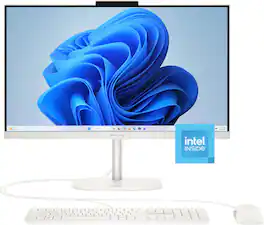
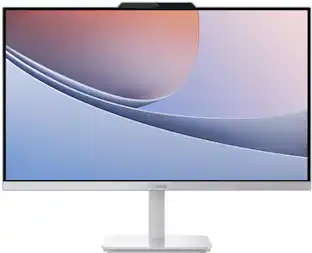
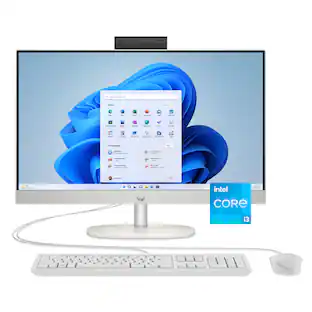
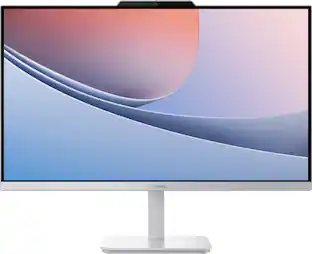
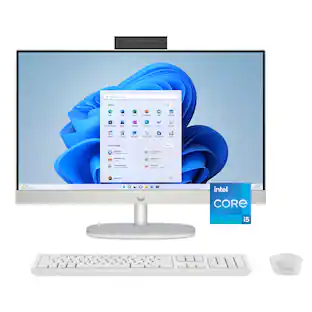
HP - OmniStudio 23.8" Full HD All-in-One - Intel N150 Processor - 8GB Memory - 128GB UFS - Cashmere White

Model: 24-cu0004
SKU: 6668139
Sold byBest Buy

Customers are saying

Customers are impressed with the high-quality 1080p display, the efficient space-saving design, and the impressive processor speeds. However, some users have expressed concerns regarding the limited storage capacity and the reliance on wired peripherals for connectivity. Overall, the product is well-regarded for its performance and aesthetics despite these minor hardware limitations.

Generated by AI based on customer reviews.
See it in-store: Oakdale (11.2 miles away) 
is the closest store with a demo model on display.

Highlights

Features
  • Intel N150 processor

    Get enhanced performance and higher graphics with Intel Core Processors for improved multitasking. Affordability that lets you connect, learn, and play.

  • 23.8" FHD display

    Sit back and enjoy crystal-clear visuals and images with the vibrant quality of 2 million pixels. The 1920 x 1080 Full High Definition resolution gives all your digital content a new dimension.

  • 8GB DDR5 RAM

    Designed to run efficiently and reliably at faster speeds, DDR5 is the latest RAM standard. With higher bandwidth, you get more of a boost in performance.

  • 128GB UFS

    High-performance storage with fast speeds and lower power consumption.

  • Intel graphics

    Stream your favorite shows, hop on video calls, and scroll through photo edits. All with smooth, responsive visuals. Built-in Intel Graphics handle everyday entertainment and multitasking with ease, no extra GPU, no extra bulk.

  • Windows 11 Home operating system

    All the best elements of Windows 10, with added features to make it easier to log in to start working, gaming, or creating.

  • Adjustable stand

    Display tilts from -6° to 21° so you can find a comfortable viewing angle.

  • Wi-Fi 6 (2x2) and Bluetooth 5.4 wireless card

    Expect faster speeds and improved performance for connecting multiple devices in your household.

  • Wireless and wired network connectivity

    Built-in high-speed wireless LAN connects to your network on the most common Wi-Fi standards. Gigabit Ethernet LAN port plugs into wired networks.

  • HP 175C USB cashmere white wired keyboard and mouse combo

    Upgrade the way you work and play with stylishly designed accessories that match seamlessly with your devices.

  • Dual speakers

    Pump up the volume to your favorite music, movie or game with dual-stereo speakers.

  • AI Noise reduction

    Enjoy clearer team conversations with AI Noise reduction. Using artificial intelligence, it filters out background noise in multi-person environments and captures multidirectional sound with spatial awareness.

  • 93% Screen to body ratio

    Revolutionize your display and see more of what you love with this slim bezel design. Enjoy an immersive multimedia experience with a maximized viewing area.

  • Smart Display with Screen Shift and Task Group features

    Seamless multitasking on multiple displays with one-click to shift, snap, and launch windows where you want.

  • Ports

    1 Headphone/microphone combo, 2 USB 2.0 Type-A, 2 USB Type-A (10Gbps signaling rate), 1 USB Type-C (10Gbps signaling rate), 1 HDMI 2.0b, 1 RJ-45

  • HP Eye Ease

    Enjoy every detail without the strain. HP Eye Ease reduces blue light to keep your eyes comfortable while preserving vibrant and accurate colors.

  • Microsoft Copilot

    Kickstart your creativity and productivity with Microsoft Copilot. Complements your capabilities and creativity with intelligent assistance and relevant answers. And now with the Copilot key, you can access this AI-powered intelligent assistant with a single press of a button.

See all features
Specifications
  • Screen Size
    23.8 inches
    Processor Model
    Intel Processor N150
    Storage Type
    UFS
    Total Storage Capacity
    128 gigabytes
    System Memory (RAM)
    8 gigabytes
Sponsored

Reviews

67% would recommend to a friend
Customers are sayingCustomers are impressed with the high-quality 1080p display, the efficient space-saving design, and the impressive processor speeds. However, some users have expressed concerns regarding the limited storage capacity and the reliance on wired peripherals for connectivity. Overall, the product is well-regarded for its performance and aesthetics despite these minor hardware limitations.
This summary was generated by AI based on customer reviews.
  • Display Quality (8)
  • Design (3)
  • Processor Speed (3)
  • Storage Capacity (4)
  • Connectivity (3)

Customer Images

The vast majority of our reviews come from verified purchases. Reviews from customers may include My Best Buy members, employees, and Tech Insider Network members (as tagged). Select reviewers may receive discounted products, promotional considerations or entries into drawings for honest, helpful reviews.

  • Rated 4 out of 5 stars

    A computer for day-to-day tasks, and nothing more.

    I haven't used an all-in-one style computer like this since I was in school, where those old eMacs were the norm in computer lab class. I didn't have a lot of expectations as a result, and I found myself, for the most part, pleasantly surprised. That said, while I think this is a great computer in many ways, there's a few things about it that just fall a little short of what I'd want from a computer in this day and age, regardless of form factor. Size: The size is fantastic. It's effectively the size of your run-of-the-mill 24" monitor. It's not significantly thicker than what you'd expect from one, it's not significantly heavier, and it doesn't stand out too much. It looks great on my desk, in my opinion, and minimizes cord and cable clutter you can't get from almost any other computer. Ports: There's 4 USB A ports on the back of the computer, a USB C port, as well as ethernet, HDMI (if I had to guess, I'd say it was for input, but I didn't test it), the power jack, and a headphone jack. I've seen worse connectivity on much more expensive computers (looking at you, Apple), and I'd definitely say it's enough for most people to get by. Especially considering the overall capability of the computer, you're not liable to need a lot of ports. Keep in mind, however, that two ports are going to get taken up by your keyboard and mouse by default, so it still feels a touch anemic once you've got those peripherals plugged in. Screen: The screen is an unremarkable 1080p 60Hz matte-finish panel. I'd say it's serviceable, overall - the colors don't pop, but they're not washed out horribly or anything, either. The functional viewing angles of the display are also quite unremarkable. If you get too far above, below, or to the side of the display, visibility drops significantly, but it's still perfectly usable. You can adjust the vertical viewing angle easily with the included stand, which helps usability. Audio: It's nothing breathtaking, but the audio was surprisingly competent. For speakers built into an all-in-one computer, they've got decent volume. The sound is definitely a bit hollow - there's not quite enough bass, and the mids get drowned out a little - but you can listen to things on this if you have no other option, and it will work. Keyboard/mouse: The keyboard and mouse are, frankly, kind of bad. The mouse is made of light, cheap plastic, and it feels like it will break if you click too hard. The keyboard is made of similar plastic, but because there's more hardware inside, it doesn't feel quite as cheap. I can type just fine on it, but it's not the most fluent or comfortable experience I've had with an included keyboard. If you don't have other peripherals, these will certainly work, but they could certainly stand to be better. Performance: Now for the elephant in the room. This computer, for being shipped with Windows 11 especially, is a bit underpowered. Now of course, I limited my testing on this to what I assume the average person would be doing. I watched videos, listened to music, browsed social media, and did some light office work (writing, mainly). It could do all of those tasks just fine. But if I wanted to do just about anything else, it would significantly struggle. The included processor is a lightweight, low-powered processor, designed for light work and browsing, like I did, and it only includes a paltry 8 gigabytes of RAM. If I wanted to do anything remotely taxing, like making music, editing video, most gaming, etc., this computer would chug. In its current state, Windows 11 is a terrible resource hog. A computer like this would have been ideal in a Windows 10 world, but those days are long behind us. I think Linux could function very well on this computer, to make the most of the hardware, but I don't know how the display drivers would work if one were to do that, and I'm not about to find out. Just idling on the desktop with settings, file explorer, and 2 tabs in Librewolf open, ate up 90% of the RAM and set the CPU to 53% usage. This isn't to say that the computer isn't usable, but rather that it won't take much to bring this computer to its upper end limit. Value: I recognize that this computer isn't for any sort of power users. This isn't meant for people who game, or do anything intensive on their computers. It's meant to be a computer that can be used when one is necessary, or to be used by someone who may not be savvy with smartphones. The thing is, for the price, you can probably do better. You can buy a used office desktop off eBay for $100 and have plenty leftover to buy a monitor, keyboard, mouse, and whatever other peripherals one would need to get a good computing experience. And that computer would soundly outperform this one, have more ports, and still end up costing less overall. The footprint of this computer is fantastic, I won't understate that. However, I'm just not certain it's worth the price difference unless you genuinely don't have an inch of extra room on your desk. This computer is fine for what it is, but for the money, you can, and should, do better, if you can.

    Posted by Ben Reed

  • Rated 4 out of 5 stars

    Family Communication Center

    My first impression of the HP OmniStudio as I unpacked the unit was how beautiful it was. Cashmere White is the color name for the OmniStudio. It shares much of the same design aesthetic as – dare I say? – Apple products. One of my family members actually asked me if it was a Mac. The keyboard is flatter and thinner than a standard keyboard. Smooth chiclet keys that allow your fingers to fly across them. The keyboard has a dedicated key for locking the computer, which I really liked. So, instead of CTRL+ALT+DEL to lock the computer, you hit the Lock Icon on the upper right side of the keyboard to instantly secure the computer. The colors of the images on the monitor are lovely. Set up was a breeze. Where I really see this computer being used as the main hub in a home. I imagine the keyboard taking its place on the corner of the counter or on a dedicated desk or stand in the kitchen. Instead of having printed notes or calendars on the refrigerator or bulletin board, this All-In-One could house the Family Interactive Calendar. Control your household routines. Take a quick check of your emails. Video chat with Grandma or maybe share a Holiday meal with loved ones that could not join you in person. The computer would fit anywhere in the home. The unit is sleek and compact. There is no bulky CPU to worry about. Just a monitor (with the hardware inside, similar to a TV) on a stand. Now, there are a few things that I did not like about the product. The power button is behind the monitor. I would like to see a power button on the keyboard or possibly on the stand. There is an HP logo on the base that could be redesigned to have a touch pad of some kind to wake up the computer, vs. reaching behind it. The monitor is a bit awkward to put on the stand. It’s somewhat heavy, again more like a small TV than a traditional monitor. I found it was a bit laggy for searching the web and playing videos. It could have been my network at the time, but my other devices were not having issues, just the HP. Not a dealbreaker by any means. I think it will stand up to general video chatting, watching YouTube or movies, checking emails, and other standard functions of modern everyday life. It has plenty of inputs on the back for hooking up hubs or other devices. I wish they were accessible on the front or side of the computer, but that would take away from the design. The computer comes with a corded keyboard and a corded mouse. I was surprised by this. It made me feel more like I was going backwards in time. My first computer was a Compaq (later acquired by HP) All-in-One computer with a corded mouse and keyboard – in 1994. In 2026, I don’t understand why I’m still dealing with cords. The computer has Bluetooth. There should be no reason why the peripherals are tethered. It feels like you need to upgrade it right out of the box. Again, I see this as a family communication hub in the middle of a common space, but it will fit in just about anywhere in your house. It has a nice, clean design aesthetic and the quality you expect from HP.

    Posted by CMCMom29

  • Rated 4 out of 5 stars

    As Basic As It Should Get

    This should be considered the bottom of the barrel, when it comes to selecting a personal computer. That's not to say that this a bad PC. It's just what you should be looking for, when you are getting someone their first computer setup. This HP "OmniStudio" All-In-One is perfect for a student. Any student. I initially gave this pc a lower score, but after careful consideration, and thinking of who this is made for, I came to the conclusion that this is fully capable, home computing system, that basically comes out of the box, ready to use used. Connect the stand and plug in the keyboard and mouse. Give it some power and blam. There ya go. If you're thinking of possibly gaming on this pc [which, many would consider doing.]. Stop that. Yes, you can connect your capcha' card to the HDMI port and stream off of your gaming console. With the full HD screen, you will get some crisp visuals, while you game. But this isn't a stand-alone gaming rig. The N150 processor will be enough to carry your personal workload. as far as school and homework. Plus, taking care of your family or even business finances. The simple drawbacks or minor, but noticeable. For one, the keyboard & mouse are wired. While this does jeep you connected and helps with latency, it is still unattractive. And it's not like there aren't older models that have the wireless feature. And the fact that this should be considered a community computer, as it's been years since I've come across a Windows PC, with an internal camera and it doesn't have Windows Hello capabilities. What's that all about? But with that being said, coupled with the huge update needed upon the initial setup process, it's still a very capable and affordable computer. Also, I'm glad the privacy shield is available on the camera.

    Posted by hitsuyoo

  • Rated 4 out of 5 stars

    HP’s Clean, Simple Take on Budget Office Computing

    Performance That Matches Everyday Workflows HP’s OmniStudio feels like a very intentional machine. It’s built for people who just need a reliable, no-drama computer for everyday office tasks - and the Intel N150 processor fits that mission perfectly. It’s not trying to be a powerhouse, and honestly, it doesn’t need to be. For spreadsheets, email, web browsing, video calls, and general productivity, it runs smoothly and without fuss. That said, it’s important to know what you’re getting. The N150 isn’t designed for heavy lifting. If you’re planning to edit videos, render 3D models, or crunch massive datasets, this processor will struggle. But for students, office workers, and anyone whose day revolves around documents and communication, it’s more than capable. Memory and Storage: The Expected Budget Trade-Offs The OmniStudio comes with 8GB of RAM, which is perfectly fine for typical multitasking. You can keep multiple browser tabs open, run your office apps, and hop between tasks without the system feeling bogged down. Storage is where the budget nature shows more clearly. The 128GB UFS drive is fast enough, but it fills up quickly once you start adding media files, large projects, or extra software. If you plan to store anything beyond the basics, you’ll want an external drive or cloud storage. It’s a simple fix, but worth planning for so the system doesn’t feel cramped. A Surprisingly Great Display The standout feature of this all-in-one is the 23.8" Full HD display. It’s genuinely impressive - bright, crisp, and colorful. Whether you’re working through long documents, watching videos, or just staring at spreadsheets all day, the screen makes everything look clean and comfortable. Eye strain is noticeably reduced, and the overall viewing experience feels far better than what you’d expect at this price point. HP clearly invested in the display, and it pays off. For many people, the screen alone will justify choosing the OmniStudio over other budget options. Design, Ports, and Included Accessories Visually, the OmniStudio keeps things simple. The white finish looks clean and professional, and the all-in-one design saves a ton of desk space compared to a traditional tower setup. It blends into an office or study area without calling attention to itself. On the back, you get a surprisingly generous selection of ports - USB, HDMI, audio jacks - enough to plug in your usual peripherals without needing extra hubs. HP also includes a keyboard and mouse that are perfectly serviceable, so you can set everything up and get to work right away. Final Verdict: Who Should Buy It? The OmniStudio does exactly what it’s meant to do: provide dependable, affordable computing for everyday tasks. It’s a great fit for administrative work, classrooms, home offices, and anyone who doesn’t need high-end performance. If HP had gone with an Intel Core 3 instead of the N150, it would’ve added some welcome headroom without dramatically increasing the price - but even as-is, the machine delivers solid value. If your needs are modest and mostly office-focused, the OmniStudio is a smart, budget-friendly choice. If you’re aiming for creative work, programming, or gaming, you’ll want to look at HP’s more powerful all-in-one models instead.

    Posted by Goor00inTX

  • Rated 4 out of 5 stars

    Budget-friendly PC with Space Saving in Mind

    If you are looking for an affordable home PC for basic computing needs and don't need all the bells and whistles, this is a terrific option to consider. It's especially perfect for a beginner's first computer, or for a dorm room where storage space is limited. Pros: - I love the space saving design, as the PC components are built into the monitor. This eliminates the need for a tower that would take up space on or below your desk, making this ideal for dorm rooms or bedrooms with limited space. - There is a built in camera with a privacy slider. - The base has a tilt feature allowing you to get the perfect viewing angle. While it doesn't angle left or right, you can turn the whole base as needed as it is very lightweight. - I was pleased with the quality of the included keyboard. Button presses felt good and there is a full number pad. - 8GB of RAM was plenty of memory to keep multiple apps running smoothly at the same time. - This was my first time using UFS (Universal Flash Storage). Most PCs these days use solid state drives instead. I didn't notice any difference in performance as boot up times were excellent and app-launching was snappy. Cons: - The storage is very limited at only 128GB. If you save a lot of photos and videos locally, your storage space will fill up pretty quickly. - The included mouse was lighter than I would like. It's almost completely weightless and I like a little more heft. - Don't expect to do any significant gaming on this PC, as the specs are on the lower end for those purposes. While the specs are not strong, this PC is an excellent choice for folks on a budget that do not need high-end performance or are just looking for a PC that takes up very little space.

    Posted by jsisko76

From the Manufacturer

Compare similar products

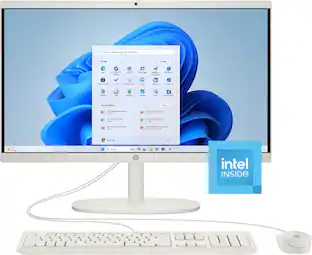
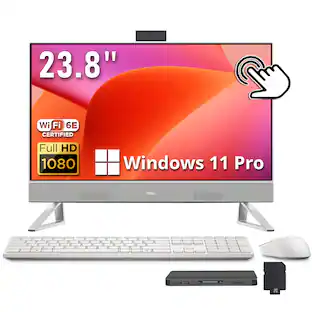
HP - OmniStudio 23.8" Full HD All-in-One - Intel N150 Processor - 8GB Memory - 128GB UFS - Cashmere White
3.8(15)

Built for home. Ready for everyone. The Intel processor delivers consistent, seamless performance, while the fanless design keeps bedrooms and shared spaces noise-free and peaceful. Look and sound your best in every call with a 23.8-inch Full HD display, 1080p webcam, dual mics, and fast Wi-Fi for smooth, uninterrupted connections. With HP Eye Ease to reduce blue light and a sleek 3-sided borderless design, it’s built to keep you productive and comfortable all day long.

HP - 21.5" All-in-One - Intel Processor N100 2023 - 8GB Memory - 128GB UFS - Cashmere White

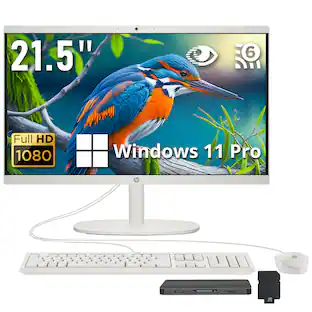
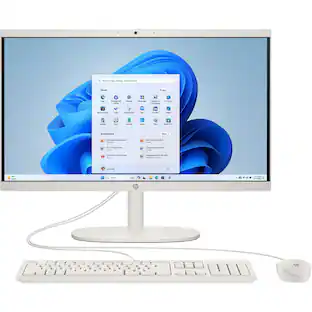
The central hub for the home. From homework to checking off every task on your list, the HP 21.45 inch All-in-One Desktop PC helps you keep your busy household on top of it all. With reliable and responsive processing power, multiple USB ports so you can accomplish all your multi-tasking, and plenty of storage for the whole family’s photos and videos, this PC accommodates all that your family needs to get done.
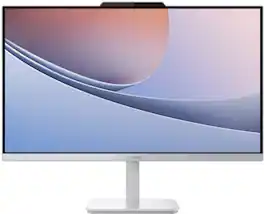
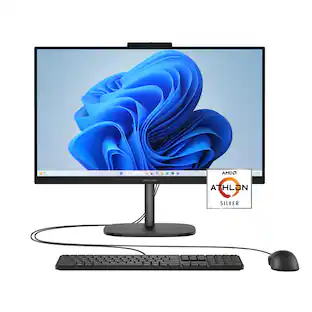
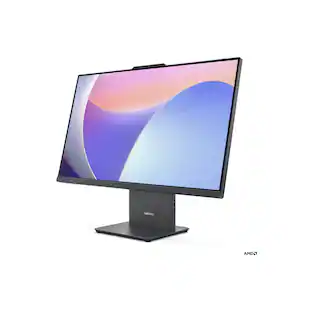
HP - OmniStudio 23.8" Full HD All-in-One - AMD Athlon Silver 10 - 8GB Memory - 256GB SSD - Jet Black
4.3(15)

Built for home. Ready for everyone. The AMD processor delivers consistent, seamless performance, while the fanless design keeps bedrooms and shared spaces noise-free and peaceful. Look and sound your best in every call with a 23.8-inch Full HD display, 1080p webcam, dual mics, and fast Wi-Fi for smooth, uninterrupted connections. With HP Eye Ease to reduce blue light and a sleek 3-sided borderless design, it’s built to keep you productive and comfortable all day long.

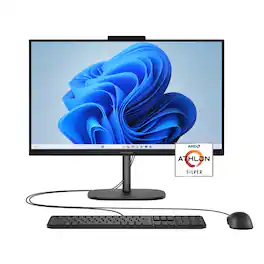
Lenovo - A100 23.8" Full HD All-In-One - Intel Processor N100 - 8GB Memory - 256GB SSD - Cloud Grey
4.8(31)

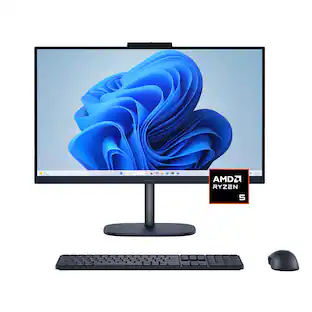
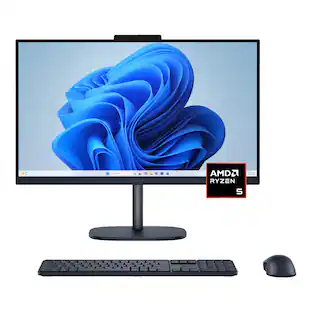
Blend style with functionality for your home with this sleek all-in-one desktop. This space-saving unibody design features a stunning 23.8" FHD display with ultra-thin 3-side bezels. Powered by an Intel N100 processor, the Lenovo A100 is perfect for everyday tasks at a great value.
Pros for HP - OmniStudio 23.8" Full HD All-in-One - Intel N150 Processor - 8GB Memory - 128GB UFS - Cashmere White
Design, Display Quality, Processor SpeedOverall Performance, Ease of Use, Design, Size, SpeedThere were no pros for this productOverall Performance, Ease of Use, Design, Screen Size
Cons for HP - OmniStudio 23.8" Full HD All-in-One - Intel N150 Processor - 8GB Memory - 128GB UFS - Cashmere White
Storage Capacity, ConnectivityMemory Capacity, Mouse PerformanceThere were no cons for this productThere were no cons for this product

Specs

Questions & Answers
  • Is this good for gaming? Like Roblox.

    Yes, this HP OmniStudio can handle casual games such as Roblox. For more demanding games that require higher graphics performance, a system with a dedicated graphics card may provide a better gaming experience.

    Answered by HP Team
    HP Team response
  • Does this come with a WIRED mouse and keyboard as shown? The specifications do not say so but the photo shows them.

    yes

    Answered by Anonymous
Ask a question
No content

Customers often buy these together

Sponsored

Finance Options

My Best Buy® Credit Card
Choose a benefit:Or
Buy Now, Pay Later
Lease to own

Special Offers

Top Offers
Included with Purchase

Finance Options

My Best Buy® Credit Card
Choose a benefit:Or
Buy Now, Pay Later
Lease to own

Special Offers

Top Offers
Included with Purchase