Labor Day Appliances SaleEnds 9/16. Limited quantities. No rainchecks.Shop now

Skip to contentGo to Product Search
Main Content

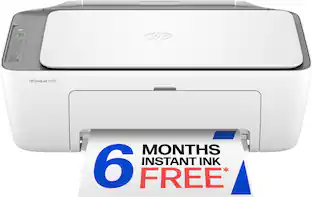
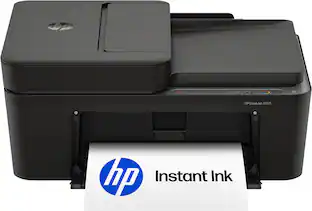
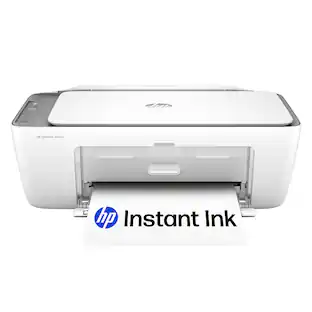
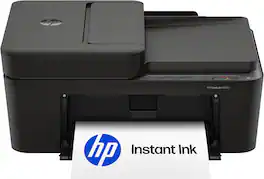
HP - DeskJet 2955 Wireless All-in-One Inkjet Printer, Scanner, Copier, AI-Enabled with 3 Months of Instant Ink - Black

Model: DeskJet 2955/A24HJA#B1H
SKU: 6673260
Sold byBest Buy

Customers are saying

Customers recognize that this printer delivers reliable overall performance and produces sharp, clear print quality. Users also appreciate the device's ease of use, noting that the setup process is remarkably quick and straightforward. Overall, the feedback highlights a highly functional and user-friendly experience.

Generated by AI based on customer reviews.
See it in-store: Roseville has a demo model on display.
Features
  • Perfect for busy families

    Print everyday color documents like to-do lists, letters, financial documents and recipes

  • Optimize print formatting with HP AI¹

    Print web pages and emails with precision—no wasted pages or awkward layouts; HP AI easily removes unwanted content, so your prints are just the way you want

  • Key features

    Color printing, copy, scan, and a 60-sheet input tray

  • Wireless printing

    Stay connected with our most reliable dual-band Wi-Fi, which automatically detects and resolves connection issues

  • 3-month Instant Ink trial included

    Subscribe to Instant Ink delivery service to get ink delivered directly to your door before you run out. After 3 months, monthly fee applies unless canceled.

  • HP app

    Print, scan, copy, or fax right from your smartphone with the easiest-to-use print app

  • Icon LCD

    Print your basic documents with ease from the intuitive control panel

  • Sustainable design

    Made with at least 70% recycled plastics, plus it's ENERGY STAR and EPEAT certified

  • Compact design

    Made to fit any home

  • Print speed

    Up to 7.5 ppm black, 5.5 ppm color

  • Dynamic security

    This printer is intended to work only with cartridges with original HP chips or circuitry and will block cartridges using non-HP chips or circuitry. Periodic firmware updates will maintain the effectiveness of these measures.

  • From America's most trusted printer brand

    The DeskJet 2855 is perfect for homes printing to-do lists, letters, financial documents and recipes. Print speeds up to 5.5 ppm color, 7.5 ppm black.

See all features
Specifications
  • Networking
    Wireless
    ENERGY STAR Certified
    Yes
    Printer Type
    All In One
    ISO Color Print Speed
    5.5 pages per minute
    Output Tray Capacity
    25
    Touch Screen
    No
Sponsored

Reviews

Customers are sayingCustomers recognize that this printer delivers reliable overall performance and produces sharp, clear print quality. Users also appreciate the device's ease of use, noting that the setup process is remarkably quick and straightforward. Overall, the feedback highlights a highly functional and user-friendly experience.
This summary was generated by AI based on customer reviews.
  • Overall Performance (10)
  • Print Quality (8)
  • Ease of Use (5)

Customer Images

The vast majority of our reviews come from verified purchases. Reviews from customers may include My Best Buy members, employees, and Tech Insider Network members (as tagged). Select reviewers may receive discounted products, promotional considerations or entries into drawings for honest, helpful reviews.

  • Rated 4 out of 5 stars

    I love it!

    I actually just bought the updated version of my old printer which I’ve had for about six years. The only reason I needed a new printer is because my old one stopped talking to my wireless router. It wasn’t printing on command anymore, and the paper feeder was constantly jammed. I had to get up and make sure that it would feed correctly. So it was on its way out, but it was a pretty reliable printer, and I knew getting the updated version was going to be a great transition. This one prints very smoothly, very quietly, set up took less than five minutes on the app. I didn’t know that the ink was going to be that much different and cost that much more and I only print for myself so automatic refills aren’t necessary for me. The space it takes up is the same so I’m really not losing anything. I love the clear prints and as with all HP printers in the past it’s very reliable. I wanted to give a 4 1/2 star rating but the system doesn’t let you. It’s not a perfect printer but I think it’s better than most. I also bought a new stand for it so it could be a little more accessible

    Posted by Mamato2

  • Rated 1 out of 5 stars

    Bad eeviews

    I read bad reviews regarding this item. Need to exchange and/or return/refund. Box has never been opened and printer was never used. As a 70-year-old individual with a disability and severe illness, I am experiencing significant challenges in my daily life. My condition includes spinal and rheumatoid arthritis, which have severely impacted my mobility and overall health. I am illiterate when it comes to using new updated equipment. I don’t need nor want any monthly maintenance, updates, subscription nor membership. Please help resolve this issue soon.

  • Rated 3 out of 5 stars

    Minimalist Printer

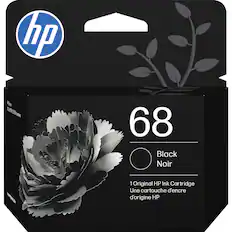
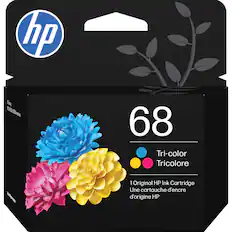
    HP has a printer available in the Deskjet 2900 series - this one is the 2955. It's basic with a flatbed scanner on top. The box includes the printer, power cable, 1 black ink cartridge, 1 tri-color ink cartridge, and quick user guide/paperwork. The monitor comes with a manufacturer's 1-year warranty. PROS: ----------- * Minimalist look, simple controls, not heavy at only about 7.5 lbs. * The printer ink that was provided was easy to install in the front of the machine, but it took me a while to get there during the setup process. * You can save $$$ with their "Instant Ink" program; however, unless you use a lot of ink, you may only need to purchase when needed. * You can print via Android or iPhone using the HP App. * Ink cartridges are easy to install and remove. * Using the HP Scanner app on the PC, you can save files in .PDF, .JPG, .PNG, or .TIFF. Typically any of these formats will suffice. CONS: ----------- * Setup was not smooth using the HP app on Windows 11. The printer was not recognized at first, but somehow, eventually was able to connect (this was random). Even after completing setup, the app continued to state that Setup was Incomplete. I tried to print a test page, and the printer sounded like it was going to print, but stopped... but then continued with only a sliver of gibberish characters printed at the top of the page. I was then able to get the alignment page to print. The instructions on the alignment page stated to put that page on the flatbed scanner so it could make adjustments to the alignment of the printer heads by hitting the COPY button. After I pressed the COPY button, it did nothing. The whole process was extremely convoluted... and being a "tech" person myself, I figured an "average joe" might have even more problems with troubleshooting. The HP app on my Windows 11 PC was continually glitching with the "Setup Incomplete" turning into "Not Connected" and then back to "Setup Incomplete". After trying to complete the setup again, I reached the "Print Test Page" page. As it was trying to load the preview of the test page, an error shows on the app (under "+Add a printer") "Your printer has experienced an unexpected configuration problem” and setup continued to show "incomplete". I then contacted tech support, and they connected to my PC to load the complete software driver package from the HP website. Once this was opened and executed, the process still failed at certain points, but eventually installed, and I was able to use the product. * During setup, the HP app also failed the firmware check stage. * No USB-A cable included. This is the fail-safe. If wireless printing is not working due to network or IP address issues, the USB-A cable provides a way to print regardless of network status. And not everyone has a USB-A cable because it's rare to have one. * There is no document feeder for scanning (you have to scan manually 1 page at a time on the flatbed). * The LCD panel works fine but is not back-lit. * There is no ethernet port on the printer. It's wi-fi or USB-A cable only. OTHER OBSERVATIONS: ----------- * This printer uses HP 68 Ink cartridges. One is all-black. The other is the tri-color cartridge. * Prints at 7.5 ppm using black ink only or 5.5 ppm when printing in color. * 60-sheet input tray on the top-rear of the unit. 25-sheet output - don't print too much at once without checking output bin. * Basic scan bed dimensions of 8.5 x 11.7 inches * Does not fax documents (no phone line port) * The user will need to download the full user guide to know what the buttons on the control panel do. A couple of the buttons aren't quite so obvious in what they do. * There is no double-sided printing option. CONCLUSION: ===================== Overall, this is an average to subpar printer. If you don't print a lot, this may be perfect for you, but if you print a good bit, it could take time for batch-printing to complete. The biggest issue I had was the setup. It would not complete setup out of the box using an up-to-date PC with the HP app (Windows 11). I also tried with a phone app and failed. The printer would not fully complete the installation until I went to HP's website and downloaded and installed the full installation driver package. For some reason, the HP apps could not perform that function internally within its code for setup. Once installed, it worked, but did print rather slow (~20 sec for 1st page... remaining pages were around 5 secs/ea). HP also didn't include a USB-A cable, which in my case would have made a huge difference in printing "now" rather than having to contact HP support. I'm a huge HP fan, but this printer didn't stand out in a good way, but should still work for those that need minimal printing needs.

    Posted by BADog

  • Rated 3 out of 5 stars

    ⭐️⭐️⭐️½ Great Printer, Painful Ink Costs

    ⭐️⭐️⭐️½ Great little printer, but the ink is the catch I’m honestly torn on this printer because the printer itself is really good, especially for the $60 price. It’s compact, easy to use, and does everything I need from a basic home all-in-one. The problem is that HP seems to make up for the low printer price with the cost and restrictions surrounding the ink. Setup was incredibly easy and quick. I plugged it in, installed the ink and paper, printed an alignment sheet, and scanned it back in so the printer could verify the alignment. I then downloaded the HP app and connected it to Wi-Fi. From opening the box to being ready to print took very little time. The HP app is one of the best parts of the experience. It’s clean, well laid out, and puts all the important functions right at your fingertips. Printing, scanning, copying, faxing, checking ink levels, and other settings are all easily accessible with a button tap. I’ve used printers where the software makes everything more complicated than it needs to be, but that definitely isn’t the case here. Print quality is good for a basic home printer. When printing directly from my phone or computer, images look good and colors are perfectly acceptable. The color issue I’ve noticed is specifically when printing or copying something that has first been scanned. The scanner captures good detail, but the initial scan can lose some color and contrast compared with the original. Fortunately, the HP app has an automatic image adjustment that does a surprisingly good job bringing the color and contrast back, so the problem is easy enough to correct. The copier works well for everyday use, although copies can lose some detail and color compared with the original. The paper tray holds around 60 sheets, which is plenty for normal household use, but two-sided printing is manual, so you have to flip the pages yourself. One area where this printer definitely isn't impressive is speed. It isn't particularly fast, especially when printing in color, but for the occasional documents, forms, and household printing I use it for, the speed hasn't been a major issue. This is definitely more of an everyday home printer than something I'd want for printing a huge stack of documents. The included starter cartridges also don't last particularly long, so don't expect the cartridges in the box to provide months of printing. That's worth keeping in mind because the low purchase price starts looking a little different once you need your first replacement. So why only 3.5 stars? The ink. The printer itself only costs around $60, while replacement cartridges can run roughly $35–$55. To be fair, that is about $15 cheaper than what I was paying for my previous printer, and those prices cover both black/color and standard/high-yield options. Still, when the ink can cost nearly as much as the entire printer, it’s hard not to feel like the printer is being sold cheaply to get you into the ink business. There’s another annoyance with the color cartridge: all three colors are combined into a single cartridge. That means if you run out of one color, you aren't simply replacing that individual color. You’re replacing the entire color cartridge. For someone who prints a lot of color, that can mean throwing away ink you may still have. What bothers me even more is the restriction on third-party cartridges. The HP app actually explains that firmware updates can prevent certain third-party cartridges from working. I stopped using my previous printer for exactly this reason. I’m not interested in paying $65 for ink when third-party cartridges can cost half that or less. Then there’s Instant Ink. The three-month trial sounds great, but subscription cartridges are tied to the service and can stop working when the subscription ends, even if there’s still ink remaining. That makes the whole system feel less like an optional convenience and more like another reason to stay locked into HP’s ecosystem. And that's frustrating because I really like this printer. The hardware is good, the software is good, setup is easy, scanning and copying work well, and the print quality is perfectly adequate for what most people will use a $60 home printer for. I just wish HP would let me choose where I buy my ink. At $60, it’s an excellent basic home printer. Just remember that the printer may be the inexpensive part of the ownership experience. If HP made the ink situation more consumer-friendly and didn't put so many restrictions around cartridges, this would easily be a 4.5-star printer for me.

    Posted by Bakut3n

  • Rated 5 out of 5 stars

    Easy to setup and use home deskjet printer

    The printer was fairly easy to setup with the app and connect to our WiFi and start printing quickly. It doesn’t even need you to enter WiFi password, just pick the network your phone is on in the app and it does the rest to get it connected quickly. Print quality is what you’d expect from a home focused HP Deskjet. I haven’t tried any photos on photo paper yet, but plain white paper color printing looks good. Printing makes a medium amount of noise and isn’t super fast at 5-6 pages per minute, but again good for home printing. The controls are best handled in the app for changes or settings, but it has a nice set of minimalist buttons on the top for quick visual of ink levels and easy color/black & white copies. Scanning is vibrant and surprisingly quick and quiet. The mobile app is easy to use, change scanning settings, auto crop, etc. and then simply save to your phone’s photo library or forward via email. This is a nice feature especially if you just want to say print a pdf/doc, sign it, and quickly scan to then save or email back in multiple 1 touch formats like pdf, png, jpg, etc. Note that it only has the single page flat bed scanner for 1 page at a time scanning and holds about 50-60 sheets of paper in the print feeder (upright in the back) and then holds about 25 pages printed. It has a normal footprint and tidies up nicely if you pull the paper and fold in the printing tray. There’s also a sliding feeder setting at the paper feeder for envelop or special sized photo printing like 4x6, etc. Comes with auto ink replenishment subscription option, but I usually just opt for having 1 set of color and black back up ink and then order when I need it as we don’t print that heavily at home. The print cartridges are fairly small so we’ll see how long they last. Overall ideal for most home printing and scanning needs and I found the app very intuitive and made it easy to use.

    Posted by ShawnInKB

Compare similar products

HP - DeskJet 2955 Wireless All-in-One Inkjet Printer, Scanner, Copier, AI-Enabled with 3 Months of Instant Ink - Black
4.2(75)

The HP DeskJet 2955 delivers color printing, 60-sheet paper capacity, and a flatbed scanner for easy scanning and copying. It's AI-enabled to intuitively adapt to your workflow, with wireless and security features that keep your multifunction printer up to date and secure. HP Deskjet is the perfect back-to-school printer for college students and teachers with 3 months free Instant Ink subscription.
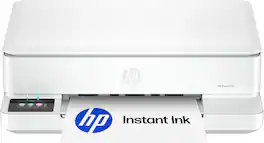
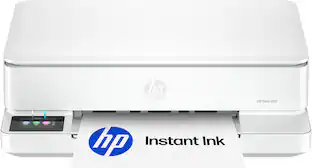
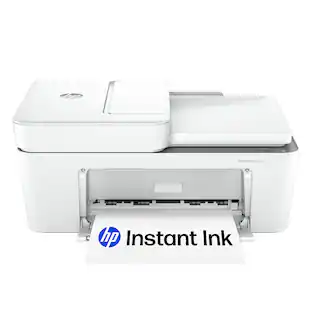
HP - Envy 6165 Wireless AI-Enabled All-in-One Inkjet Printer with 6 months of Instant Ink - White

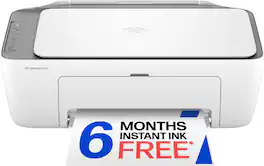
The HP Envy 6165 All-in-One delivers color printing, scanning and copying, plus 100-sheet paper capacity. It's AI-capable¹ to intuitively adapt to your workflow, with wireless and security features that keep your multifunction printer up to date and secure, and prints high-quality documents and photos every time with true-to-screen tech². This inkjet printer also lets you easily navigate print jobs with its intuitive color touchscreen. HP Envy is the perfect back-to-school printer for college students and teachers with 6 months free Instant Ink subscription.
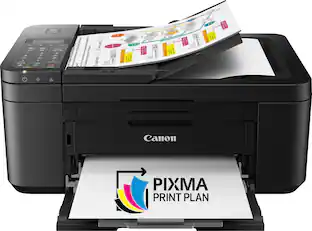
Canon - PIXMA TR4720 Wireless All-In-One Inkjet Printer - Black

For all your work or home printing needs, the PIXMA TR4720 Wireless* All-in-One Printer has you covered. Enjoy simple setup through the Canon PRINT Inkjet/SELPHY Ap** and an easy to install 2-Cartridge hybrid ink system and front loading 100-sheet paper tray. Big on performance, the PIXMA TR4720 is equipped with Auto 2-Sided Printing, an Auto Document Feeder for multi-page scanning, and built-in Fax functionality. With a variety of connectivity options, you'll be able to do it all from your PC or mobile devices— plus, the PIXMA TR4720 is compatible with Canon apps for printing, scanning, creative projects and more. Simple, productive office and home printing in a compact size— that’s the PIXMA TR4720.

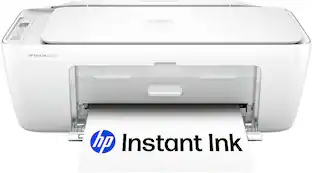
Canon - PIXMA TS4320 Wireless All-In-One Inkjet Printer - White
4.5(59)

The PIXMA TS4320 is the most affordable and user-friendly option. It’s designed for users who need basic printing, scanning, and copying – like school projects, recipes, and vibrant photos without the need for a display screen or advanced features. While it lacks the OLED display and ADF found in the higher models, it still offers auto 2-sided printing, wireless printing, a compact design, and easy setup—making it a dependable choice for light home use. Best for: Users who want a simple, budget-friendly printer for occasional tasks like printing homework or recipes.

Pros for HP - DeskJet 2955 Wireless All-in-One Inkjet Printer, Scanner, Copier, AI-Enabled with 3 Months of Instant Ink - Black
Overall Performance, Print Quality, Ease of UseOverall Performance, Print Quality, Size, Portability, DesignPrint Quality, Overall Performance, Ease of use, Price, ConnectivityPrint Quality, Size, Setup Ease
Cons for HP - DeskJet 2955 Wireless All-in-One Inkjet Printer, Scanner, Copier, AI-Enabled with 3 Months of Instant Ink - Black
There were no cons for this productNoise LevelNoise Level, Paper TrayConnectivity

Specs

Questions & Answers
  • Photos?

    Yes, this printer can print photos.

    Answered by HP Team
    HP Team response
  • will this work with a chromebook

    Yes, this printer is compatible with Chromebooks.

    Answered by HP Team
    HP Team response
  • Can you print from your phone

    Yes, you can print wirelessly from your smartphone using the HP Smart app.

    Answered by HP Team
    HP Team response
  • how too set up printer

    Setup is easy. Download the HP app, follow the on-screen instructions, connect the printer to Wi‑Fi or USB, install the ink cartridges, and load paper. The HP app will guide you through the entire setup process.

    Answered by HP Team
    HP Team response
  • how much does cartridge cost?

    This printer uses HP 67 Black and HP 67 Tri-color ink cartridges, with HP 67XL high-yield options also available. Pricing varies by current promotions.

    Answered by HP Team
    HP Team response
Ask a question
No content

Customers often buy these together

Sponsored

Finance Options

My Best Buy® Credit Card
Buy Now, Pay Later

Special Offers

Included with Purchase