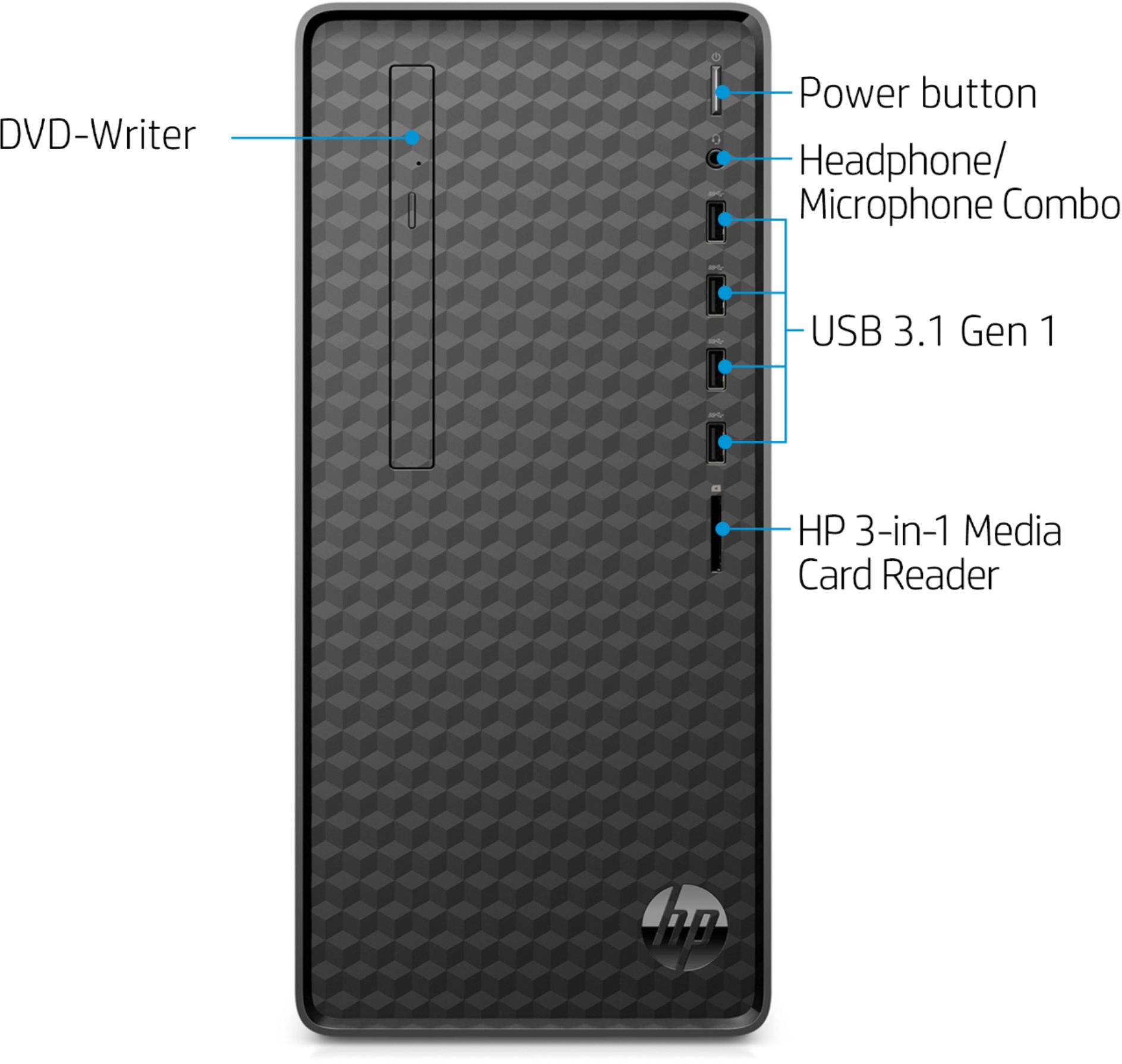
A:AnswerMy quick setup guide says to access the latest user guides, go to http://www.hp.com/support and follow the instructions to find your product. Then select USER GUIDES.
A:AnswerIf your monitor has 1 HDMI port or 1 VGA port, then you use your existing monitor with this desktop. I would recommend going to Canon's website to see if there are Windows 10 drivers for your printer. If your printer is compatible, you can connect the printer to the desktop using the USB cable.
A:AnswerTo meet the recommended requirements to play World of Warcraft: Classic, you would need to install a discrete graphics card on this desktop like the AMD Radeon RX 580 or NVIDIA GeForce GTX 1070 Ti. A better processor would also be recommended like the Intel i5 or i7 processor; or AMD Ryzen 5 or 7 processors.
A:AnswerNo. This HP desktop has Windows 10 Home. You can upgrade to Windows 10 Pro through the computer in the Micrsoft Store (app store) or you can get the upgrade from Best Buy.
A:AnswerThis HP Desktop - M01-F0014 can be upgraded up to 32 gigabytes DDR4-2666 SDRAM. There are two memory slots on this desktop. You would only need to add 1-8 DDR4-2666 SDRAM to get the full 16 gigabytes.