Questions & Answers
- Model:
- W1A29A#BGJ
- |
- SKU:
- 6348965
Highly rated by customers for: Ease of use, Print Quality
Page Showing 1-20 of 33 questions
Q: QuestionWhat do the f, d, and n stand for?
Asked by ally.
- A:Answer The f is for Fax, d is for Duplex (automatic 2 sided printing) and n is for Network (ethernet). If it had a W at the end, that would be for Wireless.
Answered by HP Team
Q: QuestionHello, Will this automatically scan both sides of a document?
Asked by JImheg.
- A:Answer Thank you for your question. This printer can indeed scan both sides of a document in a single pass through the automatic document feeder.
Answered by HP Team

Q: QuestionDoes this printer have dual trays for letter and legal size documents
Asked by Kay.
- A:Answer Hi Kay, thank you for the question. The LaserJet Pro MFP M428fdn has two paper trays - the main tray has a capacity for 250 sheets, and the utility tray (behind the front panel) has a capacity for 100 sheets. There is also an optional paper tray that you can purchase, with a 550-sheet capacity (optional tray is HP # D9P29A).
Answered by HP Team

Q: QuestionCan this printer enlarge or reduce ?
Asked by Gary.
- A:Answer Yes, the LaserJet Pro M428fdn printer can reduce and enlarge copies from 25 to 400%.
Answered by HP Team

Q: QuestionAlthough it says you can scan 50 pages through the feeder, what is the maximum KB it can do?
Asked by Sue.
- A:Answer Hi Sue, thank you for the question. Although the document feeder has a 50-sheet capacity, you can refill it as it scans. There is no limit to the number of pages/size of files that can be scanned in one job, according to the product specification. Were you asking about scanning as it relates to the FAX SPEED? For this model, it's 33.6 kb per second, or about 3 seconds per letter sized page. You can view the HP Data Sheet here: https://cdn.cnetcontent.com/syndication/mediaserverredirect/3464ec8c2514ea99194237ac35423c88/original.pdf
Answered by HP Team

Q: QuestionDoes this printer print in color or just black & white?
Asked by Jessica.
- A:Answer Because it's a monochrome printer, it only prints in black and white.
Answered by HP Team

Q: QuestionCan this printer handle cardstock? And if it can, are there any jamming issues I should be concerned about?
Asked by Chip.
- A:Answer Hi Chip, thank you for the question. Except for industrial-use models, laser printers are not designed for much flexibility in media types. An exception might be when feeding small quantities of media not specified as supported (to avoid jamming). The LaserJet Pro MFP M428fdn supports up to 46.6 lb media in tray 1 (the multipurpose tray) and up to 32 lb in tray 2 (the main paper tray). For routine or high volume use of cardstock, inkjet printers will offer the most flexibility in supported media type and some models can handle 110 lb.
Answered by HP Team

Q: QuestionIs flatbed scan legal size?
Asked by Anonymous.
- A:Answer Unfortuantely, no. The flatbed is letter sized. However, you can scan legal size documents using the document feeder on the top of the printer.
Answered by HP Team

Q: Questioncan i put a wifi adapter on hp m428fdn
Asked by franklin.
- A:Answer You will not be able to add WiFi to this model.
Answered by HP Team

Q: QuestionDoe it scan directly from machince to email
Asked by KO.
- A:Answer Thank you for the question. Yes, the LaserJet Pro M428fdn will scan to email.
Answered by HP Team

Q: QuestionIs this printer compatible with windows 11
Asked by mike.
- A:Answer Hello and thank you for your question. Yes, this HP LaserJet Pro M428 series is compatible with Windows 11.
Answered by HP Team

Q: QuestionDoes this allow you to scan 20 pages into one file, then attach that one file to a email you want to send (rather than have to attach 20 separate pages ) ?
Asked by RichLori.
- A:Answer Yes, the LaserJet Pro M428fdn printer will allow up to 50 pages through the auto document feeder for scanning to email.
Answered by HP Team

Q: QuestionWill this printer MFP M428fdn scan in color?
Asked by Carl.
- A:Answer Hello, Carl. Thanks for your question. Yes, you can scan in color with this HP Laserjet Pro m428fdn printer.
Answered by HP Team

Q: QuestionCan this printer also be wireless?
Asked by Dee.
- A:Answer Yes this printer can also be wireless but needs to be in close proximity to the router for best performance.
Answered by LaserJetProMFPOM428fdn
Q: Questiondoes it do internet ?
Asked by Sunshine58.
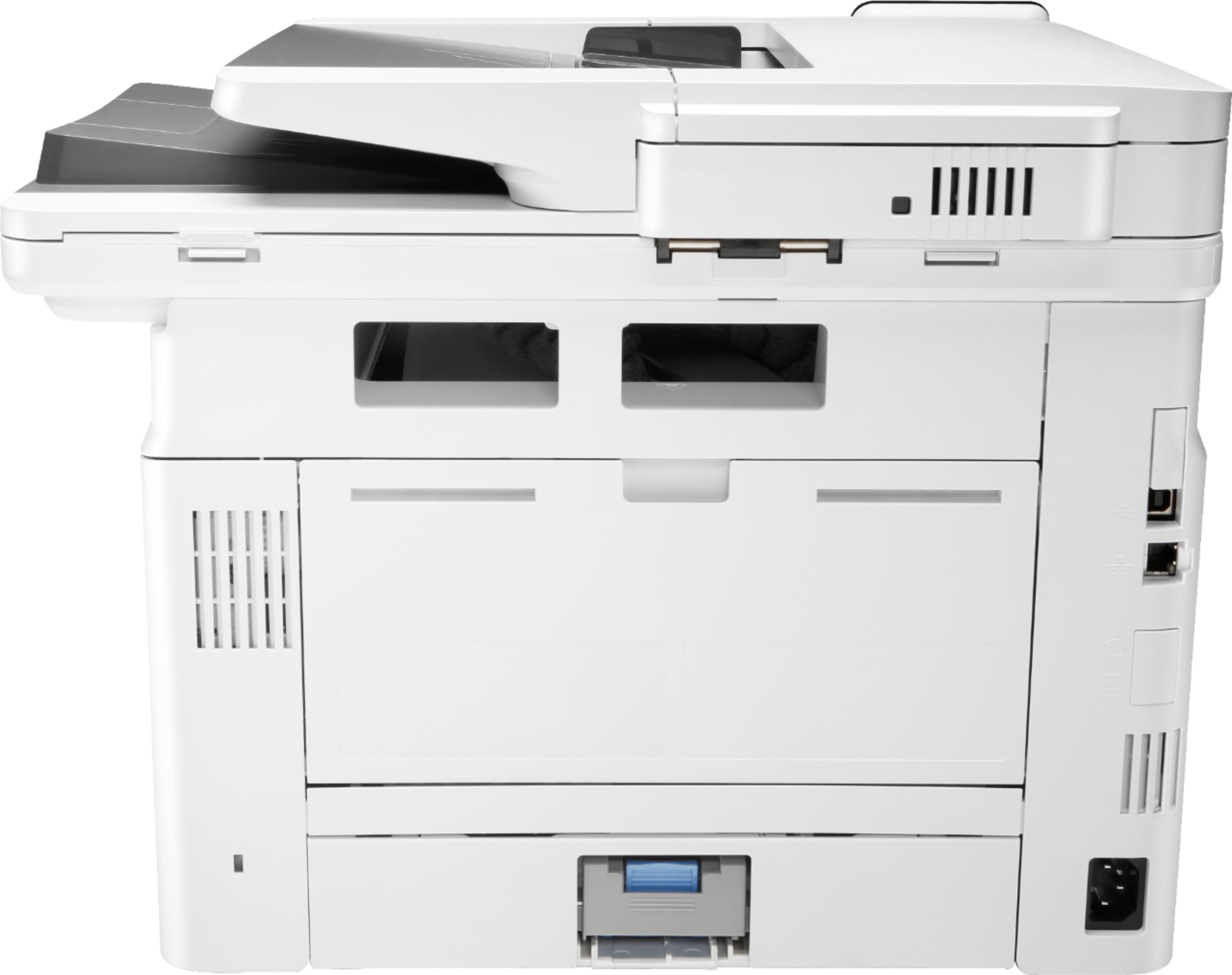
- A:Answer Thank you for the question. The LaserJet Pro MFP M428fdn is a network printer - you'll need to connect an Ethernet cable to plug into your internet connection/router, or a USB cable connected directly to your computer. In order to use wirelessly on your network, you'll need to purchase an adapter - this printer does not come with a WIFI adapter. There is a wireless version of this printer available - the M428fdw.
Answered by HP Team

Q: QuestionWhat is the cartridge name, size, etc.? It does not say. Or I could not find it.
Asked by Unknown.
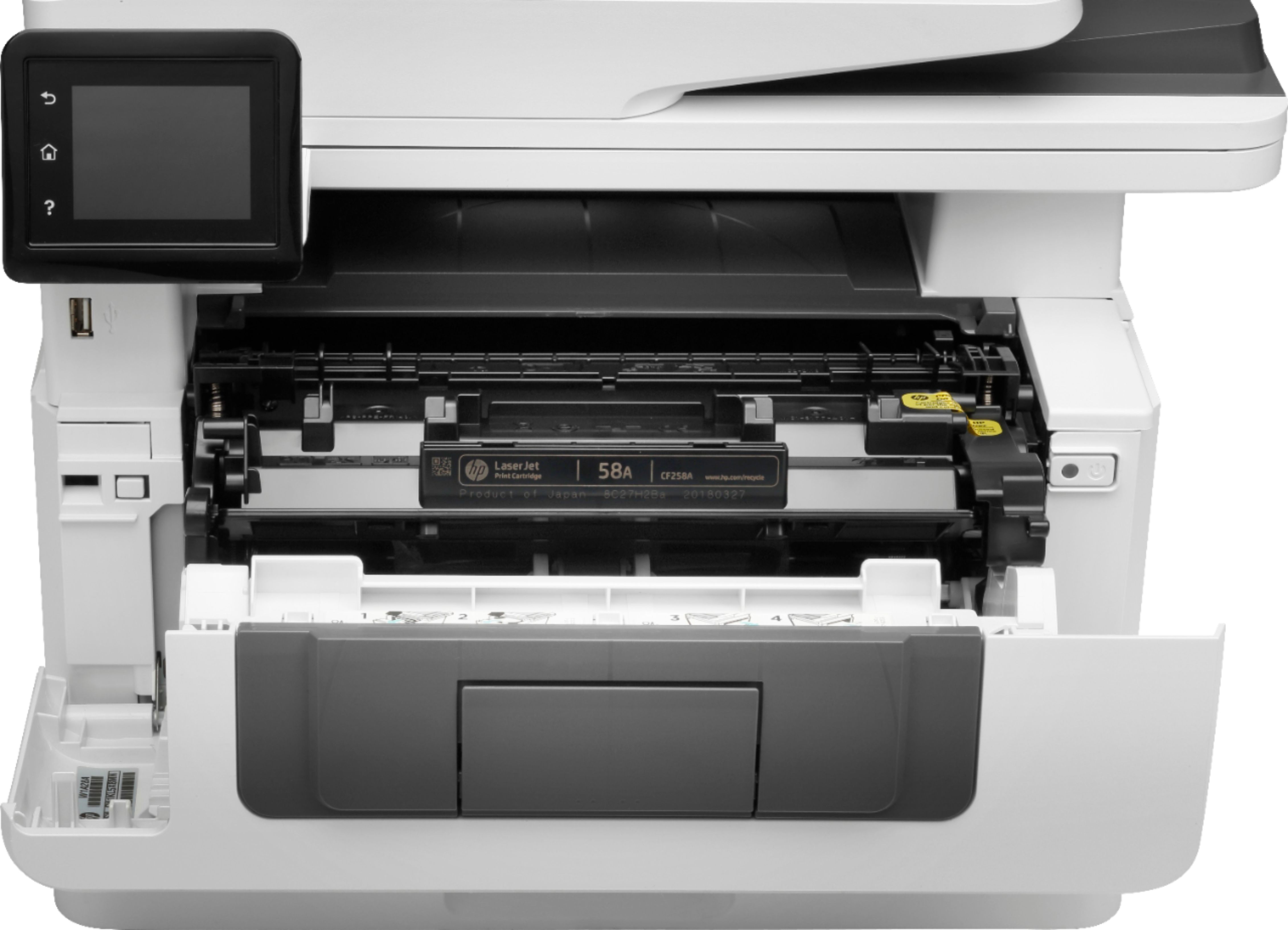
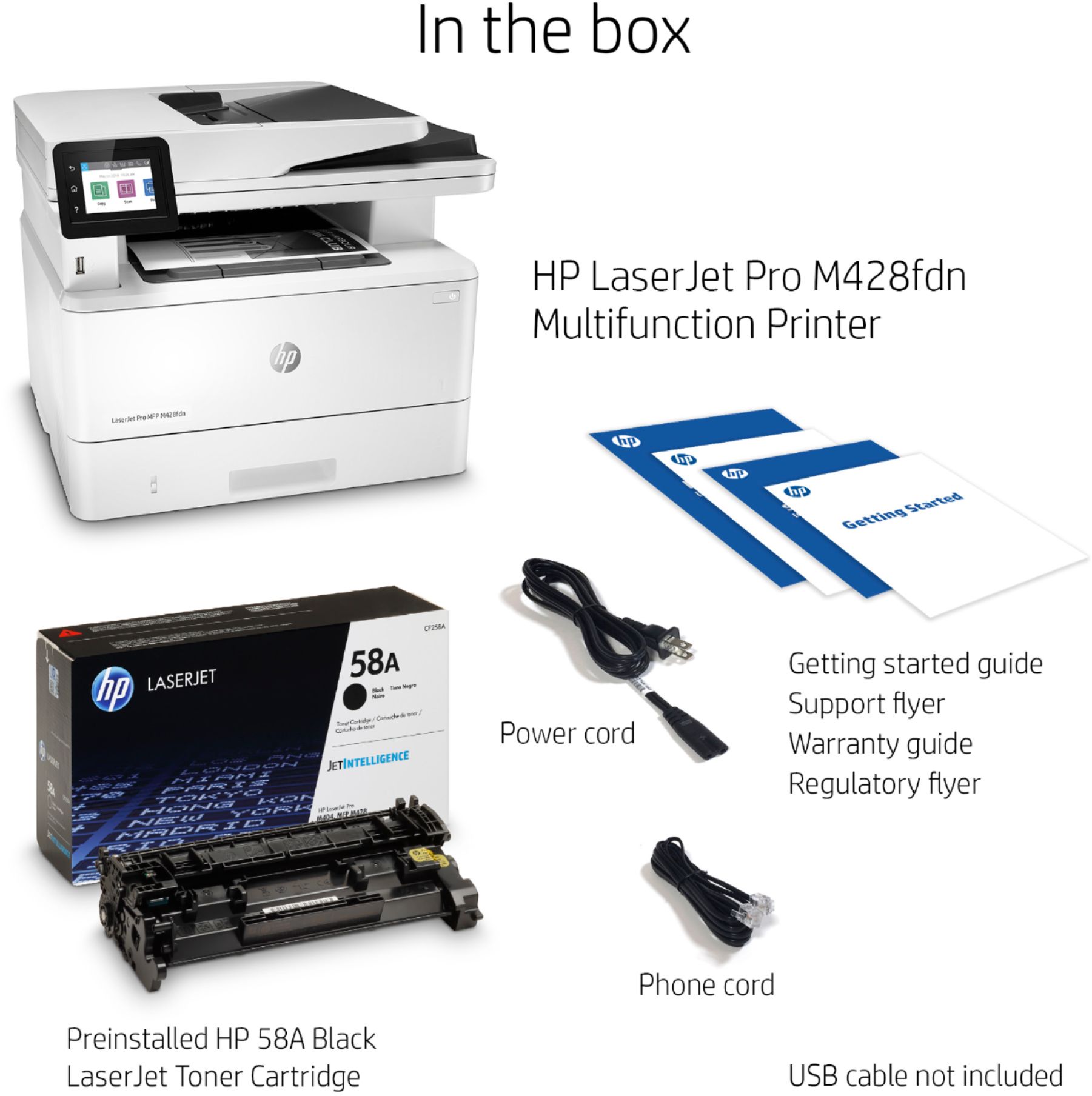
- A:Answer That printer can use either the 58A or the high-capacity 58X toner cartridges. The 58A is rated at 3000 pages, while the 58X is rated at 10,000
Answered by HP Team

Q: Questiondoes this printer collate? can you print envelopes?
Asked by lsppc.
- A:Answer Thank you for asking. Yes, the printer will collate - set this up in your document's print settings. Yes, you can print envelopes.
Answered by HP Team

Q: QuestionDoes this printer fax also?
Asked by Anonymous.
- A:Answer Hello, yes the the LaserJet Pro MFP M428fdn is equipped with fax capabilities. The 'f' in the model name is associated with that fax capability. Thank you for being and HP customer!
Answered by HP Team

Q: QuestionHow do I get the printer to print legal size documents. It is not connected to a computer.
Asked by Anonymous.
- A:Answer Hi and thanks for your question. If you are printing from a smartphone or tablet, you should install the HP Smart app. Then you can change the paper size settings and print most anything. Click on the "File" menu and choose "Print" from the drop-down box. Click the "Properties" button and choose the paper size you want to use. Make sure to also change the tray if the odd-sized paper is loaded in only one tray.
Answered by HP Team

Page 1, Showing 1-20 of 33 questions
Top Rated
- $329.99$329.99The price was $469.99
- $139.99$139.99The price was $149.99
- $299.99$299.99The price was $349.99
- $1,099.99$1,099.99The price was $1,299.99
- $279.99$279.99The price was $329.99
- $949.00$949.00The price was $1,099.00
- $1,499.00$1,499.00The price was $2,799.00