A:AnswerThe short answer is, "it depends". If any of the replacement parts damage one of the existing components (for example, the new power supply fries the motherboard), that would not be covered under the HP warranty.
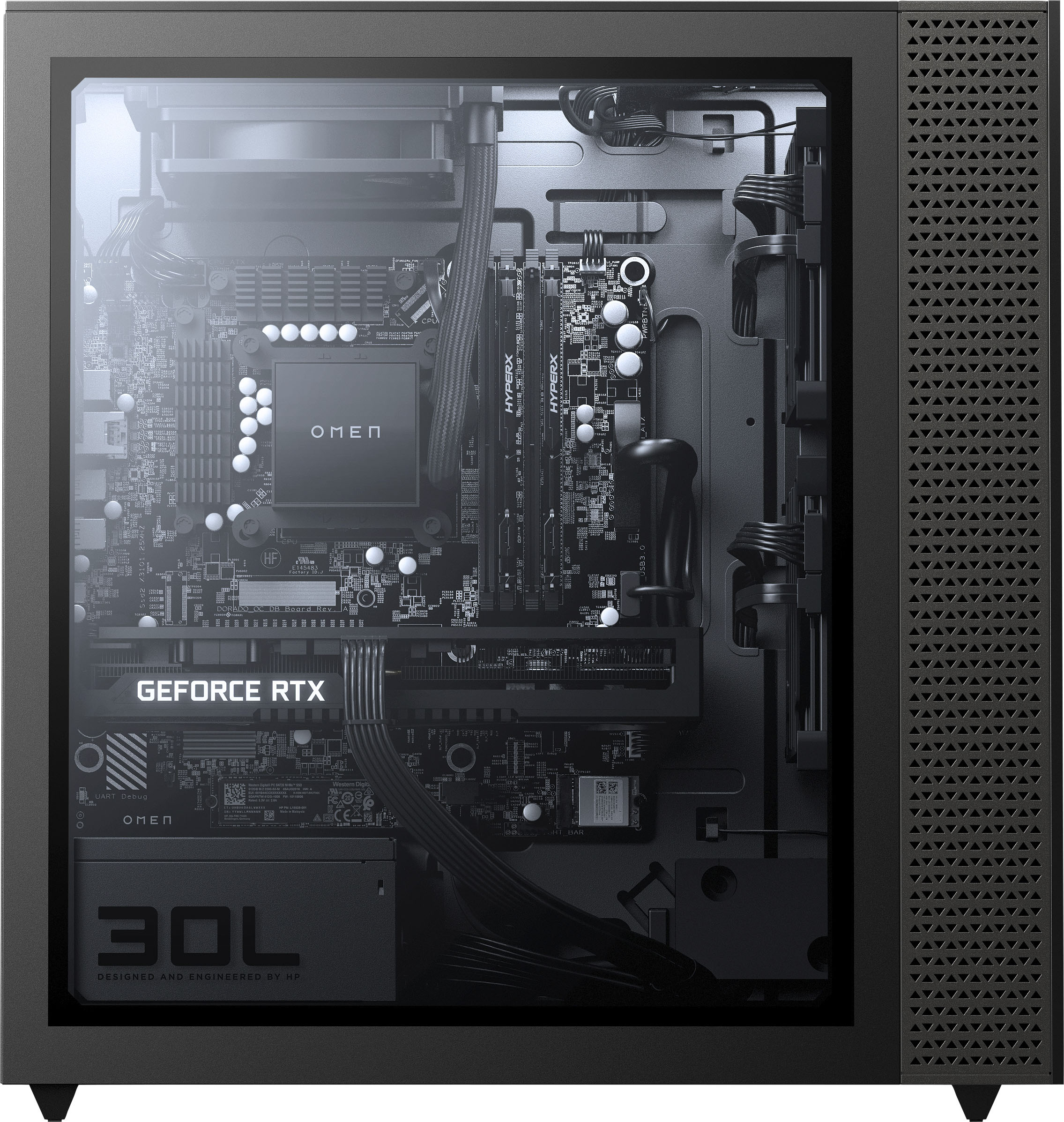
A:AnswerThe codename for the motherboard is "Hana". The specs are available at https://support.hp.com/us-en/product/omen-30l-desktop-pc-gt13-1000a/2100404772/document/c07052271
A:AnswerApologies for the confusion with the media that accompanies this item. We will bring it to the attention of Best Buy. HP can confirm that the Omen GT13-1124 Gaming Desktop has AMD Radeon™ RX 6700XT Graphics (12 GB GDDR6 dedicated).
A:AnswerI bought this pc and when i went throgh the setup process right after unboxing, it let me choose which one i wanted. So, i don't believe it comes with windows 11, but it is ready for windows 11 and you will have to chose during the update process.
A:AnswerThe motherboard has two m.2 slots, but they're both occupied-one by the SSD, and the other by the WiFi card, so while you could replace the existing m.2 drive, you won't be able to add a second one.
A:AnswerWithout having done a full tear down, everything seems upgradable. All the visible connectors are standard, the motherboard is not proprietary, the power supply is just a cooler master with no on/off switch.
A:AnswerThank you for the question. Yes, you can create a boot entry and a desktop shortcut. Microsoft has a tutorial online, titled "Adding Boot Entries".
A:AnswerWe are sorry to hear about your challenges. We recommend reaching out to HP Support for further assistance: https://support.hp.com You can also reach out to the Geek Squad at Best Buy.
A:AnswerWithout knowing more, it's impossible to say why it's doing that. Your best option is to contact the HP Support team directly so they can troubleshoot any possible issues.
A:AnswerIt really shouldn't be overheating, unless you're spending a lot of time on programs that push the CPU or the graphics card to 100% for extended periods. Your best option would be to contact the HP support team directly so they can troubleshoot the issue to see if there's a configuration or hardware error.
A:AnswerI used mine on this and it was ok but the gpu did struggle on heavy hitting graphic use and did freeze up i would suggest a stronger cpu and gpu combo to optimize your experience and deffinatly get something with significantly more cooling and better thermal paste on the cpu