Questions & Answers
- Model:
- D3Q20A#B1H
- |
- SKU:
- 4973203
Highly rated by customers for: Print Speed, Ease of use, Ink Life
Page Showing 21-40 of 68 questions
Q: QuestionDoes this printer have fax to email capability?
Asked by Risingsun.
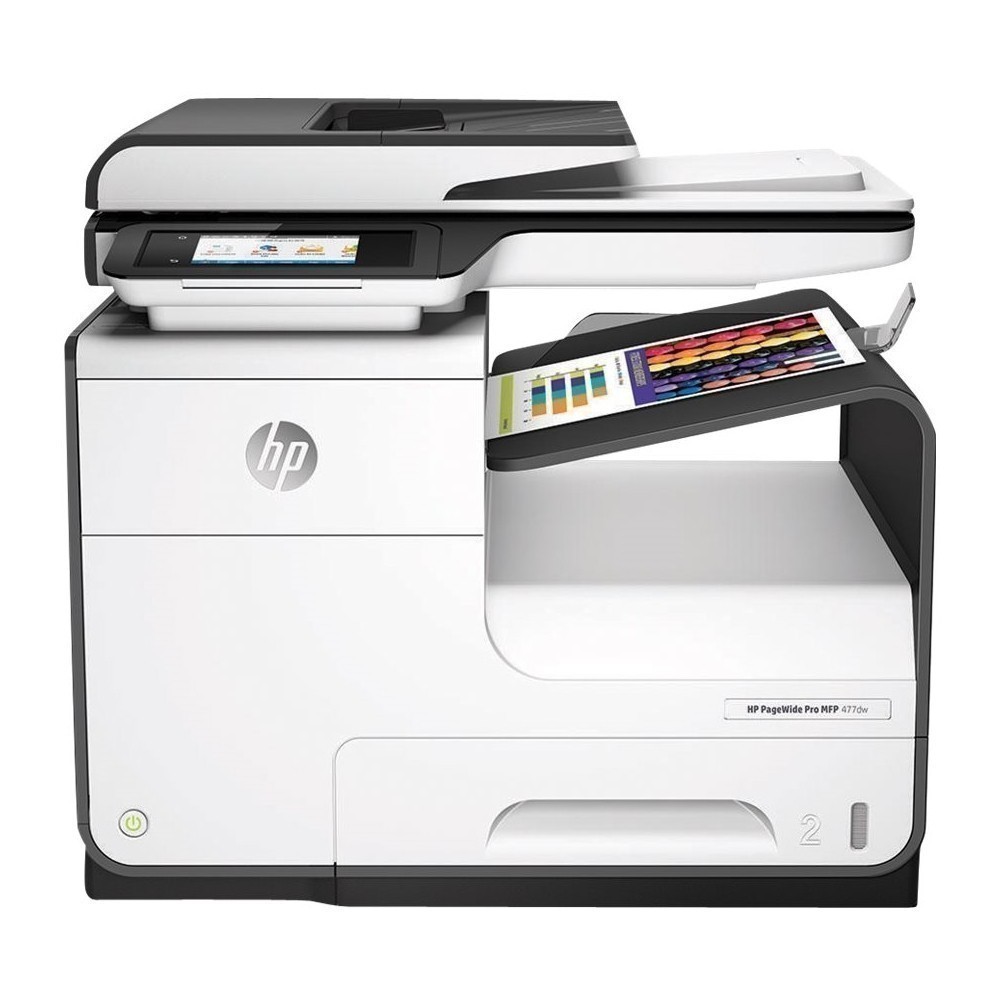
- A:Answer Thank you for the question. The PageWide Pro 477dw has landline fax capability for sending to a receiving landline fax. For sending to a recipient's email, you would use the scan to email function.
Answered by HP Team

Q: Questiondoes it staple
Asked by SHE.
- A:Answer Hello there! The HP PageWide Pro 477dw does not staple. Thank you for your question and interest in our HP printers!
Answered by HP Team

Q: QuestionDoes it sort copies?
Asked by Dale.
- A:Answer Thank you for the question. Yes, the PageWide Pro 477dw can collate copies, using the copy settings on the touch screen.
Answered by HP Team

Q: QuestionDoes this printer allow you to scan and print documents 2 sides manually or automatically?
Asked by Anonymous.
- A:Answer Yes, the PageWide Pro 477dw can print and scan 2 sided documents automatically.
Answered by HP Team

Q: Questionwhat is the largest paper size the scanning bed can handle?
Asked by jwright.
- A:Answer Thank you for the question. The maximum scan size, whether from the scanbed or the document feeder is 8.5 x 14".
Answered by HP Team

Q: QuestionDoes this copier have ability to darken and lighten copies?
Asked by Anonymous.
- A:Answer Thank you for the question. Yes, copy lightening and darkening can be adjusted on the PageWide Pro 477dw touch panel (copy settings menu).
Answered by HP Team

Q: QuestionCan I receive Faxes with this Printer ? What is the difference between this printer and the Color Laser Jet Pro MFP M277dw ?
Asked by Yasleyambu123.
- A:Answer Hello as far as the fax part; yes you can send and receive faxes. I do have a landline hooked up to mine in order to do so. Not sure if it can be done through the internet.
Answered by 93Eliot
Q: QuestionCan this model print 11 x 17 paper? HP-Pagewide Pro 477dw Wireless All-in-one Inkjet Printer-White
Asked by Razor.
- A:Answer Unfortunately, the PageWide Pro can't handle 11x17 inch paper. The OfficeJet Pro 7740 Wide Format can handle 11x17 paper.
Answered by HP Team

Q: QuestionWill it copy 2 sided card stock
Asked by Cindy.
- A:Answer Hi Cindy, thank you for the question. Yes, the PageWide Pro 477 will copy 2-sided in one pass through the scanner. It supports card stock up to 110 lb.
Answered by HP Team

Q: QuestionCan this printer take card stock paper?
Asked by Anonymous.
- A:Answer The PageWide Pro 477dw printer supports the following media weights: Tray 1: 16 to 32 lb (plain paper); 33 to 80 lb (photo); 20 to 24 lb (envelope); 32 to 48 lb (brochure); 90 to 110 lb (card); Tray 2: 16 to 32 lb (plain paper); 33 to 66 lb (photo); 20 to 24 lb (envelope); 32 to 48 lb (brochure); 90 to 110 lb (card); Tray 3: 16 to 32 lb (plain paper); 33 to 66 lb (photo); 32 to 48 lb (brochure); 90 to 110 lb (card).
Answered by HP Team

Q: QuestionWhat is the # of the ink cartridges and how much do they usually cost? Probably not used every day.
Asked by genie.
- A:Answer This model will use the HP 972A or 972X ink. It has four cartridge's. The 972A cartridge's are in the $70-$80 range for each one. You would be able to print up to 3500 pages. The 972X is up to 7000 pages on color and 10000 pages on black. The 972X cartridge's are $130-$140 each.
Answered by HP Team

Q: QuestionWhat is in the box?
Asked by Jenn.
- A:Answer Hello! Thank you for your question, Jenn! Included in the box of an HP PageWide Pro 477dw is the following: HP PageWide Pro Multifunction Printer; HP 972A Setup Black PageWide Cartridge (~3000 pages); HP 972A Setup Cyan PageWide Cartridge; HP 972A Setup Magenta PageWide Cartridge; HP 972A Setup Yellow PageWide Cartridge (CMY composite ~1500 pages); power cord; phone cord; installation guide; CD-ROMs (for software, Windows and Mac printer drivers, and User’s Guide).
Answered by HP Team

Q: QuestionDoes printer scan to usb/memory card?
Asked by MPat.
- A:Answer Hello! Thanks for your question! Yes! The HP PageWide Pro 477dw does have a front USB to allow scan-to-USB. It does not have a memory card slot.
Answered by HP Team

Q: QuestionCan I print a document with mixed letter and legal page sizes without having the change the paper to accomodate both sizes
Asked by Dori.
- A:Answer Hi Dori. Thanks for the question. Yes you can if you load the paper in different trays, and set up the trays for the correct size in the print drive. Only some applications/files can do this such as Adobe PDF's.
Answered by HP Team

Q: QuestionCan I copy from the flatbed by laying an original on it?
Asked by Gary.
- A:Answer Hi Gary, thank you for the question. HP PageWide Pro 477dw has a flatbed scanner that can be used to scan documents or to make copies.
Answered by HP Team

Q: QuestionCan this printer print, scan and copy up to 11x17?
Asked by Missy.
- A:Answer yes, you can print , scan and copy up to 11x17. However tray 2 does not hold paper larger than letter size. You will need to manually feed via tray 1.
Answered by Anonymous
Q: QuestionHow many paper trays does it have and can you add an additional paper feeder to the printer? If so what would the model for that be?
Asked by Tan.
- A:Answer As far as I can tell there is just one paper tray and a by-pass. The tray holds about 500 sheets. I do love this printer!
Answered by Surgeprotector
Q: Questionsome printers have a scanning limit of 100 pages. does this printer have a similar limit?
Asked by Anonymous.
- A:Answer Thanks for your question. The automatic document feeder can hold 50 sheets. The scanning limitation is usually based on file size, not the number of pages.
Answered by HP Team

Q: QuestionCan this printer print on glossy photo paper?
Asked by Darren.
- A:Answer You can print on glossy paper made for inkjet printers like the HP Premium Plus photo paper.
Answered by HP Team

Q: QuestionDoes this printer print cardstock paper & what’s the max paper weight?
Asked by MGM.
- A:Answer Here is a list of supported paper types and weights for this printer. Tray 1: 60 to 120 g/m² (plain paper), 125 to 300 g/m² (photo), 75 to 90 g/m² (envelope), 120 to 180 g/m² (brochure), 163 to 200 g/m² (card); Tray 2: 60 to 120 g/m² (plain paper), 125 to 250 g/m² (photo), 75 to 90 g/m² (envelope), 120 to 180 g/m² (brochure), 163 to 200 g/m² (card); Tray 3: 60 to 120 g/m² (plain paper), 125 to 250 g/m² (photo), 120 to 180 g/m² (brochure), 163 to 200 g/m² (card)
Answered by HP Team

Most-viewed items
- $199.99$199.99The price was $299.99
- $329.99$329.99The price was $469.99
- $299.99$299.99The price was $449.99
- $449.99$449.99The price was $649.99
- $1,149.00$1,149.00The price was $1,299.00
- $99.99$99.99The price was $129.99
- $1,549.00$1,549.00The price was $1,699.00
- $299.00$299.00The price was $349.00
- $33.34 per month$33.34/mo.for 36 months; 0% APR
- $499.00$499.00The price was $549.00














