“Lack of hard drive Since reviews mention lack of disk drive, is there an option for moving data over.?”
Answer This Question
1-9 of 9 Answers
I'm not a computer expert, but several options would include saving data to the cloud, buying an external disk drive or using an external hard drive. I actually did all three. I saved all the data I wanted on an external hard drive that I use for backing up my computers and then installed the data on my new laptop from the hard drive. That worked well and the external hard drive is also useful as a backup device incase of a computer crash, loss or damage.
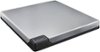
Sorry, there was a problem. Please try again later.I purchased a Pioneer - 8x External USB 3.0 Quad-Layer Blu-ray Disc DL DVD±RW/CD-RW Drive - Silver from Best Buy for disk needs. It's USB 3.0 and will run with just a single USB connection even though it comes with a two connector cable. Like others have said, a USB flash drive is best for transfers but get a 3.0 flash drive or you'll be waiting. The SD slot on the left is almost flush so I just leave mine in and have it available. You could also use that. In the end I use the network for transfers, but if you have disk based installs I recommend the drive, it also plays blurays and dvds with the right software.
I would recommend:
Sorry, there was a problem. Please try again later.There are three USB connections that you can use for a thumb drive on which to store data. Windows 10 (perhaps other versions as well) gives you the option of changing the default storage so you can automatically save everything to a USB drive if you so desire. Some very large (500Gb) usb thumbs drives are available in a very small size drive.
Sorry, there was a problem. Please try again later.I recommend using an external thumb drive/hard drive for storing things such as photos/movies.
Sorry, there was a problem. Please try again later.You can use a USB flash drive for moving data around.
Sorry, there was a problem. Please try again later.There is a 256GB Solid State Hard Drive. If you want to move data over and don't want to purchase anything else, create a home network and move the data over through that mechanism.
Sorry, there was a problem. Please try again later.Get a portable hard drive and transfer from there
Sorry, there was a problem. Please try again later.It's a thin laptop, no space for a disk drive. To move data, your options are either USB disk drive, USB hard drive or flash drive, or network transfer.
Sorry, there was a problem. Please try again later.Use Microsoft onedrive, dropbox, or google drive for storage.
Sorry, there was a problem. Please try again later.