Questions & Answers
- Model:
- A0X35AA#ABA
- |
- SKU:
- 4538448
Highly rated by customers for: Wireless, Easy to use, Price
Page Showing 21-24 of 24 questions
Q: QuestionHow do I adjust DPI?Hi, is there any way too lower the dpi? windows sensitivity works in steps and i cannot adjust it since one step lower is too slow, one step higher is too fast.
Asked by robby.
- A:Answer Sorry, I have been happy with the default dpi/
Answered by lindabelle
Q: QuestionCan you recharge the batteries?Just wondering so i wont have to buy batteries over and over.
Asked by Angel.
- A:Answer You would need to use rechargeable batteries, but I would assume so.
Answered by Debbie
Q: Questionhow do you get the batteries out of the mouse?i have the cover off but i cant get the battery out.
Asked by gravedigger6.
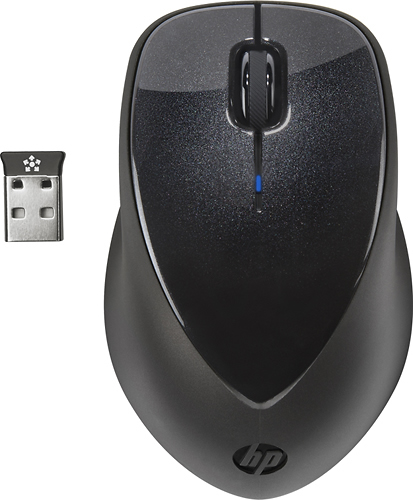
- A:Answer Remove the blue outer cover. Once the outer cover is removed you will see a blue plastic piece covering part of the batteries. This piece needs to be removed by pushing down and out on the two little tabs. Once the front is released pull the plastic piece out and you should be able to access the batteries.
Answered by AtoZ
Q: QuestionIf the blue light is blinking does that mean the batteries need to be replaced?
Asked by Anonymous.
- A:Answer Yes. You still have a little time, but have fresh batteries ready.
Answered by clicker
Page 2, Showing 21-24 of 24 questions
Best-selling Best Buy
- $99.00$99.00The price was $129.00
- $14.99$14.99The price was $19.00
- $24.99$24.99The price was $29.99
- $539.00$539.00The price was $799.99
- $329.99$329.99The price was $469.99
- $14.99$14.99The price was $19.00
- $174.99$174.99The price was $199.99