“What basic, no-frills printer will work with this tablet?”
Answer This Question
1-3 of 3 Answers
as long as the drivers are compatible, you should be able to connect any printer (usb or wireless) to it.
Sorry, there was a problem. Please try again later.As an android system, this tablet is compatible with Google Cloud Print. Pretty much all new printers these days are compatible with it. Just link the printer to your Google account tht the tablet uses and the printer will automatically be there when you go to print with most apps. A HUGE plus to this is that even if you're not on the same wi-fi network as the printer is, as long as the tablet is connected to the Web, you can print from literally almost anywhere. Now, setting up Cloud Print involved my printer (A Brother MFC-J480DW) spitting out a QR code (A type of barcode most smartphones/tablets can scan) that is scanned to ID your printer for setup on Cloud Print. From there, a few clicks (Or taps) is all it takes to get your device printing. Any Android or Chromebook device can use Cloud Print, so if you have an Android phone or Chromebook laptop, setting up Cloud Print would also carry over to those devices as well without any extra steps needed. You've just gotta love haw easy Google makes things!
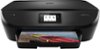
Sorry, there was a problem. Please try again later.Wow this site sucks. I left the screen to grab you a model and it cleared the screen. Look no frills in my opinion isn’t the way to go because it will be painful to maintain and cost too much. The HP envy which has an app, works with any OS, you can print from anywhere in the world, you can give its email to anyone, ink is cheap, it cleans itself, it cost under 60 bucks so if it dies in a year who cares! I used to carry a mobile printer with me but since I can access this printer from anywhere in the world it is nice, I can print, scan and email in pdf format all from the app or from the website if your machine runs out of battery! So I’d suggest go low cost and carefree; if you never use all the features so what!
I would recommend:
Sorry, there was a problem. Please try again later.