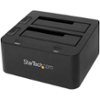
“Replacing laptop hard drive with solid state drive. I put new drive into this and clone old hard drive into it , correct ? ( given right form factor etc). 600 GB drive; USB 3.0 port. How long to clone ? Rarely reach "spec" speed on USB ... thanks!”
Answer This Question
1-2 of 2 Answers
Hi Scooter. My advice would be to use an Installation image to format the new SSD appropriately. This is because even if you make an exact mirror copy of the old hard drive Boot Sectors could be a problem later. For more information about this matter, you can check this article: http://tips4pc.com/computer_tips_and_tricks/ssd-boot-sector.htm Charles V. - Insignia Support https://www.insigniaproducts.com/contact-us
Sorry, there was a problem. Please try again later.Yes, clone to this drive. with the new SSD in it. The clone speed will depend on how full the source drive is. Honestly though there are standlone SATA clone machines that work much faster. This is better designed to take a smaller drive, clone to larger drive (or faster SSD in this case) and then use the old drive as a platter drive backup. I have included a link below - i own two of these. super easy to use. Put source drive (drive with data on it) into bay 1. clone drive (empty drive) into bay 2. Power on, hold the button in until the drives blink, and walk away. Come back an hour or two later and you are in business with a bit-for-bit copy of the original.
I would recommend:
Sorry, there was a problem. Please try again later.