1-1 of 1 Answer
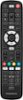
Yes, the Insignia™ 3-Device Universal Remote is compatible with most major TV brands, including Panasonic. You can program it to work with your Panasonic plasma TV using the provided setup instructions. Here are the steps to set it up: 1. Turn on your device and point the Insignia universal remote control at it (if you are setting up a streaming device, make sure a movie or TV program is playing). 2. Press the device button you want to set up (for example TV). 3. Press and hold the SETUP button until the LED on your remote button blinks twice. 4. Press and hold the number button for your brand and device, as listed in the tables above (or example, 5 for a Panasonic TV). Your remote will send the power signal every three seconds. 5. Release the button as soon as your device turns off. The LED blinks twice and your remote will now operate your device. If you have any other questions or need further assistance, feel free to ask!
Sorry, there was a problem. Please try again later.