Clearance
$10.99
Save $14
The comparable value is $24.99
1-2 of 2 Answers
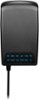
Before you plug it in select the voltage using the dial on the back then plug in. When plugged in the display on the front of the plug will light up the voltage that you selected showing that its on and powering your device
Sorry, there was a problem. Please try again later.When you plug in the AC adapter to your device and to a power source, there should be a light on the adapter itself that indicates it is charging. This light may be a solid color or may flash to show that the device is receiving power. You can also check the battery indicator on your device to see if it is charging. If the battery level is increasing, then the device is charging properly. - Mae | Insignia Support | https://www.bestbuy.com/site/brands/best-buy-brands/pcmcat1596746025285.c?id=pcmcat1596746025285
Sorry, there was a problem. Please try again later.