Questions & Answers
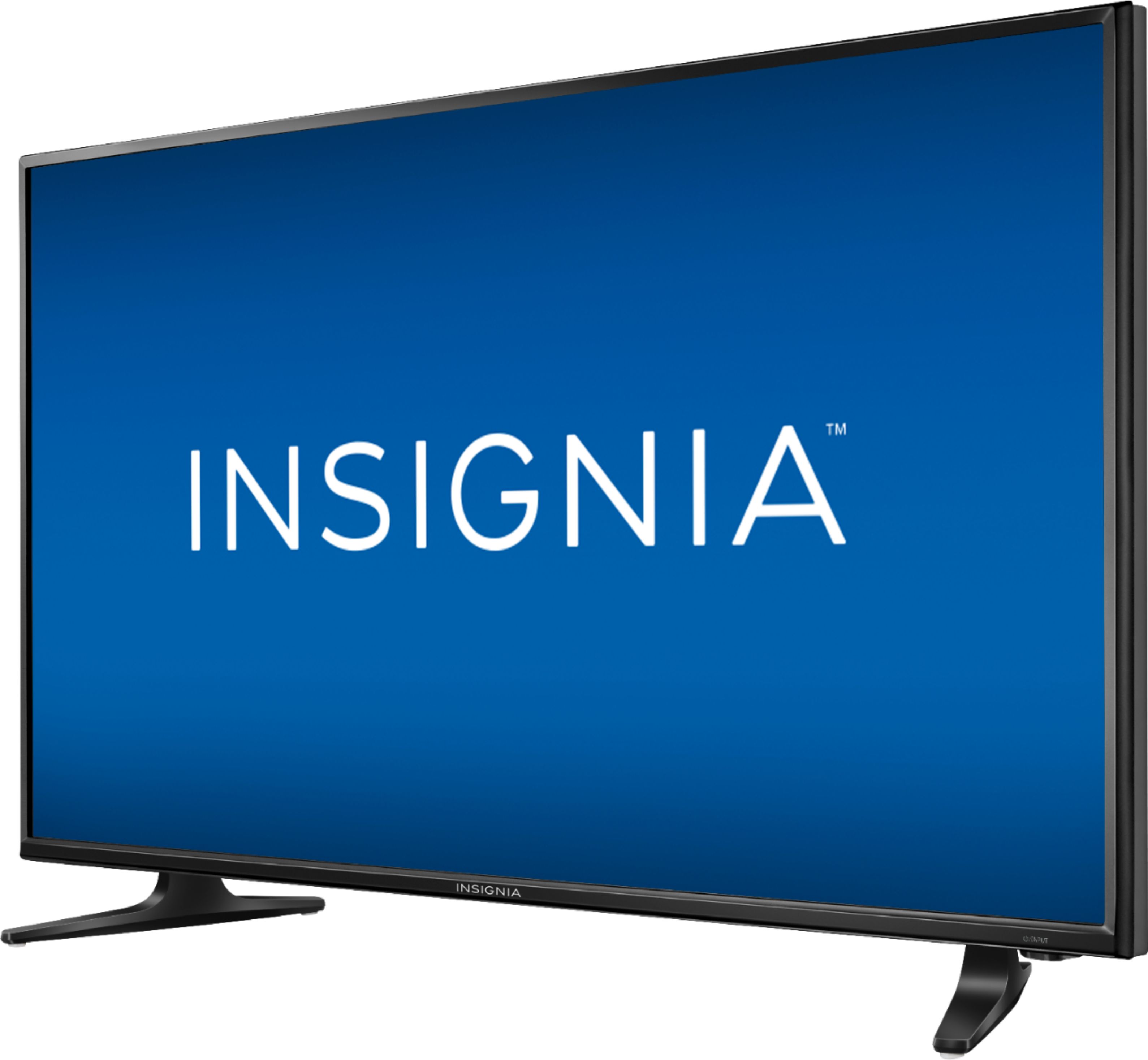
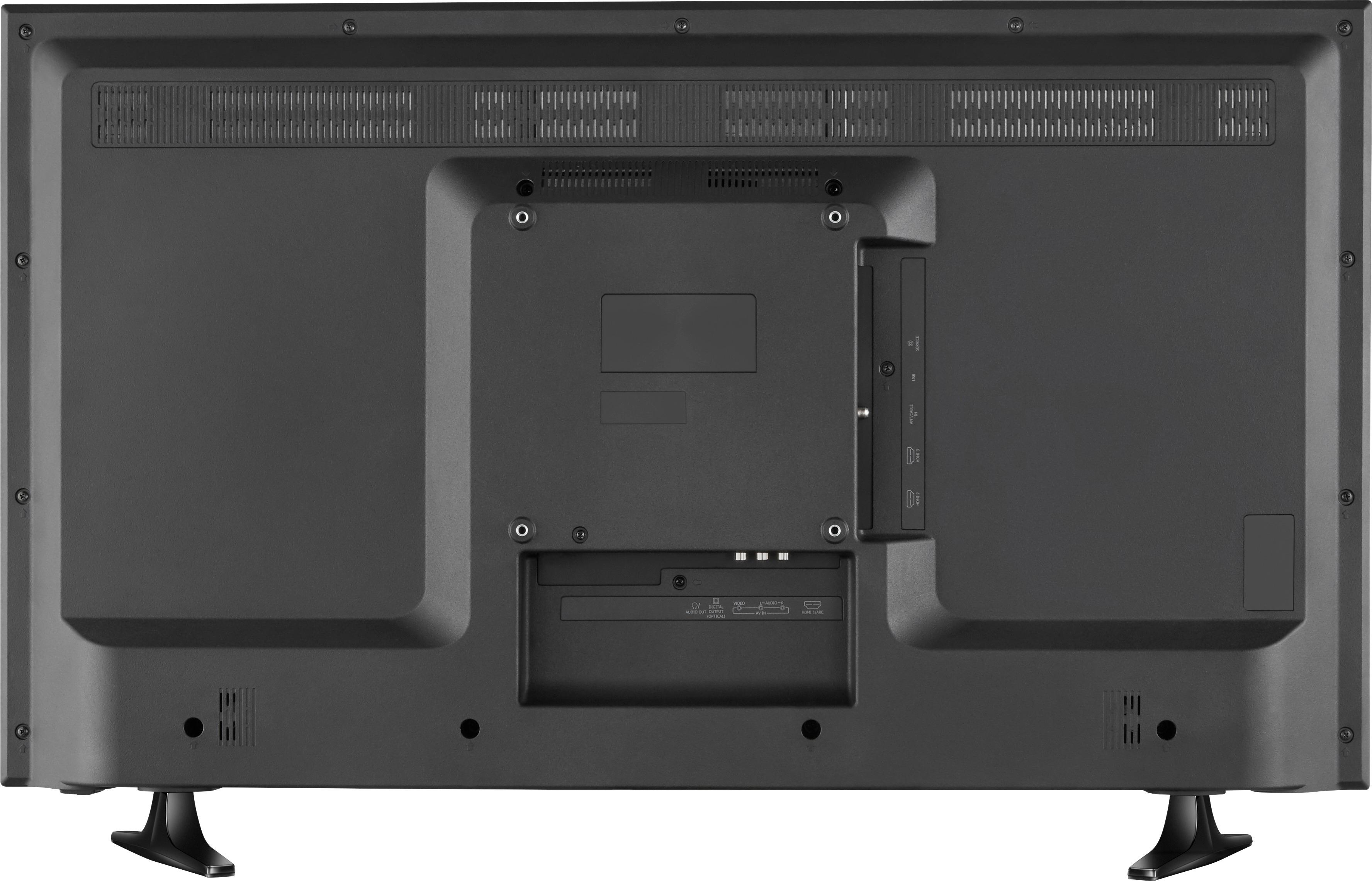
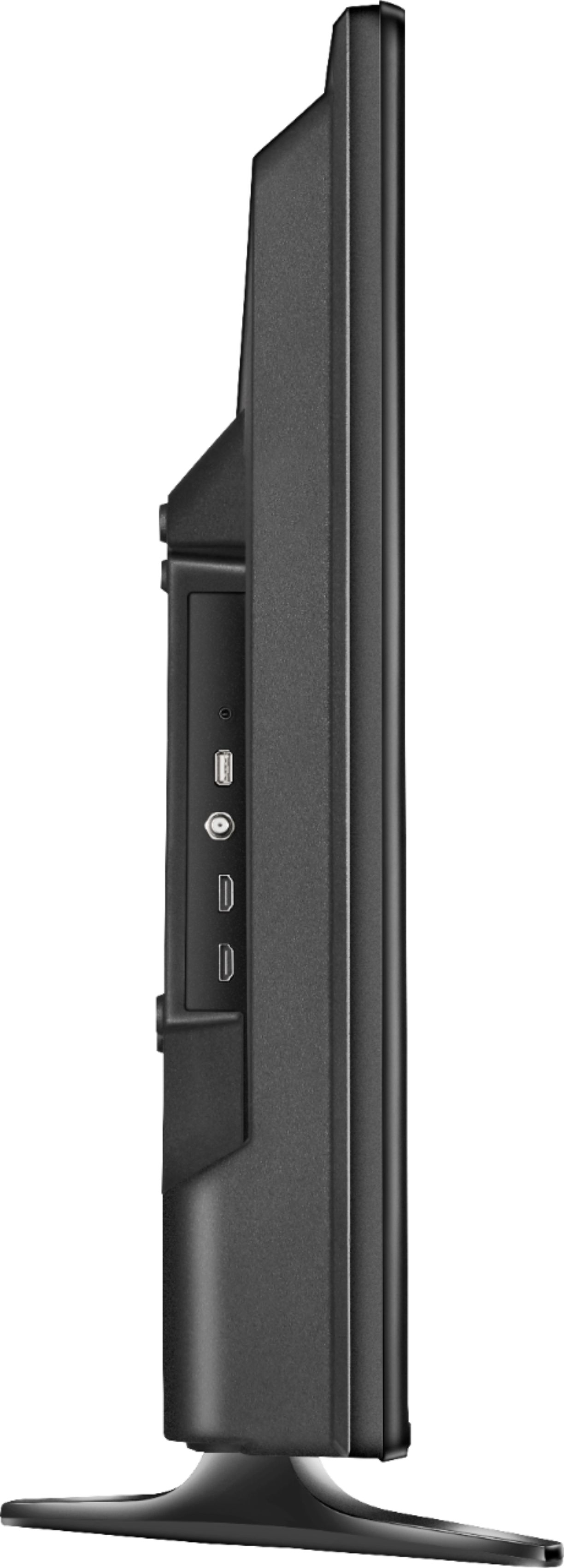

- Model:
- NS-40D420NA18
- |
- SKU:
- 5712321
Q: QuestionIs this tv a roku
Asked by deniseincabo.
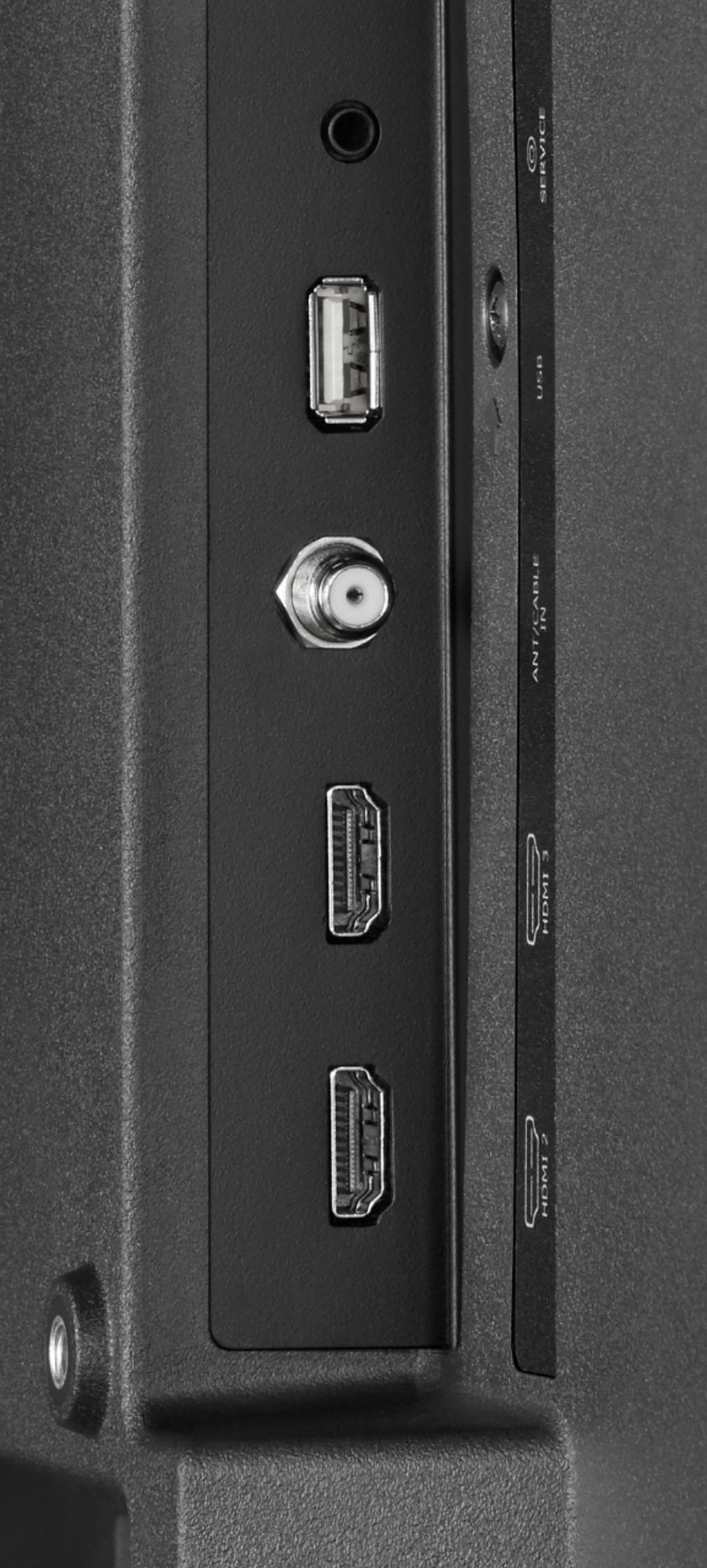
- A:Answer Hello deniseincabo! It is really great that you took the time to present this question as others may be helped by your efforts and product interest as well. You "already" received a "no" answer when it comes to addressing your question (i.e., "Is this TV a Roku"); however, please consider that there are ways to get this Insignia 40" TV model # NS-40D420NA18 to work just like a "Roku" or Smart TV. Because this 40" Insignia TV has three (3) HDMI ports, you have the option of incorporating your choice of Roku units, Google Chromecast units, Apple TV streaming devices, Amazon streaming devices for TV, and many others. I would suggest that you and others go on Bing.com and select "Images" and then enter the search term "TV streaming devices" like I did so that I could provide some information which may be of help you and others. There may be sales representatives at Best Buy or reviews posted on the Internet of the available streaming device options out there. There a lot of other streaming options out there aside from Netflix and Hulu Plus so having the best TV streaming device that meets your TV viewing needs should be a goal to pursue. These streaming devices depend on your Internet speed, your router, Internet congestion in your area, other wireless activity and other factors. Lots of luck deniseincabo and please read my product review of this Insignia TV model # NS-40D420NA18 that has a clear/beautiful image and other desirable features under my product reviewer's name "JerseyMike56."
Answered by JerseyMike56
Q: QuestionWould this TV suffice as a computer monitor? Would it work for PC gaming?
Asked by Warpiggy.
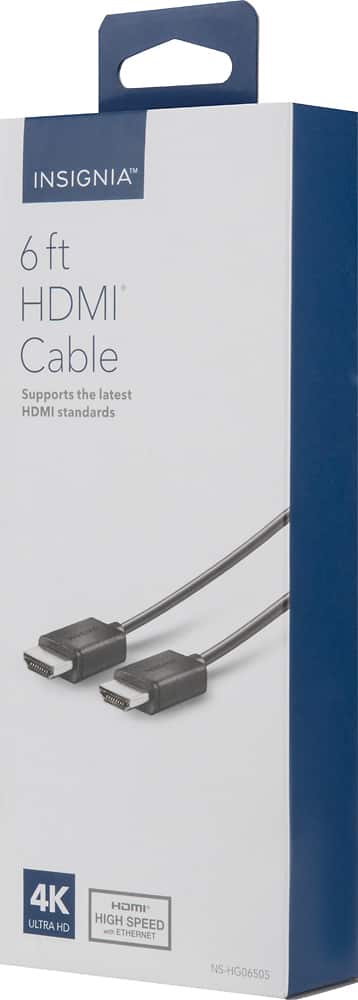
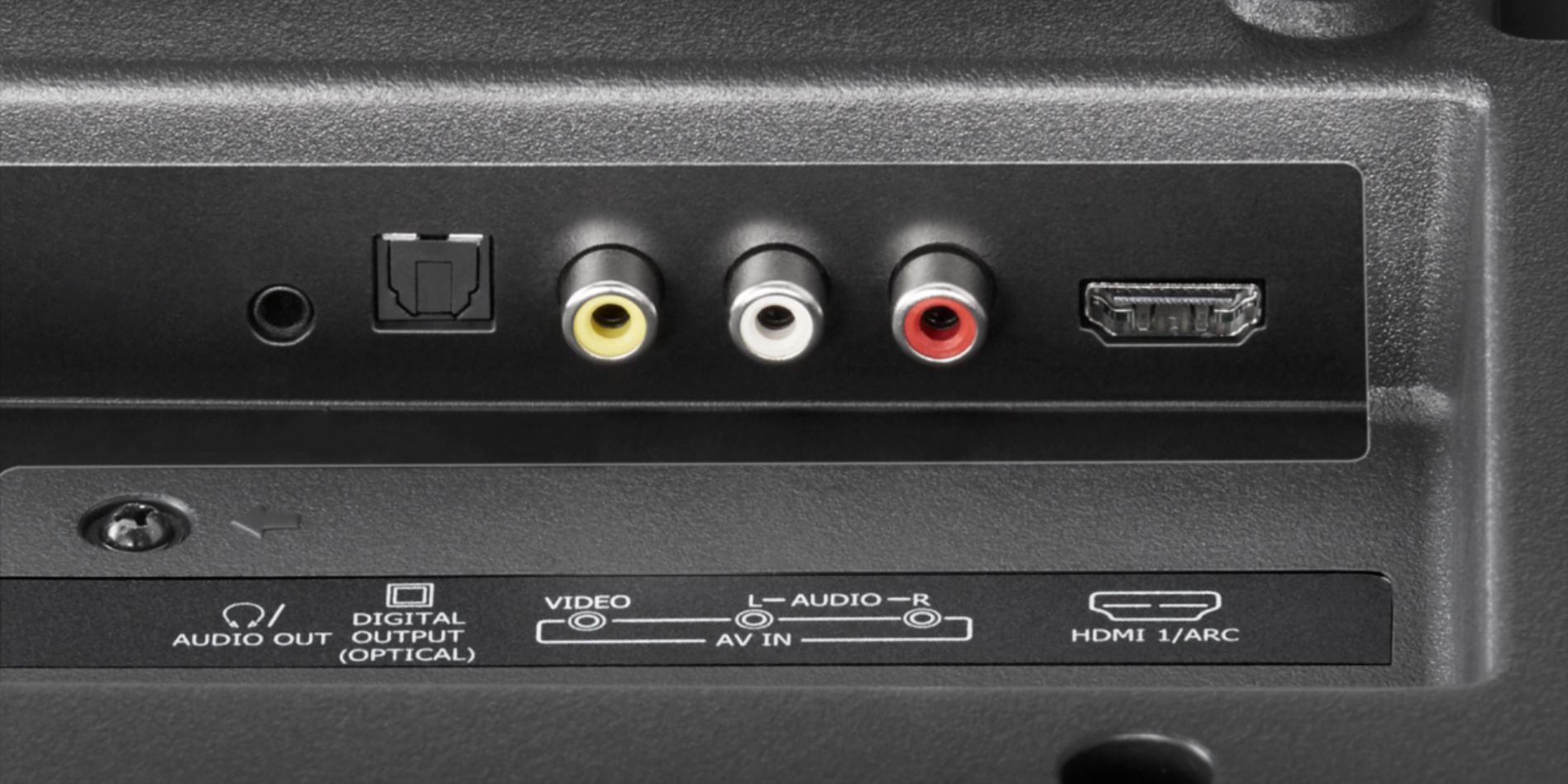
- A:Answer Hello Warpiggy! Thank you for asking this question as a detailed answer to your question will give many Best Buy customers many hours of enjoyment if they choose to connect their PC to this television set like you want to do. If your desktop computer has an HDMI port then all you need to do is find the appropriate length of m/m HDMI cable to connect your computer to the HDMI 1 "ARC" port of this Insignia model NS-40D420NA18. The HDMI 1 "ARC" port will enable you to use the TV's remote to control both the volume of the connected computer and the TV--no additional remote will be needed for the volume function when connected in this manner! What follows is how I have my laptop display settings configured; however , I do not know if the information which I am offering, herein, will be adequate to get "your" computer to work in synch with this TV => GO TO “DISPLAY SETTINGS” ADJUSTMENT ON COMPUTER FOR TV CONNECT => UNDER “SELECT & REARRANGE DISPLAYS” HIGHLIGHT “112” => UNDER “SCALE & LAYOUT” SELECT “ 100% (RECOMMENDED) => UNDER “RESOLUTION” SELECT “1280 x 720” => UNDER “ORIENTATION” SELECT “LANDSCAPE” => UNDER “MULTIPLE DISPLAYS” SELECT “DUPLICATE THESE DISPLAYS.” This isn't so easy to do and I needed outside tech support to do this. In addition, so that your icons on your lower task bar and the icons on the your desktop saver screen fit on your Insignia's TV screen, use your Insignia TV's remote control to click onto "menu" and then "picture" and then "advanced settings" and then click onto "Overscan" and make sure that the "Overscan" function is turned "OFF!" I hope that this information helps you Warpiggy! There are so many PC gamers out there! Let's not forget that this TV has "3" HDMI ports. I am sorry to say that I am not into PC gaming as you are; however, if you would phone Insignia tech support at 1-877-467-4289 I will bet that they could answer this question for you with no problem at all. Enjoy your viewing experience enhanced by your computer being connected to this TV. There are so many viewing options out there using the computer and TV together and I get a lot of enjoyment watching the music options. I will enter a song title followed by the word "lyrics" and you can sing along to your selections.
I would recommend:
Answered by JerseyMike
Q: QuestionWill this work with a digital antenna or would I need a separate digital converter box?
Asked by Ben.
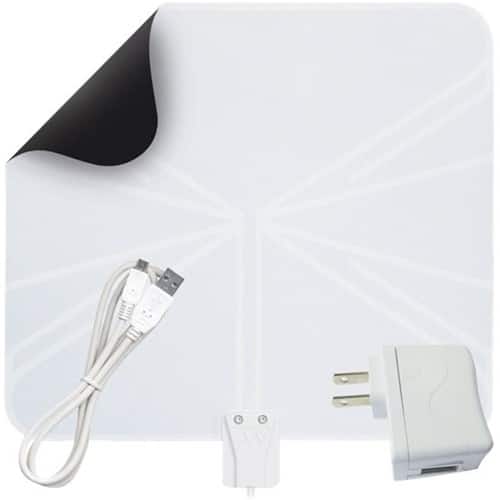
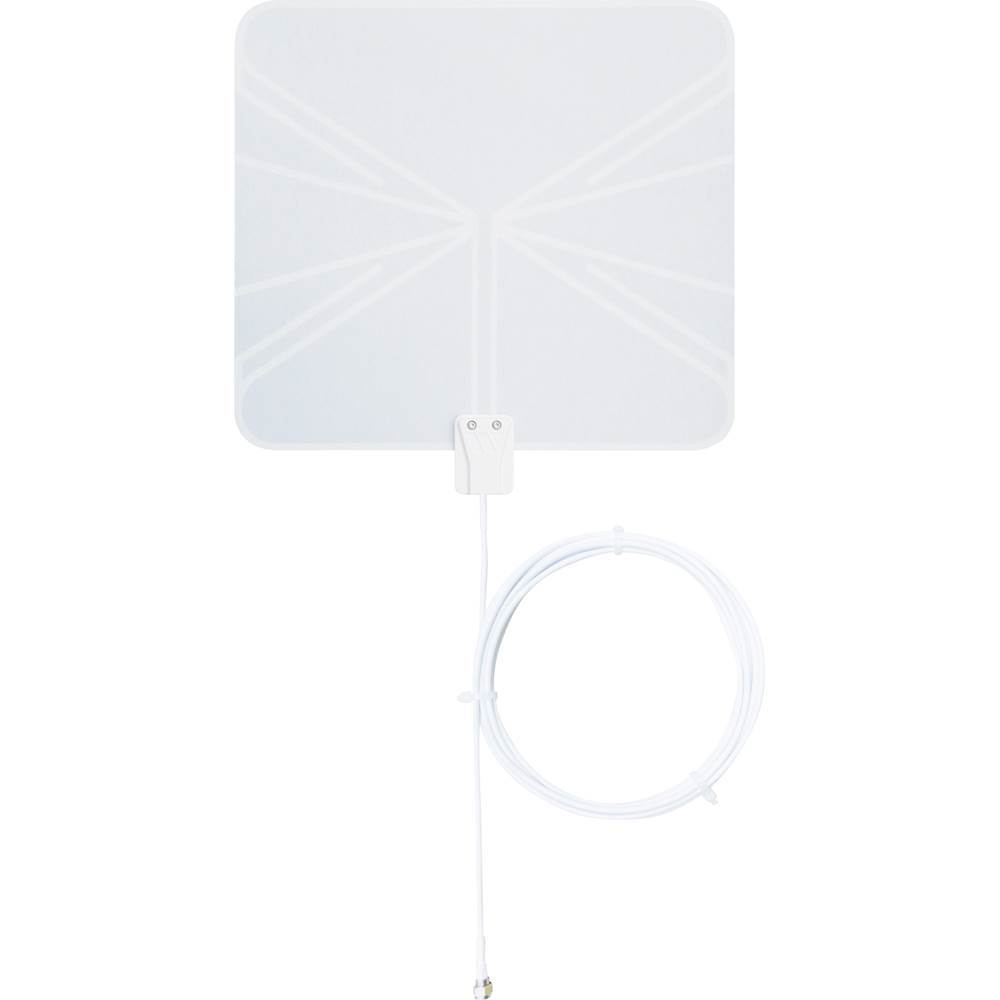
- A:Answer Hello Ben and thank you for asking this question as a lot of people are cutting the cable these days to save money and/or because they might not find it necessary to have access to so many TV programs on a paid subscription basis. The answer is "yes" to your question--this TV will work with a digital antenna "and" you won't need a digital converter box. First, I would recommend that you go on the website TVFOOL.COM (and there are other websites like this) so that you can identify the location (i.e., direction) and distance of your major TV broadcast towers. I use the Winegard brand model Flatwave FL5000 indoor HDTV antenna. There is also the Winegard Flatwave FL5500A (amplified) version. A lot of people believe that by purchasing the more expensive indoor HDTV antennas that you would get better results, but if you do not need an antenna with a lot of signal draw it can "negatively" impact your signal reception. The above mentioned antennas are modeled after military "mud flap" technology and it is best to place them in a window as high as you can go. If you have "aluminum" mini blinds in the window, swap them out for "vinyl" ones as my experience has been that the aluminum mini blinds negatively impact TV reception of signals. If you need to add length to the antenna's cable, use RG-6 Coax cable and try not to make the extension Coax cable too long. This particular 40" Insignia TV has three (3) built-in tuners which impact signal reception--NTSC (for Analog) plus ATSC and Clear QAM (these last "2" are digital tuners). I have a 32" Insignia TV which also has an 8-VSB digital tuner (aside from the other 3 tuners) and I am able to get better reception with that additional 8-VSB tuner than with this 40" Insignia. Please know that certain electronic devices (such as if a nearby laptop is turned on) can affect the ability to receive stations. I've even found that certain weather conditions can affect reception. The best route, they say, is to use an outside mount (roof?) antenna. It sounds to me like you want to cut the cable for viewing TV programs. I like watching a lot of the classic shows; however, many times they do not fill the screen. Whenever a TV program needs to be enlarged with the remote control's P-size button to fit the entire screen, I found that with this 40" model the images a more blurry than when I engage in this same enlargement process on my 32" Insignia and my 32" Insignia is 720P and this year newer 40" Insignia model is 1080p. The major network/more-recently-produced TV shows look truly magnificent on this 40" Insignia 1080P TV. Please read my review of this TV under JerseyMike. Best Buy thinks a lot of its customers to allow well intentioned feedback to be published. Happy viewing Ben!
Answered by JerseyMike
Q: QuestionI bought this tv over the 39 inch Insignia because it was 1080p as opposed to 720p. However, whenever I switch to an HDMI input to stream content, the screen tells me it's 720p. What gives?! I tried switching my Roku to different HDMI ports.
Asked by Jeremy.
- A:Answer Hello Jeremy. This is a really great question as the correct answer which provides the best insight can save a lot of confusion for a lot of people who purchase this television set and other 1080 LED TV sets similar to it. Please don't focus on the "TV" in instances where you are unable to see a 1080P "mention" right near the TV channel indicator after you change channels. The focus must be placed on the source--the way in which the TV program and/or TV channel is configured. Please remember that just because a television show is being broadcast from a major network, it does not necessarily guarantee the beautiful 1080p imagery that this Insignia 40" TV is capable of providing. I hope that this information helps Jeremy.
Answered by JerseyMike
Q: QuestionCan this TV Play videos off of a USB on a loop?
Asked by slaterbrooks.
- A:Answer No, this TV can not play videos off of a USB on a loop.
Answered by CommunityAnswer
Q: Questionis this a new tv or refurbished?
Asked by lenny.
- A:Answer Hello lenny! My guess is that you are asking this questions because of the very reasonable price of this TV. It is my understanding that any item that is an "open box" or refurbished item is labeled as such by Best Buy. Because the current ad posted on August 15, 2017 on Best Buy's website gives no indication of the above, please assume that it is new. Also, for your and other Best Buy customers' knowledge, I have been told that the last two numbers of the model make reference to the model year of the Insignia product--in this case, "2018."
Answered by JerseyMike
Q: QuestionWhat are the audio outputs, analog, digital, both, or neither? I could not find it listed in the specs. Thank you.
Asked by frrobert.
- A:Answer Hello frrobert! On July 17th, 2017, your question was answered by CommunityAnswer and the response was said to be helpful by two reviewers; however, I am sad to say that the answer provided was wrong where indication was made that there were "no" audio outputs. All one has to do is go on Insigniaproducts.com and enter the Insignia "model" number of this TV and then click onto "supports & downloads" and then click onto the "user guide" selection. Within the text, one can see that there are two (2) sources for audio "outputs"--optical digital audio output "and" 3.5mm analog output. The optical digital audio output, they say, is the best choice to get the maximum performance out of a soundbar; however, a soundbar "can be" connected to the TV with a male<>male 3.5mm connection as well. I, personally, reserve my 3.5mm analog output on the TV for my headphone connection. There are not many TV manufacturers out there these days who offer the option to connect headphones to the TV like Insignia does! When using the optical digital audio output to connect a soundbar be sure to set the TV audio setting to PCM.
Answered by JerseyMike
Q: QuestionWhen buying a new TV what should I look for? I want the best picture for the best deal. How do i tell if this is a good TV?
Asked by lisa.
- A:Answer Hello Lisa. You are asking a great question! Please read my product review of this Insignia 40" LED 1080P TV model under my product reviewer's name of JerseyMike found on this Best Buy website. The reason why I gravitate toward the Insignia brand (a.k.a. Exclusive/Best Buy Brand) are for several reasons. The over-the-phone tech support cannot be beat! As far as I am concerned, it is hard to find tech support people anywhere who are as patient and willing to devote time to obtain a solution to understanding product operation/functionality as the phone agents of Insignia Products are. Also, if you go on the their website InsigniaProducts.com and enter any model number of their product you will find that information provided is very user friendly. One may ask "what does this have to do with TV functionality," but it does as there are so many things to learn about operating this and other televisions. Unlike other companies, Insignia does not stop offering support after a few months--they continue to be there for you. I did have some issues with this particular Insignia TV as I only use an indoor HDTV antenna for television viewing (i.e., no cable TV!) and I had "some" problems with reception with only a few channels; however, I live in a condominium and buildings block my clear shot to my TV stations' broadcast towers. In instances where I had to enlarge the TV show image of classic/older TV programs they would appear more blurry than on my 32" Insignia TV, but I've seen that happen with more expensive 40" TV brands, also. For the newer TV programs of major networks, this TV really and truly produces beautiful imagery. This TV is also "GREAT" because it has a 3.5mm headphone jack and not that many of the newer TVs have this type of audio out option these days. It also has a digital optical audio output so that you can maximize sound bar performance--if you decide to go that route. It also has "3" HDMI ports and a USB port so that you can put a flash drive in that port and view, say, your photos or power an amplified indoor HDTV antenna that has a USB connection. I have my laptop connected to one of the HDMI ports of this TV and I view music videos and other program offerings that one can find on BING.COM, YouTube, etc. I use a Microsoft wireless keyboard/mouse 2000 combo which would allow someone to sit from as far away as "30" feet and select viewing choices from the laptop which one could view on the connected TV. Always remember to turn the "OVERSCAN" feature "OFF" on this and other Insignia televisions so that those icons on the lower taskbar and desktop saver screen will fit. This TV set often goes on sale and I would recommend getting the Geek Squad Protection Plan for your peace of mind. The 2 stereo speakers are twice as powerful than those on my year older 32" Insignia TV and the volume and sound quality is more than adequate. It is my understanding that there is a one year warranty on this Insignia TV and if you have problems I believe that you can bring it into a local Best Buy store for them to deal with Insignia--it is their brand! I have to believe that you've seen the prices on some of the other big names brands in this TV size range and no one could really question the monetary savings one would experience when it comes to purchasing this TV.
Answered by JerseyMike
Q: QuestionWhen I first set up the tv, it asked if i want voice/sound to help me set up. I said yes, but now every time I change the volume or mute, the tv says, "mute," or "Volume now at 30" etc. It is annoying! Please help! Thank you, thank you thank you!
Asked by gordontee.
- A:Answer Hello gordontee! You are really helping out a lot of people who do not like being "annoyed" by hearing the audible prompts which you describe within the body of your plea for guidance pertaining to disabling what Insignia refers to as the "VOICE GUIDE." The reason why I don't like this feature is that I am frequently changing channels and adjusting the volume up and down as I live in a condominium and I have to be respectful of my neighbors. I phoned Insignia tech support for you and other Best Buy customers for the answer at 877-467-4289 and the kind representative told me to use the TV's remote to click onto "menu" and then locate the word "accessibility" to the top/right and then scroll down to "VOICE GUIDE" and then use the up or down arrows to select yes or no (in your case "no!") an then click "okay." Another way to accomplish what you want to do is bring this Insignia TV model NS-40D420NA18 back to its "factory" default settings. The factory "default" setting is set to "NO" for the Voice Guide--as you already stated in your "question" above. To accomplish this, please use the factory remote and click onto the "menu" button and then scroll to the far right and click "help" an then scroll down to "reset to default" and then click "okay" and then complete the process. For this particular TV's "initial" set up information regarding this Voice Guide function, please go on the Insigniaproducts.com website and enter the above model number (i.e., NS-40D420NA18) and then click on "supports & downloads" and then select your language of choice. You will find some specific information regarding this Voice Guide function on page 35 of the Online user's manual. Please keep in mind that if your do choose to reset your TV to the factory default settings, you will have to start from the very beginning with your TV set up. If you or others choosing to go this route have an indoor HDTV antenna for over-the-air TV channel viewing, for example, you will have to and want to do a TV channel re-scan. I hope that this information helps you gordontee and other Best Buy<>Insignia products customers!
Answered by JerseyMike
Q: QuestionWhat does the remote look like
Asked by Ariya.
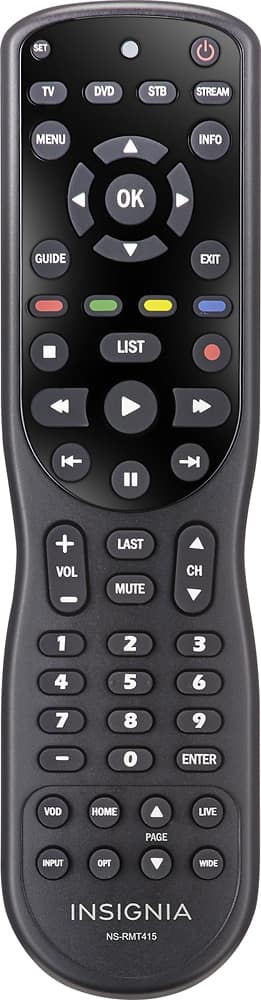
- A:Answer Greetings Ariya and thank you for asking this question about this 40" Insignia's remote control as I own other Insignia televisions and the remote control for this particular Insignia television is a "stand out"--in a good way! The remote control devices for my other Insignia televisions are relatively small in dimensions; however, with this 40" Insignia TV's remote the dimensions are significantly larger and this is great as it is less likely to be misplaced or damaged from, say, being sat on or stepped on. To give you an idea of what this Insignia remote control for this 40" TV looks like I would direct you to the Insigniaproducts.com website. Please enter this television set's model number (i.e., NS-40D420NA18) and then scroll down to "supports and downloads" and then select your language of choice and then download the user's manual for this model. You will find that on page 16 of that Online user's manual is a very good representation of the remote that comes with this TV from the factory. If you want precise measurements of the dimensions of this remote, you might want to phone Insignia Products tech support at 1-877-467-4289. I hope that this information helps you, Ariya, and other Best Buy/Insignia customers! In closing, you might want to consider making a separate purchase of the 4-device Insignia universal remote control model # NS-RMT415. Its regular price is just under $30.00 USD; however, it often goes on sale.
Answered by JerseyMike
Q: QuestionI currently have a wall mount that holds most 40 in TV's. Is this TV wall mount ready? Also, my wall mount hangs from the ceiling and I need to know if it comes with a 3 prong plug since it is not going into the wall?
Asked by BG.
- A:Answer Hello BG! On August 17th, 2017, Best Buy (a.k.a. Insignia) customer pvh asked a question very similar to yours and I tried to provide the best answer possible. I hope that the answer which I am providing to "your" question will best address your concerns. First, remember the word of advice which Best Buy offers to their customers wanting to set up television sets with this wall mount method --"two (2)" people should be involved in the process of mounting the TV to the wall! I did a little research for you in an effort to answer your TV ceiling wall mount question and I did so by going on the Insigniaproducts.com website and I entered the model number of this TV (i.e., NS-40D420NA18) and then I clicked on "support and downloads" and then I selected my language of choice and I then proceeded to download the user manual for this TV. According to the Insignia website, the user manual applies to this 40" model as well as their 49" and 55" models. Indication is made within that Online user manual that the distance between all four (4) mounting screws (and their holes which they are screwed into on this television's chassis) is 7.87" (a.k.a. 200mm). It further states to use type M6 screws that are at least 9.5mm, but do not exceed 11.5mm in length. This information (according to the Insignia Products website is all about the above models and now you will have to study "your" ceiling wall mount product. Before I would do anything, I would phone Insignia tech support at 1-877-467-4289. They are open from 8:00 A.M. to 9:00 P.M. "Central" time. Even prior to that, I would conduct a GOOGLE search for the user manual for your specific TV ceiling wall mount to enhance your knowledge of this product "and" to provide any answers which the Insignia tech support representative may be asking of it. If you are like me, you will find the Insignia tech support representative to be very patient and willing to provide the best and most accurate answer possible. You have a question about whether or not this Insignia 40" 1080p model # NS-40D420NA18 has a 3-prong plug. On page "32" of the Online user manual, you will see that this television set's plug is 2-pronged; however, one of the prongs is slightly wider. That is common! If this type of plug is not compatible with your ceiling wall mount, you can always go to a local home improvement center and describe your situation to a store associate from the appropriate department and purchase an adapter that would best enable a connection between your ceiling wall mount and this TV. I would "always" incorporate a surge protector with any electronic item--particularly a sensitive TV!. Finally, BG, on pages 11 and 12 of this Online Insignia TV user manual, you will find more detailed instructions on how to do a wall mount with this TV. I do wish you the best television viewing experiences BG and I hope that the information I offered helps you and others BG!
Answered by JerseyMike
Q: QuestionIs it possible to plug this TV to my desktop using the HDMI or does it have a VGA function?
Asked by 5ANTO5.
- A:Answer Hello 5ANTO5! Thank you for asking this question as a lot of desktop computers have a VGA connection (a.k.a. "function"). If your desktop computer has "only" a VGA port or connection and not an HDMI port , you can conduct an Internet search and enter the search term HDMI to VGA adapter. Of course, you would need to secure an understanding of the functionality of any cable of this type that you introduce in an effort to connect this TV to your desktop computer. If your desktop computer has an HDMI port then all you need to do is find the appropriate length of m/m HDMI cable. You will probably then need to go into "settings" on your computer and under "systems" click onto "display" and make the proper adjustments to make everything fit properly on the TV's screen. This isn't so easy to do and I needed outside tech support to do this. In addition, so that your icons on your lower task bar and the icons on the your desktop saver screen fit on your Insignia's TV screen, use your Insignia TV's remote control to click onto "menu" and then "picture" and then "advanced settings" and then click onto "Overscan" and make sure that the "Overscan" function is turned "OFF!" I hope this helps 5ANTO5! Enjoy your viewing experience enhanced by your computer being connected to this TV. There are so many viewing options out there using the computer and TV together and I get a lot of enjoyment watching the music options. I will enter a song title followed by the word "lyrics" and you can sing along to your selections.
Answered by JerseyMike
Q: QuestionCan this TV be wall mounted or ceiling mounted?
Asked by Johnny.
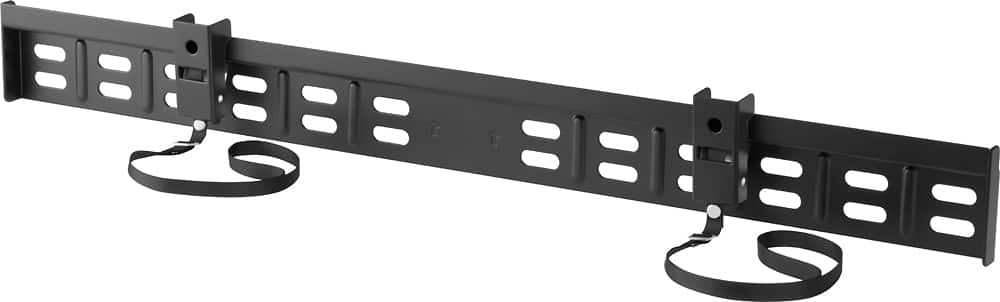
- A:Answer Hello Best Buy customer Johnny! Thank you for asking this question as a somewhat detailed answer will help a lot of other people out there who are considering engaging in a wall mount of this and other televisions--perhaps. From what I have read, it is extremely important that at least two (2) people are involved in the TV wall mounting process. I would suggest that you go on the website Insigniaproducts.com and enter the model number of this television (i.e., NS-40D420NA18) and then scroll down to "supports & downloads" and select your language of choice. These Insignia Online user's manuals are extremely user friendly (in terms of their accessibility) and they are very thorough containing lots of supportive illustrations/graphics. Once you have access to this Online user's manual which pertains to this Insignia model, please scroll down to page 11 and refer to the section entitled "installing a wall-mount bracket." Some further detail will be provided; however, one of the most important points mentioned (in my opinion) is that this Insignia model NS-40D420NA18 tv has four (4) VESA mounting holes on the back of the TV. The instructions urge anyone attempting to do a wall mount to use "all" four (4) holes or risk personal injury or property damage! In an effort to provide you with even further detail for the wall mount process, I went on Best Buy's website. They offer for sale an Insignia Fixed TV Wall Mount For Most 40"-70" TVs - Black (Model: NS-HTVMF0C | SKU: 5088700). This particular Insignia wall mount bracket indicates that it is designed to save space and that it fits most televisions weighing up to 100 pounds measuring 40 to 70 inches. The product description goes on to say that it is VESA compliant which this Insignia 40" TV model # NS-40D420NA18 requires. Installation instructions for this Insignia TV Wall Mount Model: NS-HTVMF0C begin on page 5 of the Online manual. This process of performing a TV wall mount can be a little stressful for most people I am sure and that is why I went on YouTube.com and entered the search term "how to hang TV on wall mount." I found related videos on that website which may help you--and others. You also asked about your ability to do a "ceiling" mount so I conducted an additional search on YouTube.com using the search term "how to do a ceiling wall mount for a TV." Similarly, there were video offerings for this topic also. Before engaging in any of the above installations, please keep safety in mind and consult with an expert--if necessary. I hope that the information which I have provided helps you, Johnny, and other Best Buy customers. Happy viewing!
I would recommend:
Answered by JerseyMike
Q: QuestionWould this TV be proficient to use a computer monitor? Would it be okay to play PC games on it?
Asked by Warpiggy.
- A:Answer Hello Warpiggy! Thank you for asking this question as a detailed answer to your question will give many Best Buy customers many hours of enjoyment if they choose to connect their PC to this television set like you want to do. If your desktop computer has an HDMI port then all you need to do is find the appropriate length of m/m HDMI cable to connect your computer to the HDMI 1 "ARC" port of this Insignia model NS-40D420NA18. The HDMI 1 "ARC" port will enable you to use the TV's remote to control both the volume of the connected computer and the TV--no additional remote will be needed for the volume function when connected in this manner! What follows is how I have my laptop display settings configured; however , I do not know if the information which I am offering, herein, will be adequate to get "your" computer to work in synch with this TV => GO TO “DISPLAY SETTINGS” ADJUSTMENT ON COMPUTER FOR TV CONNECT => UNDER “SELECT & REARRANGE DISPLAYS” HIGHLIGHT “112” => UNDER “SCALE & LAYOUT” SELECT “ 100% (RECOMMENDED) => UNDER “RESOLUTION” SELECT “1280 x 720” => UNDER “ORIENTATION” SELECT “LANDSCAPE” => UNDER “MULTIPLE DISPLAYS” SELECT “DUPLICATE THESE DISPLAYS.” This isn't so easy to do and I needed outside tech support to do this. In addition, so that your icons on your lower task bar and the icons on the your desktop saver screen fit on your Insignia's TV screen, use your Insignia TV's remote control to click onto "menu" and then "picture" and then "advanced settings" and then click onto "Overscan" and make sure that the "Overscan" function is turned "OFF!" I hope that this information helps you Warpiggy! There are so many PC gamers out there! Let's not forget that this TV has "3" HDMI ports. I am sorry to say that I am not into PC gaming as you are; however, if you would phone Insignia tech support at 1-877-467-4289 I will bet that they could answer this question for you with no problem at all. Enjoy your viewing experience enhanced by your computer being connected to this TV. There are so many viewing options out there using the computer and TV together and I get a lot of enjoyment watching the music options. I will enter a song title followed by the word "lyrics" and you can sing along to your selections.
I would recommend:
Answered by JerseyMike
Q: QuestionHi, Is this TV compatable with a rocketfish full motion wall mount (40-70inch)? My 47" LG broke and I want to replace it with this...Thanks
Asked by pvh.
- A:Answer Hello pvh and thank you for asking this question as a lot of people are opting to do a wall mount set up over a table mount these days. The following is the best response that I can provide to your question. First, remember the word of advice which Best Buy offers to their customers wanting to set up television sets with this wall mount method --"two (2)" people should be involved in the process of mounting the TV to the wall! I did a little research for you in an effort to answer your question and I did so by going on the website Insigniaproducts.com and I entered the model number of this TV (i.e., NS-40D420NA18) and then I clicked on "support" and then I downloaded the user manual for this TV. According to the Insignia website, the user manual applies to this 40" model as well as their 49" and 55" models. Indication is made within that Online user manual that the distance between all four (4) mounting screws (and their holes which they are screwed into on this television's chassis) is 7.87" (a.k.a. 200mm). It further states to use type M6 screws that are at least 9.5mm, but do not exceed 11.5mm in length. This information (according to the Insignia Products website is all about the above models and now you will have to "study" your Rocketfish full motion wall mount (40-70 inch) product. Before I would do anything, I would phone Insignia tech support at 1-877-467-4289. They are open from 8:00 A.M. to 9:00 P.M. "Central" time. In addition, I would conduct a GOOGLE search for the user manual for your specific Rocketfish full motion wall mount to enhance your knowledge of this product and provide any answers which the Insignia tech support representative may be asking of it. If you are like me, you will find the Insignia tech support person to be very patient and willing to provide the best and most accurate answer possible. Whatever new TV you "do" wind up with, enjoy your viewing experience pvh!
Answered by JerseyMike
Q: QuestionIf I lose the feet to my tv can I get replacements anywhere?0
Asked by Ca.
- A:Answer Hello Best Buy customer Ca! It is really great when someone such as yourself engages in the process of "forward thinking." Although the Insignia television sets which I have seen are much lighter in weight than the television sets of yesteryear, accidents do happen and, to some, the plastic legs "may" appear to be a little thin and, thereby, somewhat vulnerable to future breakage. I haven't experienced any issues thus far with my Insignia TV sets, but your question is a good one. If you enter Insigniaproducts.com into the URL address bar you will see that there is an opportunity to enter an Insignia TV model number and then enter the "parts" section; however I did not have any luck identifying replacement feet there. You could also phone Insignia tech support at 1-877-467-4289 between the hours of 8:00 A.M. and 9:00 P.M. and ask them. To address your question, I also did a GOOGLE search for "Universal TV Stand Base Swivel Tabletop TV Stand." If your TV is an Insignia Brand which requires that a "wall" mount bracket be "VESA compliant," please make certain that the Universal TV Stand Base Swivel "Tabletop" TV Stand is also VESA complaint. This VESA label pertains to hole opening distance! Please see the photo below of one of these types of tabletop TV stands. Make certain that the Universal TV Stand replacement will accommodate your size of TV. I've seen these replacement stands go for under $40.00 USD. Happy TV viewing Ca and I hope that the information which I've provided offers some peace of mind for you and others who may be thinking ahead of any future problems which "may" arise regarding possible TV set feet breakage issues, say, from moving the TV to clean around it.
Answered by JerseyMike
Q: Questionwhen i turn on my tv the top right corner says 720P not 1080P did they send me the wrong TV?
Asked by SHARON.
- A:Answer Hello Best Buy Customer Sharon! I would be willing to bet that a whole lot of people would think that a television set such as this 40" Insignia TV model: NS-40D420NA18 which is described as having 1080P capabilities would perform in a "uniform" manner where "all" of the TV stations which one is capable of receiving would be labeled with "1080i;" however, sadly this is just "not" the case. I only use an indoor HDTV antenna (no cable TV!) placed in a window and I am able to receive some 45+ channels. If you go on websites like www.TVFool.com (and there are others!) you can find the locations of your TV stations' broadcast towers and the distance that they are located from you. I recommended a Winegard brand Indoor HDTV antenna below which is amplified; however, I use the non-amplified version of the same Winegard brand and I get great results. Everyone's needs are different! Some of the TV channels are duplicates while others are audio only stations and still others are channels I just would never want to watch. I have found that the major networks for the most part (unless when it comes to older/classic/vintage TV shows which they may choose to broadcast from time to time) broadcast in 1080i. Many of the other TV stations and programs broadcast in 720i or even 480i. To make things even more confusing, sometimes programs do not "fill" the entire screen when the TV's remote "P-size" button is set to "Aspect Ratio: Auto." Just because a program you are viewing indicates on the top/right of the screen when you change channels that that program is 720i or 480i this does not guarantee that it will not fill the entire screen of the TV and many times they "will!" To add to the "confusion," sometimes the 480i and the 720i programs have great imagery--in addition to being able to fill the entire TV screen. Of course, if one wants to expand the program image to fit the entire screen, one can select the P-size "Cinema" setting or some other setting that will make the imagery larger, but then the imagery can get more blurry or parts of the TV shows' characters' bodies will be hidden. What I am describing does not just apply to this TV or brand or model. I guess it has something to do with the programs of yesteryear or ones that are not processed in 1080p causing broadcast quality problems with this and other 1080p TVs. I have found that with programs that don't fill the entire screen to just let them stay in the P-size "Auto" setting is best as then there is less blurring and you see the images in their entirety as well. So...the answer to your question Sharon is that it's the "source" of how the TV programs are broadcast and not something that this TV plays a role in being able to produce each and every program in 1080p viewing quality. This took me a long time to accept; however, I hope that this information helps you and others as well. (P.S. you might want to consider connecting a laptop computer via HDMI cable to this TV to its HDMI ARC 1 port as this will enable you to control the volume of the laptop and TV together with just one volume button push.and this will increase your viewing options that might fill the screen better. Another Best Buy customer wrote in with a question about being able to use a computer with the TV and I attempted to answer "that" question. You might want to review that question and answer Sharon. There are also "streaming" options out there to increase your viewing enjoyment.)
I would recommend:
Answered by JerseyMike
Q: QuestionMy tv will not turn on and we replaced the power cord with a new one but still will not come on
Asked by Dawn.
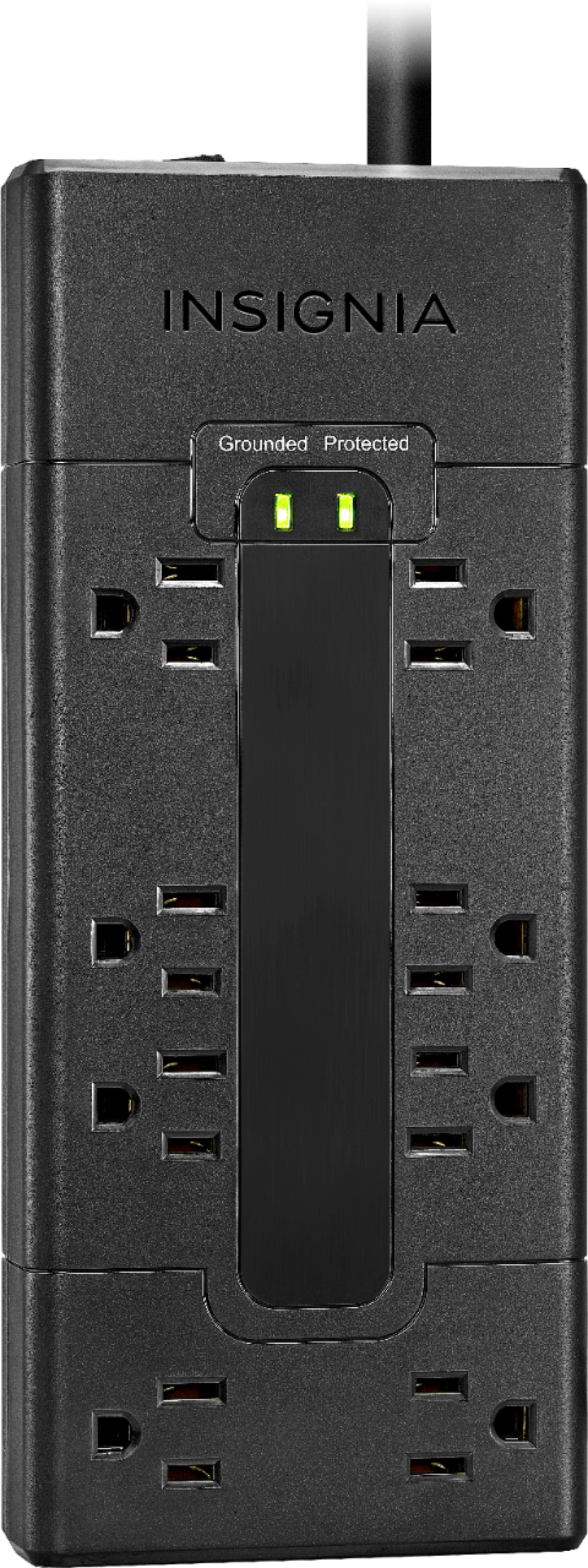
- A:Answer Hello Best Buy customer Dawn! When I read your question regarding your inability to get this Insignia model # NS-40D420NA18 40" 1080P LED TV to turn on there were actually three (3) issues within your question that drew my attention. Actually, the biggest concern I had is when you indicated that you "replaced the power cord with a new one." I truly hope that you mean that you used a different "extension cord" and not that you replaced the "actual" power cord that is incorporated into the manufacturing process of this TV as this may have voided your warranty. Also, many people incorporate a surge protector during the set up process and sometimes the surge protector on/off button needs to be turned on or even that the surge protector needs to be reset. The next thing I looked at was the date assigned to your product question which is December 30th, 2017--just two (2) days prior to my attempt to address your question. You may still be able to return your TV to the store for a refund or if your TV is still under warranty Best Buy "may" be able to address your problems of getting this TV to turn on at no additional cost to you. It may be that there is something wrong with the TV's remote control or even its batteries. Prior to taking further action, I would look to the underside of the TV's chassis near the bottom (i.e., lower) far right corner and you will find a button that you can depress to manually turn this TV on and off--assuming that your TV is capable of performing that function. In the digital photo which I have provided with this answer, please look to where the "pen" is pointing as it shows the location of the TV's on/off button. There may even be a chance that you are incorporating the use of a sound bar and that you have the sound bar placed in front of your TV along the bottom edge of the TV and the sound bar is blocking transmission of the signal which the TV's remote is trying to generate. If this is the case you may want to consider wall mounting the sound bar or carefully elevating the TV to an appropriate height while making certain that the TV is anchored in a secure fashion. You can also GOOGLE the search term "Insignia Products" and then enter the model number of your Insignia TV and then click onto "Support & Downloads" and then choose your language of choice for the user guide. On page 35 of that Online user guide they discuss how to turn on your TV. One other thing you might try prior to returning the TV to the store if nothing else works is to contact Insignia tech support at 1-877-467-4289 between the hours of 8:00 A.M. and 9:00 P.M. CT. You will find that their tech support representatives are most knowledgeable, patient, and determined to help you obtain a solution to your problems. I hope that the information which I have provided leads to many hours of enjoyable TV viewing for you and have a Happy New Year Best Buy customer Dawn!
I would recommend:
Answered by JerseyMike
Q: QuestionMy dad has a headset that is used for the hearing impaired. Can this be used on the Insignia 40" LED HDTV? The TV he has now does not have a place to plug it in.
Asked by SuzyQ.
- A:Answer Thank you Best Buy customer SuzyQ for asking this question as an answer might help a lot of other Best Buy customers as well and thanks, also, for trying to help your father out with this situation. Yes...this Insignia 40" 1080p (i.e., model NS-40D420NA18) does have a 3.5mm female headphone jack and, these days, there are a not a whole lot of television sets out there which can make this claim. Please keep in mind that this 3.5mm female audio "out" jack is not only useful for the connection of headphones, but it can also be used when one is considering connecting a sound bar if they so desire--although using a digital optical audio cable to connect a sound bar to a TV is a better option I am told. Just in case your father's headphone male plug is 1/4", I have sent along some photos which you can open/enlarge below. The search term which I used for this type of adapter is => 3.5mm male to 1/4" female adapter.
I would recommend:
Answered by JerseyMike
Q: QuestionCan you hook this TV to the internet or use a Fire Stick with it?
Asked by Knee.
- A:Answer Hello Best Buy customer Knee! Back on October 25th, 2017 another Best Buy customer who goes by the nickname of Warpiggy asked a question very similar in nature to yours. I ask that you refer to the answer I provided in that instance; however, I will also answer your question separately as you "also" ask about your ability to incorporate your Amazon Fire Stick into this TV's operation. If your desktop computer has an HDMI port then all you need to do is find the appropriate length of m/m HDMI cable to connect your computer to the HDMI 1 "ARC" port of this Insignia model NS-40D420NA18. The HDMI 1 "ARC" port will enable you to use the TV's remote to control both the volume of the connected computer and the TV--no additional remote will be needed for the volume function when connected in this manner! What follows is how I have my laptop display settings configured; however, I do not know if the information which I am offering will be adequate to get "your" computer to work in synch with this TV => GO TO “DISPLAY SETTINGS” ADJUSTMENT ON COMPUTER FOR TV CONNECT => UNDER “SELECT & REARRANGE DISPLAYS” HIGHLIGHT “112” => UNDER “SCALE & LAYOUT” SELECT “ 100% (RECOMMENDED) => UNDER “RESOLUTION” SELECT “1280 x 720” => UNDER “ORIENTATION” SELECT “LANDSCAPE” => UNDER “MULTIPLE DISPLAYS” SELECT “DUPLICATE THESE DISPLAYS.” This isn't so easy to do and I needed outside tech support to do this. In addition, so that your icons on your lower task bar and the icons on the your desktop saver screen fit on your Insignia's TV screen, use your Insignia TV's remote control to click onto "menu" and then "picture" and then "advanced settings" and then click onto "Overscan" and make sure that the "Overscan" function is turned "OFF!" I hope that this information helps you Knee! Further, in an attempt to answer your question concerning the Amazon Fire Stick, I would direct you to go on YouTube.com and enter the search term => "How to connect the Amazon Fire Stick to a TV"--as I did prior to drafting this answer. The "video" selections offered are pretty detailed in some cases. Please don't forget that this Insignia model NS-40D420NA18 has three (3) HDMI ports and one USB port. If you can set up your Amazon Fire Stick using the USB connection as your power source (which I believe that you can after watching parts of the above videos) then the power to the Fire Stick will turn off when the TV power is turned off. This may help to extend the life of the Amazon Fire Stick as well as electric current will not be flowing through it on a constant basis. Enjoy your viewing experience enhanced by your computer being connected to this TV. There are so many viewing options out there using the computer and TV together and I get a lot of enjoyment watching the music options. I will enter a song title followed by the word "lyrics" and you can sing along to your selections. You can also view many music videos, TV programs, etc. in their "original" format which are not blocked due to copyright infringement. Please remember to consider contacting Insignia tech support for any additional assistance at 1-877-467-4289 as they are always so eager to assist with their products and they are very patient as well--they will work hard to solve your problem!. Another valuable "asset" is Insignia Products Online user's/owner's manuals which can be found on their website www.InsigniaProducts.com. The Online manuals are user friendly and most detailed.
I would recommend:
Answered by JerseyMike