Questions & Answers

- Model:
- NS-40D420NA18
- |
- SKU:
- 5712321
Q: QuestionMy TV stand is 35 and a half inches wide will this TV fit ?
Asked by sammy.
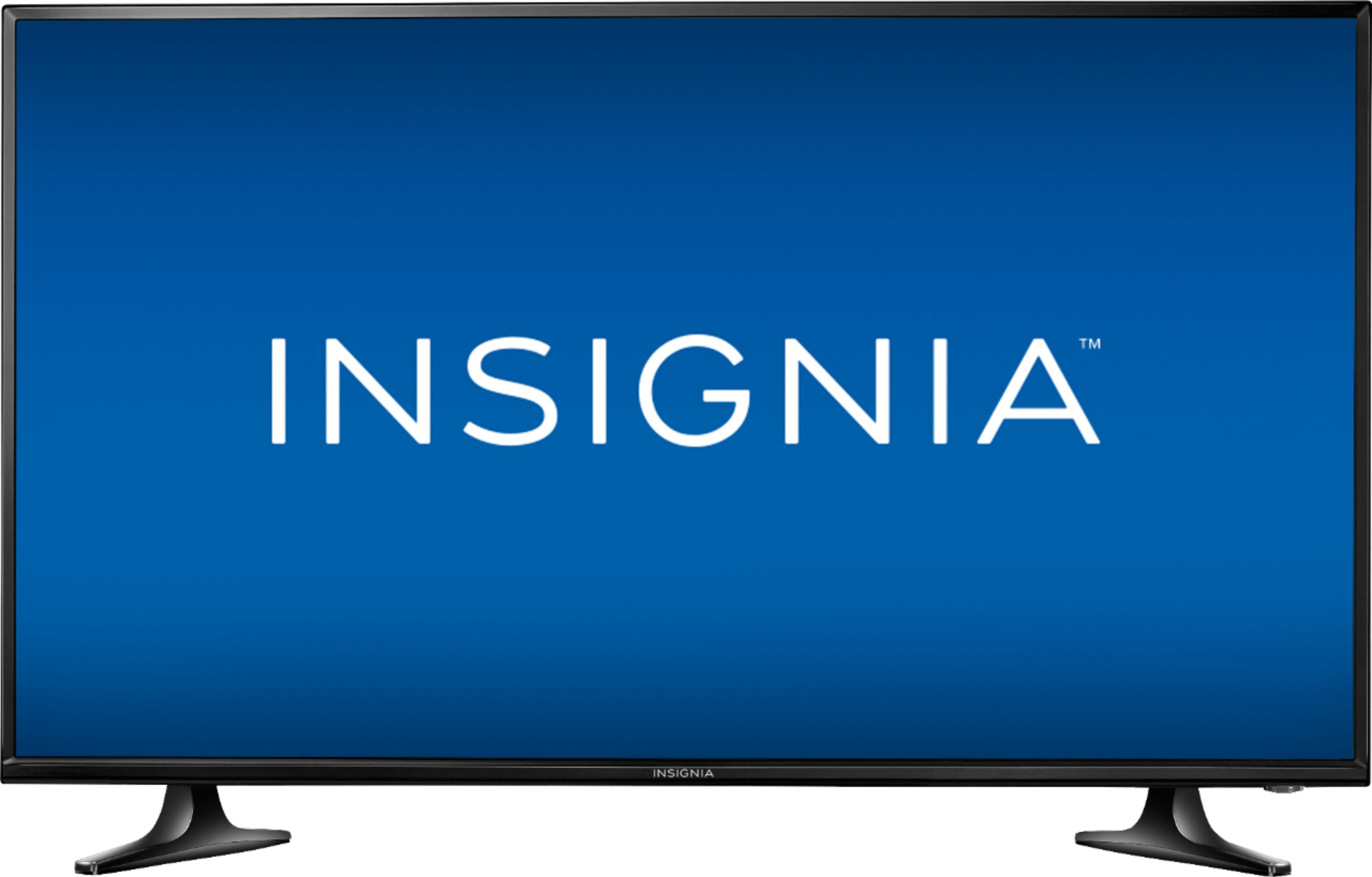
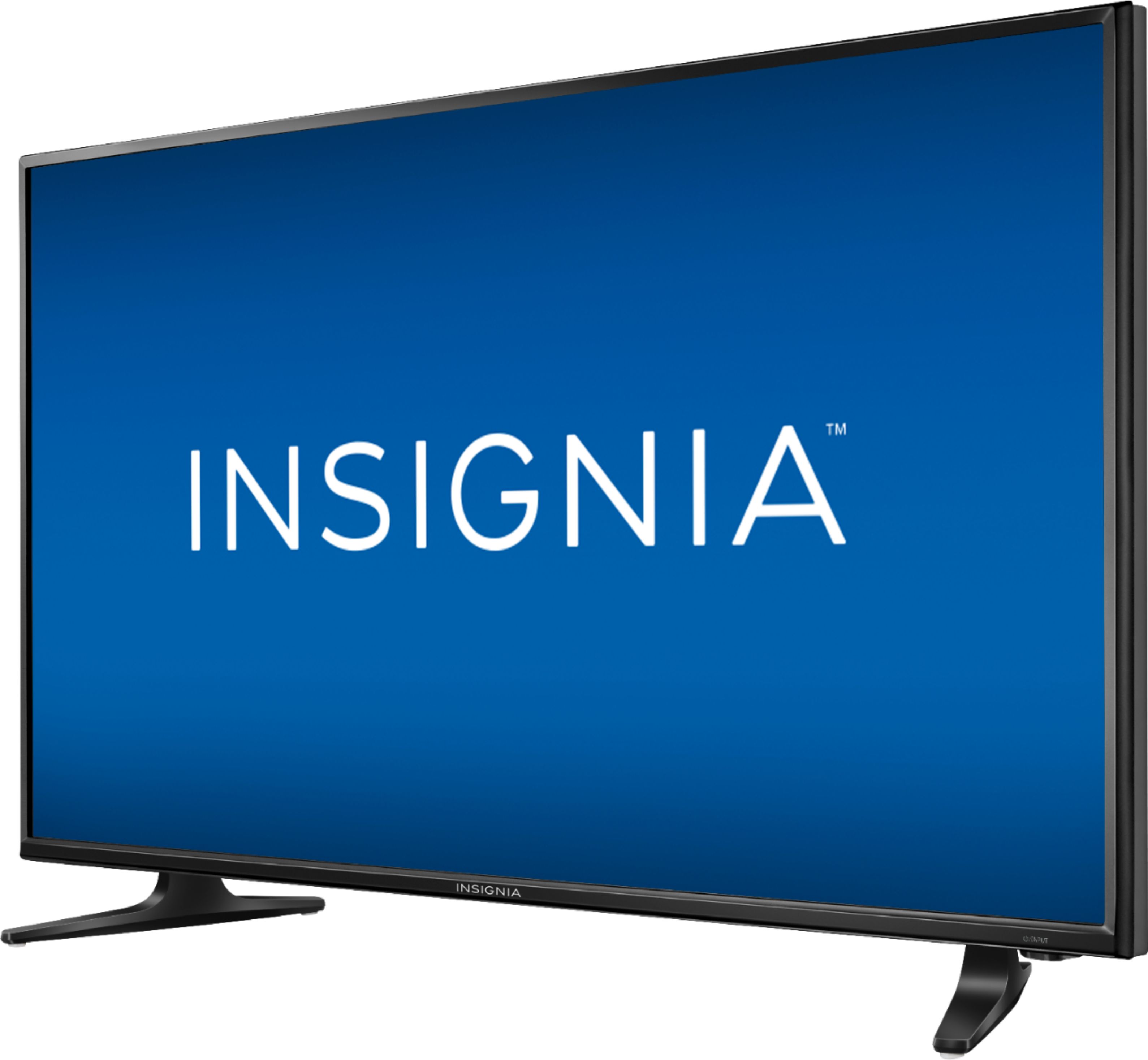
- A:Answer I am sorry to have to offer this correction; however, the actual width of this TV's chassis (i.e., from left to right) is 35-1/4" and the actual width from left to right of this T.V.'s feet on their outermost edges is 30-1/4".
Answered by JerseyMike
Q: QuestionHow good is the sound on this TV? Will it be good enough for watching TV.
Asked by helpme.
- A:Answer Hello helpme! It is really great that you are asking this question as a somewhat detailed answer will help a lot of other Best Buy customers who are thinking about purchasing this 40" 1080p model Insignia TV--model # NS-40D420NA18. If one were to review the specifications of this Insignia model TV, they would easily be able to see that this particular 40" Insignia TV model has twice the watts in speaker power than their 32" TV models which I have seen, but what does "this" mean? So many people are aware that with these low profile TVs (compared to the television sets of yesteryear!) that the speakers are usually located on the bottom of the televisions' chassis. With my 32" Insignia TV, I can have the volume turned up to 75 out of 100 and with many TV programs that is about adequate--sitting from only about 8 feet away! Both this 40" Insignia TV--model # NS-40D420NA18 and the year older 32" Insignia TV that I own have DTS sound which is supposed to make for a better listening experience and I am sure that this feature does; however, I can have the volume with this Insignia TV--model # NS-40D420NA18 set at 25 out of 100 and it is more than adequate--sitting from the same distance away as I would with my 32" Insignia TV. In my Best Buy posted product "review" for this TV, I indicated that the volume was more than adequate and that I didn't even need a soundbar. Many people would choose to incorporate a soundbar I am sure, but I can't disturb my neighbors! One other point that I'd like to make is that I have my laptop connected to this TV's HDMI 1 "ARC" port via HDMI cable so that I can control both the volume of the laptop and this TV using only the TV's remote control. I keep the "laptop's" volume set at a constant 100 (maximum!) and. for whatever reason, when I listen to music videos and other entertainment sources using this particular TV as my laptop's "monitor," the volume is much louder than if I was just using the TV without the laptop together. Please don't forget that you can go into the MENU area and select AUDIO and you can adjust the sound quality such as balance, base. and treble. If you are like me helpme, you will be more than pleased with the sound quality of this Insignia model # NS-40D420NA18 TV.
I would recommend:
Answered by JerseyMike
Q: QuestionQuestion: I have had this TV for 16 months and have been pleased with it. However, it has started turning off on its own regularly. Does anyone have any idea why this may be the case? -Kayla
Asked by Ellie.
- A:Answer Hello Ellie! This Insignia 40" 1080p model NS-40D420NA18 is a fairly new television as the last two (2) digits of the Insignia product's model number refer to the model "year." Your question regarding this auto shut off feature (if addressed properly) will not only help you, but other owners of Insignia televisions as well. This model is a really sophisticated electronics device in my opinion as it capable of doing so many things. My advice is to go on the Insigniaproducts.com website and enter this TV's model number (i.e., NS-40D420NA18) and then select "support & download" and then select your language of choice and then go to page "61" of the Online user's manual. Then, please refer to the section labeled as "adjusting the sleep timer" (a.k.a. "setting the sleep timer"). You will then be able to specify the amount of time before this TV automatically turns itself off. Here are the step-by-step instructions on how to accomplish this Ellie: Press "menu" => press the left or right arrows to highlight "settings" => press the right arrow or enter => press the up or down arrow to highlight "time" and then press enter => press the up or down arrow to highlight "sleep timer" => press enter => press the up or down arrow to select the amount of time before your Insignia model NS-40D420NA18 shuts off (i.e., 5, 10, 15, 30, 60, 90, 120, 180, or 240). To turn "OFF" the sleep timer feature "completely," select "OFF" and then press "exit" to close menu. I hope that this answer helps you and others, Ellie--happy viewing!
I would recommend:
Answered by JerseyMike
Q: QuestionWhat is the width between the feet? It isn't listed in specifications, and trying to determine whether this will fit on existing tv stand.
Asked by KNWA.
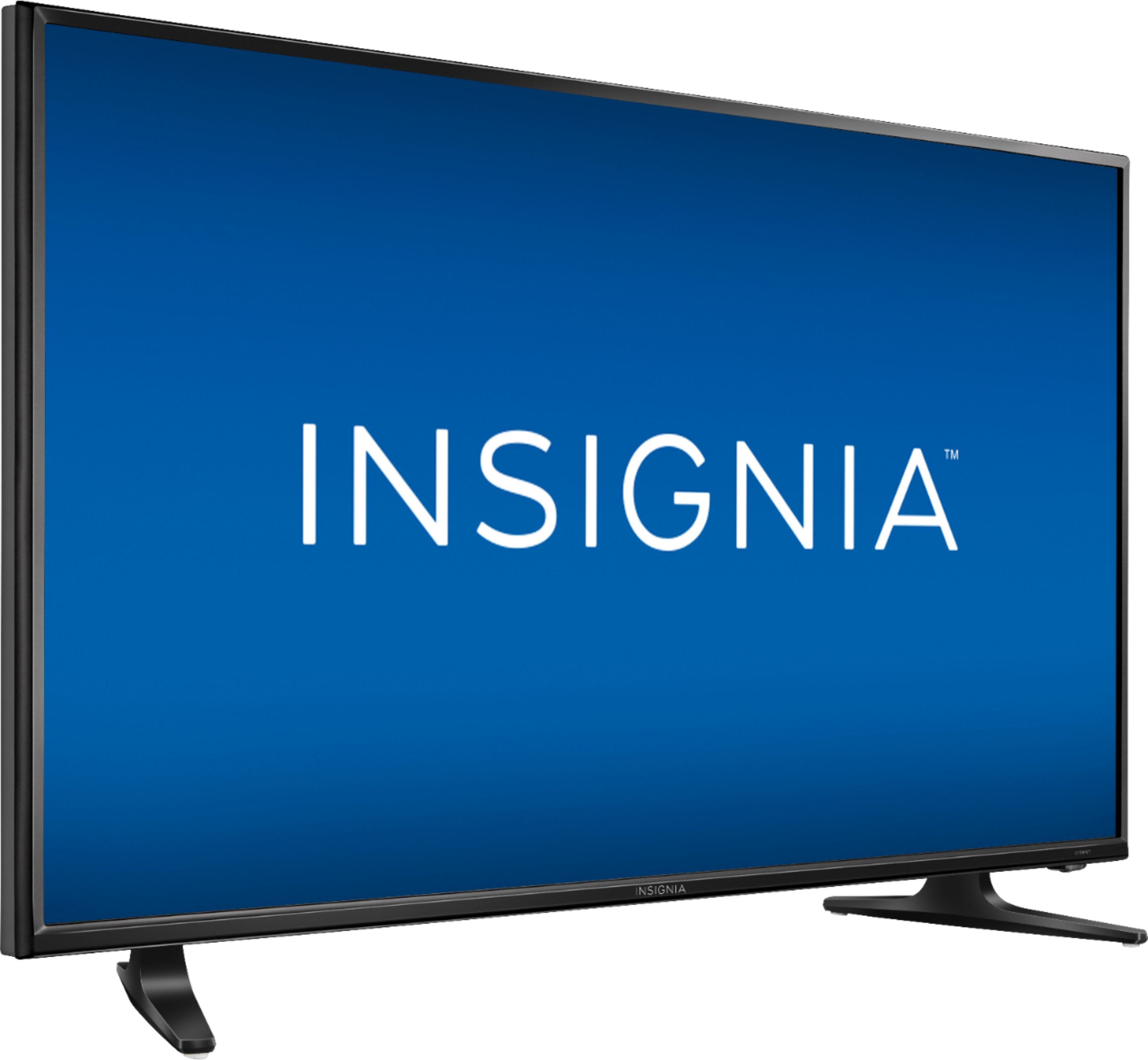
- A:Answer Keep in mind that the feet are diagonal, not parallel to each other. Based on the 25.5" description I thought that the TV would just fit on my old microwave stand. It didn't, because the front of the feet are actually 31" apart and overhung the stand too much. I considered returning the set for one with a pedestal stand, but lucked out when a friend donated an old 33" shelf from an Ikea type book case. We put that on top of the stand, and secured it with a C-clamp so it wouldn't slide. I might not do that in a more public room, but this is in the bedroom/den so I'm not that worried about appearance.
Answered by LurkerLee
Q: QuestionHow do you adjust the volume without a remote?
Asked by Mattc.
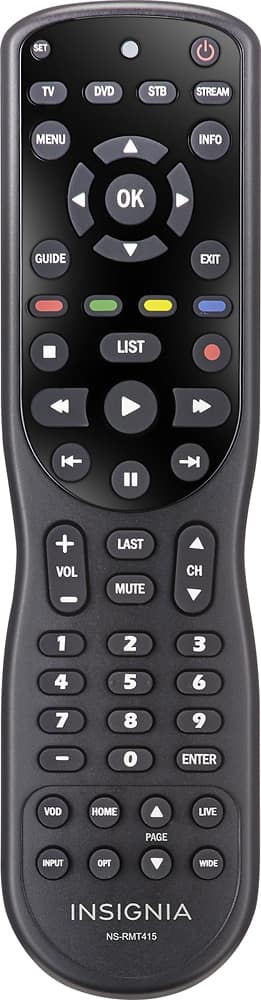
- A:Answer Hello Mattc! Thank you for asking this question as a lot of people wonder why many of these newer TV sets do not have "buttons" to push on their chassis to control divers functions of the unit. This TV only has an on/off power button on the base of the TV chassis. The good news is the factory remote which comes with this particular Insignia 40" 1080p LED TV set is a much larger remote in profile than the factory remote control which Insignia usually provides. That means (to me, anyway!) that it would be less likely to be lost or damaged from, say, sitting or stepping on it. I would recommend that you and others purchase the Insignia 4-function remote control model number: NS-RMT415. The regular price is $29.99, but it often goes on sale. This remote can control all of the important functions of this TV such as volume, power, menu functions (all of them I believe!), picture size, etc. This remote control works "right out of the box" for this TV and other Insignia TV models--no adjusting/programming is needed. This remote can also control many soundbars and a lot of other electronic items. Just go on Insigniaproducts.com website and enter the model number of that remote and see all of the different electronic items that it can control. Please see digital photo attachment of the Insignia NS-RMT415 remote control which I have provided.
Answered by JerseyMike
Q: QuestionI have an Insignia 40". I use an inside window antenna, and it works great with 4 out of 5 local channels, and an abundance of other channels. However, it will not receive the local CBS channel at all. What would cause this problem?
Asked by Rusty.
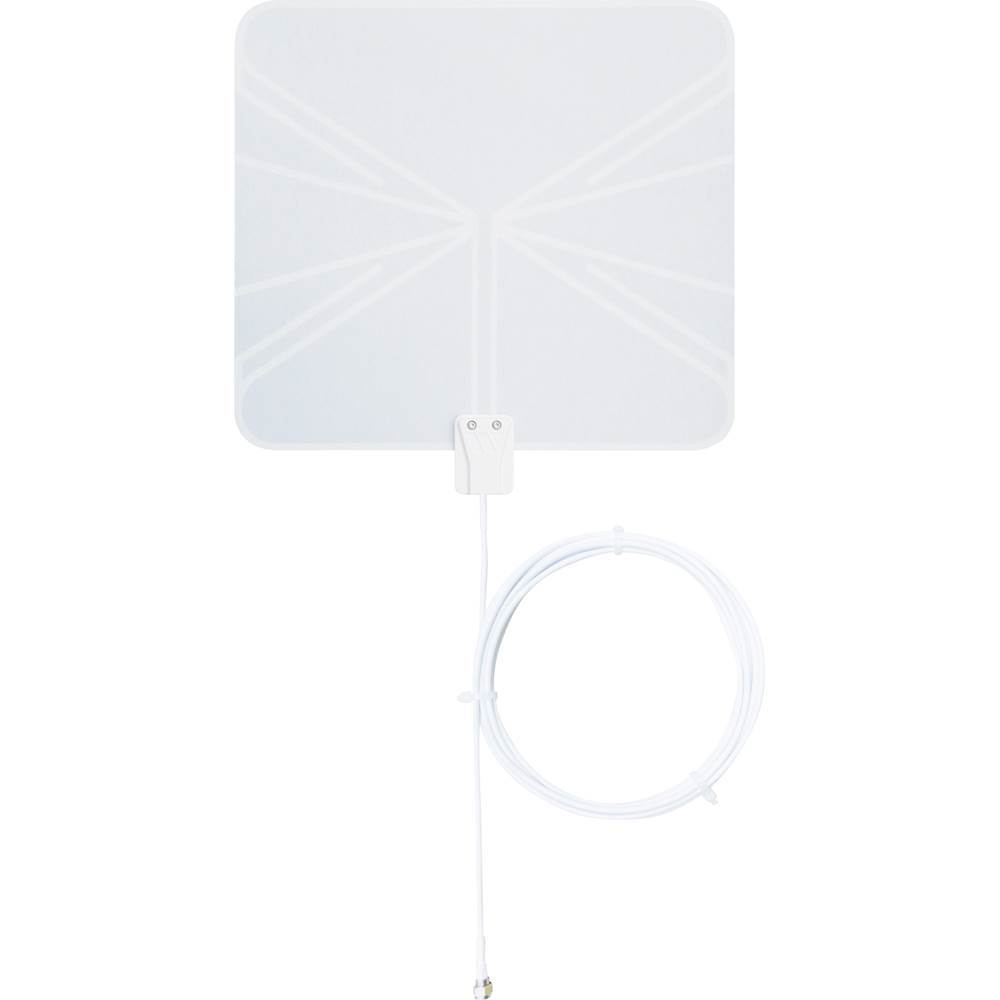
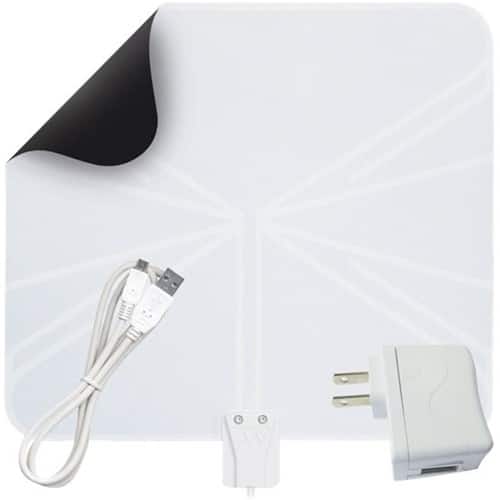
- A:Answer Hello Rusty and thank you for asking this question as a lot of people out there are cutting the cable these days and are relying on indoor HDTV antennae to receive over-the-air broadcast programs. Respectfully stated, your frustration of not being able to receive all of the TV channels which you believe you should be able to receive (i.e., "local" ones!) is an experience shared by many. There are so very many variables which have an effect on TV broadcast reception such as buildings and tall trees blocking the path of your signal, your distance from the signal sources, atmospheric (i.e., weather) conditions, etc. I have had great luck using the Winegard Flatwave Indoor HDTV antenna model FL5000 model which is the "non" amplified version of the similarly structured Winegard FL5500A (amplified) version. Best Buy sells the FL5000 model--please see photo below. I made the mistake in the past of incorporating a 6-foot RG-6 Coaxial Cable extension with that antenna when I should have used an RG-59 Coaxial Cable extension as this particular model has that type of Coaxial Cable. People often wrongly assume that by purchasing the most expensive indoor HDTV antenna that is amplified and that has the greatest range (in terms of miles) that this is the best choice; however, this can actually work against you. I introduce this as, in your case, you want advice on how to increase your chances to receive the "CBS" channel, but in so doing you "may" have a negative impact on your ability to receive the TV channels you are receiving now. To provide the best answer for you, I did a GOOGLE search using the search term => antenna signal locator websites. I use the website TVFool.com to identify the distance, location (i.e., direction), and ability to receive certain TV stations; however, there are other similar websites such as AntennaWeb.org and FCC.gov. This will help you and others better determine the strength of the indoor HDTV antenna that you need and also the location in the room to place it. It is recommended to place the indoor HDTV antenna as high as you can and in a window. Also, try to limit the length of any extension cable which you are attaching to your antenna's cable. Most of "my" broadcast towers are south/southwest of me; however, I live in a condominium development and buildings "block" the signal path so I placed my indoor HDTV antenna in an "eastbound" window. In addition, I swapped my "aluminum" mini blinds with "vinyl" mini blinds and this increased the TV reception like night and day--with the aluminum mini blinds, I was constantly experiencing pixelization of TV channels (i.e., breaking up) and I could not receive that many channels and now with the vinyl mini blinds I receive nearly "45" channels with hardly ever experiencing interruption in reception. I hope that some of the information I provided Rusty will help you and other Best Buy customers. Happy TV viewing--I hope that you are able to receive even "more" than the amount of TV channels which you have mentioned!
I would recommend:
Answered by JerseyMike
Q: QuestionBrand new TV but my picture went green??
Asked by Steve.
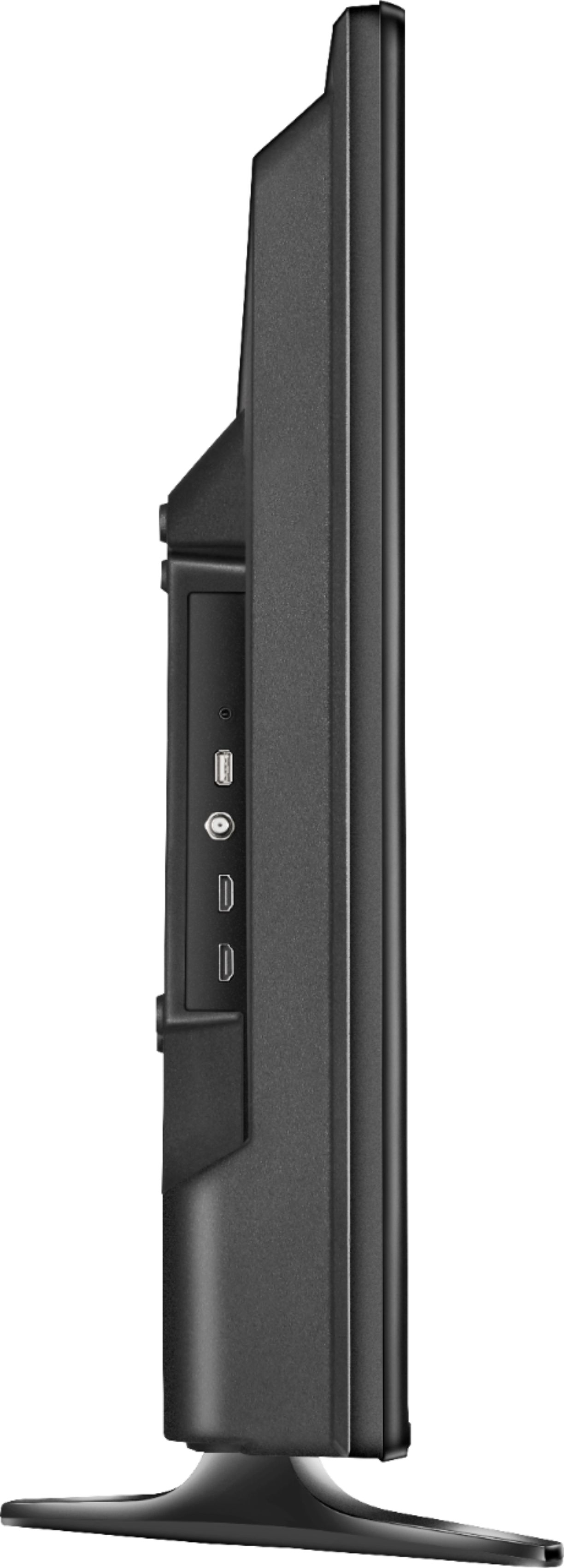
- A:Answer Hello Best Buy customer Steve! Thank you for asking this question as other Best Buy customers may be helped by a somewhat detailed answer which I will attempt to offer. The great thing is that I happened upon your question some ten (10) "hours" after you submitted same. This situation "seems" drastic and if it were me I might want to phone Insignia tech support right away and offer the tech/product support representative as much detail as you can. Perhaps, you will opt to return this TV if the problem cannot be addressed immediately or add a buyer protection plan to this TV as I believe that you "may" have up to two (2) weeks to do so by going in-store (please check this out for yourself if you so desire!) or purchase another TV of the same model number with a buyer protection plan. Insignia is Best Buy's brand so if you ever needed repairs done you would have the option of bringing the TV to the store and letting Best Buy attempt to repair or replace it. The protection plans cover surge protection (not accidental related) issues as well. Insignia tech support can be reached at 1-877-467-4289 between the hours of 8:00 A.M. and 9:00 P.M. CT seven (7) days a week. "Prior" to that, you might want to try using your TV's remote control and clicking onto the "menu" button and then navigating to the top right to the "HELP?" column and then scrolling down to "reset to default" and clicking on that and then click on "okay" when that populates and then bubble "okay" once again and "finish(!)" the process. This will bring you back to factory settings. Please keep in mind that if you are using an indoor HDTV antenna that you will have to conduct a full re-scan. It would be easy for me to advise you to use the remote control to go into the "pictures" column and then address the color and tint settings; however, I personally believe that your issue/problem goes beyond that--unless someone unknown by your person inadvertently changed those settings. The "key" words in your question are actually "BRAND NEW!"--regarding the life of your TV. This should not have happened on its own; however, this is a beautiful TV set offered at a very reasonable price. You will find that even the TV shows which broadcast in 480i and 720i and there are "many" of those (and, of course, those broadcast in 1080i) can truly look magnificent! Many times those TV shows broadcast in under 1080i will completely fill the TV's screen. There are classic TV shows and some other shows that broadcast in 480i and 720i which don't fill the screen and look a little blurry; however, this is not the fault of the TV. I have indicated in other comments which I made about this TV in this Best Buy website venue that this Insignia TV model NS-40D420NA18 has many features that other major "name brand" TV's don't have such as a headphone jack, USB port, 3 HDMI ports, etc. I was also told by Insignia support representatives that it has four (4) different types of internal antennas which will increase your chances of obtaining the best in over-the-air TV broadcast signal reception--if that is a viewing option you may wish to pursue (i.e., NTSC ( TO ADDRESS ANALOG RECEPTION), ATSC (DIGITAL), 8-VSB (DIGITAL), AND CLEAR QAM (DIGITAL). It is important to emphasize what great product support Insignia offers. It is not only about the product knowledge they possess, but the Insignia representatives demonstrate a lot of patience and express a willingness to make sure that their clients needs are met whenever possible--at least this has been my experience. Also, Insignia tech support will be accessible to those who purchase their products long after the purchase date and, these days, not a lot of companies can make that claim.
I would recommend:
Answered by JerseyMike
Q: QuestionIs the INSIGNIA 43" Model NS-43D420NA18 compatible with Echo Dot firestick voice activation?
Asked by Techfused.
- A:Answer Hello Best Buy customer Techfused! Even though "I" would never have a need to use this advanced form of technology which can make life a lot easier, I will attempt to provide some information which may help you obtain answers to your question. I have no way of knowing if the information which I obtained after doing a little bit of research in an attempt to better address your question will actually help you achieve your goals of connecting the Echo Dot Fire Stick to this Insignia 43" Model NS-43D420NA18 TV (or any other television set for that matter!); however, I believe that your exploration of the information offered, herein, "may" be of some help. I went on YouTube.com and first I entered the search term => What do you need in a TV to use Echo Dot Fire Stick voice activation? There were several entries; however, I did partially view an Online video of 8:02 minutes length entitled "How to control the Amazon FireTV Stick with your voice over Amazon Alexa (Amazon Echo). The release date of that Internet tutorial video is cited as being August 1st, 2017. Mention is made within that video of how one's smart (cell) phone plays an important role in the entire process. Another search term that I used on YouTube.com to help provide insight into your concerns was => How do I know if I can use Echo Dot Fire Stick activation with my TV? I will be willing to bet that you, personally, might be able to generate searches for other topics to better find answers that provide even more specific solutions to get this Echo Dot Fire Stick working--if this is at all possible with this TV. Another option might be to contact Insigniaproducts.com through their website and send them an E-mail directly through that website or phone them direct at 1-877-467-4289 between the hours of 8:00 A.M. and 9:00 P.M. CT. They are open "7" days a week and my experiences have always been that they go "above and beyond" in providing professional assistance and finding answers in a most patient and professional manner. Finally, you can do a GOOGLE search for the search term => Fire TV Stick with Alexa Voice Remote + Echo Dot user's manual. If you scroll down after entering that search term, among other entries, you will see an entry that you can click onto that says => How do I connect my Amazon fire stick to my TV? I took some digital photos which I provided below from my computer monitor's screen which relate to connecting the Amazon Fire Stick + Echo Dot to a TV. I hope that, at least, "some" of the above information helps you Techfused.
I would recommend:
Answered by JerseyMike
Q: QuestionCan this play jpeg files in a continuous loop?
Asked by Whatda.
- A:Answer Hello Best Buy customer Whatda! I have never tried to do what you are wanting to accomplish; however, I did a little bit of research for you and I hope that the information which I am presenting will help you and others as well. I am sure that you know that this Insignia TV model # NS-40D420NA18 has a USB port. If you enter Insigniaproducts.com into your address bar --or-- do a GOOGLE search for Insignia Products, you will be launched into their website. Enter the above model number and then select "supports & downloads" and then select your language of choice by the user guide. You will find that on pages 27 and 44 of that Online user guide that a good deal is mentioned concerning use of a USB connection. If it is the USB connection that you want to incorporate in your usage for the above task, I did a little further research for you as, from what I can see, the Online manual doesn't really address in detail what "I think" that you are wanting to do. I proceeded to go on YouTube.com and I entered the search term => How to Play videos off of a USB on a loop on a TV? At the time that I conducted this search, right on top was a how-to video entitled => How to play videos on loop from a USB flash drive on (other brand name) TV. I'd be willing to bet that if you phoned Insignia tech support at 1-877-467-4289 (8:00 A.M. to 8:00 P.M. CT) after viewing that or similar how-to videos that they would be willing to offer any additional information particular to this Insignia TV model number to assist you in achieving your goals--such as appropriate navigation with the TV's remote control. In addition, for those who want to know how to use a USB flash drive to watch movies on TV, I went on YouTube.com and entered the search term => How to use a USB flash drive to watch movies on TV. There were videos (among others!) entitled => 1.) Watch a movie on your TV from a USB drive, 2.) How to play video file from USB on to a TV, 3.) How to connect and use USB pen drive to TV to watch movie, music, photos, etc. and additional tutorials. From the limited viewing of some of these videos which I did in an attempt to answer your question, it appears that the use of a computer will play a big role in what you want to accomplish. Happy viewing Whatda!
I would recommend:
Answered by JerseyMike
Q: QuestionWhat is the refresh rate on this tv? 60hz or 120hz?
Asked by Anonymous.
- A:Answer The refresh rate is 60Hz.
Answered by CommunityAnswer
Q: QuestionI am looking for a 32"-39" simple Insignia T.V., that has T.V. manual control buttons on the T.V. itself., just in case the remote is lost or broken? The chat service is not available at this time.
Asked by Rhodesia.
- A:Answer Hello Rhodesia! It's great that you are thinking ahead as you and a lot of others probably noticed right away that the only "manual" control button on this 40" Insignia TV model is the on/off power button which is located on the lower right hand edge of the TV. A universal remote control which is a great value and has an extremely high degree of functionality is the Insignia 4-device universal remote control--Insignia model number: NS-RMT415 (Best Buy SKU: 4502603). It regularly trends at $29.99; however, it often goes on sale for less. If you and others who are interested in a Universal remote control went on the website Insigniaproducts.com and entered the model number of this remote control you and others would be able to see just how many different brands of televisions and other types of electronic devices which this great universal remote can command. I've provided an image of this remote below. Happy TV viewing Rhodesia and thanks for submitting a product related question that can help a lot of people!
I would recommend:
Answered by JerseyMike
Q: QuestionHow do you turn the TV on and control it without a remote? Is this possible? Seems like a bad oversight if not.
Asked by Jazz.
- A:Answer Hello Jazz! Another caring Best Buy customer "already" provided an answer regarding how to turn this TV on and off manually by locating the on/off button on the lower right edge of the outer chassis of this TV; however, your concern is a great one as you are probably thinking about what would happen if the "factory" remote control which this TV is sold with becomes damaged (say, if someone were to drop or sit on it) or if the factory remote just stopped working. I believe that just for future peace of mind it would be worth purchasing the Insignia Brand 4-device Universal remote control--model # NS-RMT415 (i.e., Best Buy SKU: 4502603). It "regularly" trends at $29.95 USD; however, it often goes on sale for less. If you went on the website Insigniaproducts.com and entered this Universal remote control's model number, you would be able to see just how many different brands and models of TV sets and "other" electronic items which this model of Universal remote is capable of commanding--even soundbars and "lots" of other different types of electronics. I have provided a photo of this great Universal remote control below for your review. Please don't forget to consider the great product tech support which the Insignia phone representatives provide long after the initial purchase date! When using this model of remote control with this Insignia 40" 1080p TV (i.e., model # NS-40D420NA18k | SKU: 571232) I can "fly" up and down the volume and channel settings! I hope that my answer helps you and others Jazz. Happy TV viewing!
I would recommend:
Answered by JerseyMike
Q: QuestionHow wide is the total set?
Asked by Jeff.
- A:Answer Thank you for asking this question Best Buy customer Jeff! A precise answer may be of help to a lot of people who are concerned about potentially limited space on their TV stands. I just finished measuring my television set (i.e., "this" same Insignia TV model NS-40D420NA18) and the outer edges of its chassis are 35-1/4" from left to right. I know that you did not ask about the following; however, the "widest" width from left to right of this television set's feet are 30-1/2". These are precise measurements! Happy program viewing on this Insignia TV which has so very much to offer Jeff!
Answered by JerseyMike
Q: QuestionWhat are the width - left to right, and top to bottom dimensions of this set?
Asked by LARRYK.
- A:Answer Hello Best Buy customer LARRYK! I think that it's great that you are asking this question as a lot of people who may be interested in purchasing this Insignia 40" TV model NS-40D420NA18 might have similar concerns due to space limitations or because they might want to secure an understanding if this TV is big enough to fulfill their needs. What follows is my attempt to best answer your questions. From left to right, the "outside" width of this television set's chassis is 35-1/4". Although you did not ask, I will offer that the outside width of this television set's feet (at their widest) is 30-1/2". I have two (2) measurements to offer regarding your question concerning the top-to-bottom dimensions of this set. If you choose to attach the "feet" to this television set, the "total" height would be 22-1/8". If you wanted to do a "wall mount" of this television set (i.e., where you would choose "not" to attach the feet), the total height would be 20-1/4". These are all precise measurements and I hope that my attempt to assist you will be of some help as this particular Insignia 40" TV model has a lot to offer. As important for me over time has been the easy to access, caring, and knowledgeable tech support I have received from Insignia representatives for the many Insignia products that I own. They will be there for you--well after the purchase date and their phone number is 1-877-467-4289 and they are there seven (7) days per week from 8:00 A.M. to 9:00 P.M. CT. Please also consider going Online to Insigniaproducts.com and entering an Insignia product's model number and utilizing their user friendly detailed user's manuals. This TV has a lot of different functions and sometimes questions need to be answered. Happy TV program viewing LARRYK!
I would recommend:
Answered by JerseyMike
Q: QuestionI bought this tv and set it up last night, but when it turned on and asked me to select my language, I couldn’t do anything. I’m not sure if the remote doesn’t work, or if there’s an issue with the sensor on the tv itself. Is this a common issue?
Asked by Illumine.
- A:Answer Greetings Illumine and thank you for answering this question as others who speak a language different than English or those who speak English and their television sets of this particular model are set to a language "other" than the language they are proficient speaking in will benefit from this answer. If you use the TV's remote control and press the "MENU" button and then move to the right and click onto "SETTINGS" and then scroll down and click onto "MENU LANGUAGE" you will have the opportunity to select either "ENGLISH, FRENCH, OR SPANISH" in that order. You would then click onto the EXIT button on the TV's remote control. I truly hope that this helps you and others. Also, although you did not ask about closed captioning, for the benefit of you or others I will offer the following on how to configure that => Use the TV's remote control to click onto MENU then meander on over to the right to ACCESSIBILITY and then click onto that and then scroll down to CLOSED CAPTIONING and click on that and you will find a few options to customize settings in that area. I mention closed captioning as I view it as potentially being another aid in understanding languages.
I would recommend:
Answered by JerseyMike
Q: QuestionDoes this tv have, audio out, jackd
Asked by Anonymous.
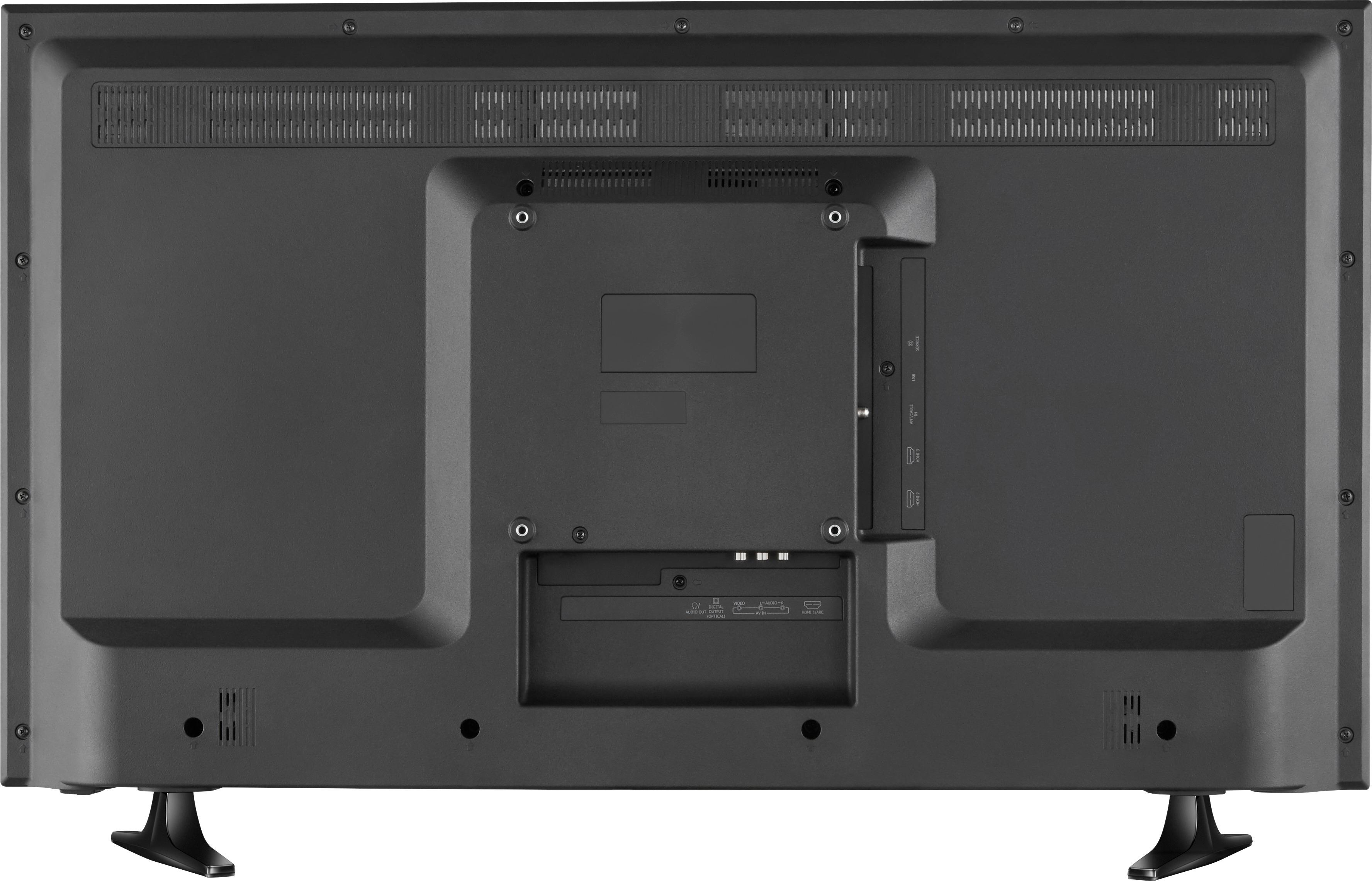
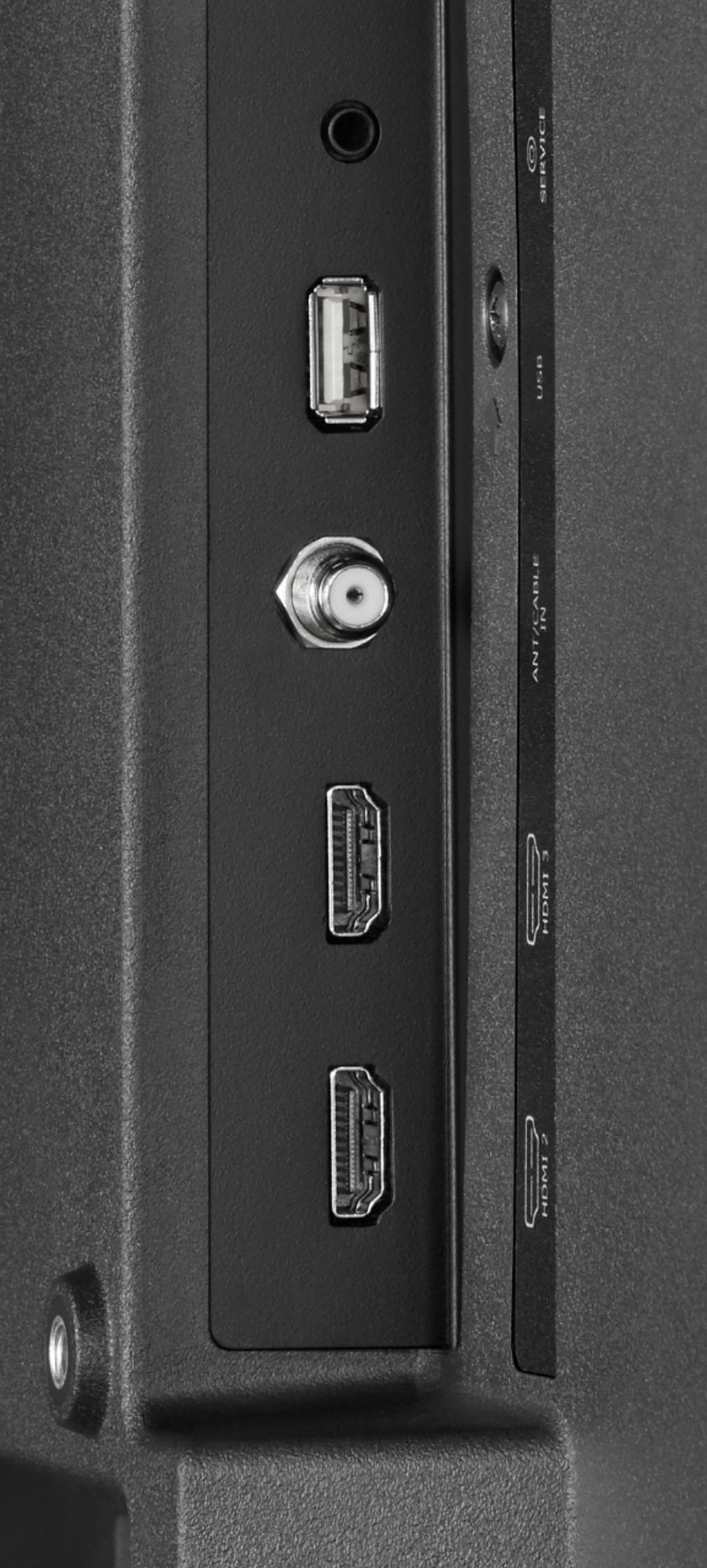
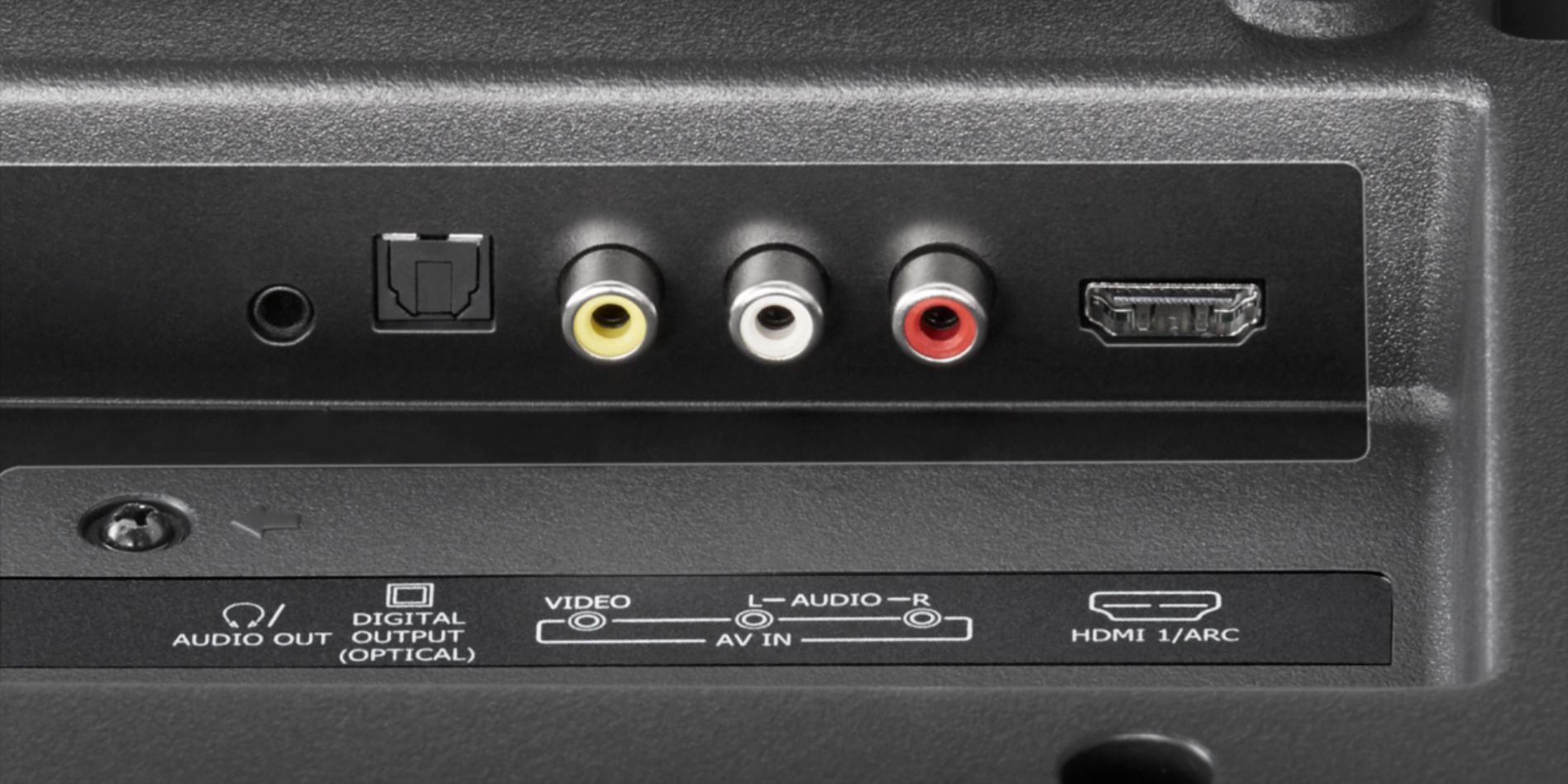
- A:Answer Yes, this HDTV comes with one Digital audio outpout port and a headphones/audio out port.
Answered by CommunityAnswer
Q: QuestionUnder connectivity specs. it shows no ( 0 ) composite or component inputs but the picture of the back shows video/audio input with rca plugs. Is this picture the actual one of this tv or is specs. listed as none correct?
Asked by Musicman.
- A:Answer This model does have AV in (Video, Left, Right) jacks.
Answered by Bogwombler
Q: QuestionDoes this set come with caption capability?
Asked by Foothills.
- A:Answer Hello, thank you for your question. This TV set is equipped with closed captioning control that is designed to work with an over the air antenna, direct cable signals and certain analog cable boxes. To enable it, you can access the television's menu on the accessibility option and selecting "Closed Captioning" or by pressing the CCD button on the set's remote control. Keep in mind that with some HD cable boxes, the captions will have to be enabled from the box itself and not the TV set. Regards, Daniel T. - Insignia Support.
Answered by InsigniaCustomerSupport