A:AnswerI had this happen when I first got it. I unplug it from the wall or turn switch off on surge protector and turn back on it went away. I notice mine would only do it on paramount app when I was getting out of it
A:AnswerHi there! We would love to check this situation further with you! Please feel free to contact us at the link below to get assistance with the product warranty.
Rudson S.| Insignia Support. https://www.insigniaproducts.com/contact-us
A:AnswerHello JSandstorm,
Insignia Fire TV and Fire TV stick do not support screen mirroring. Screen mirroring is available only on select Insignia Smart TVs, Blu-ray players, and media streamers.
Insignia Support
Louise
www.insigniaproducts.com/support
A:AnswerI don't know if it's through windows or acts more like android tablet OS but it's not that either but I have been using my Xbox series x controller and playing LUNA games everyday
A:AnswerHi there. Please follow steps below:
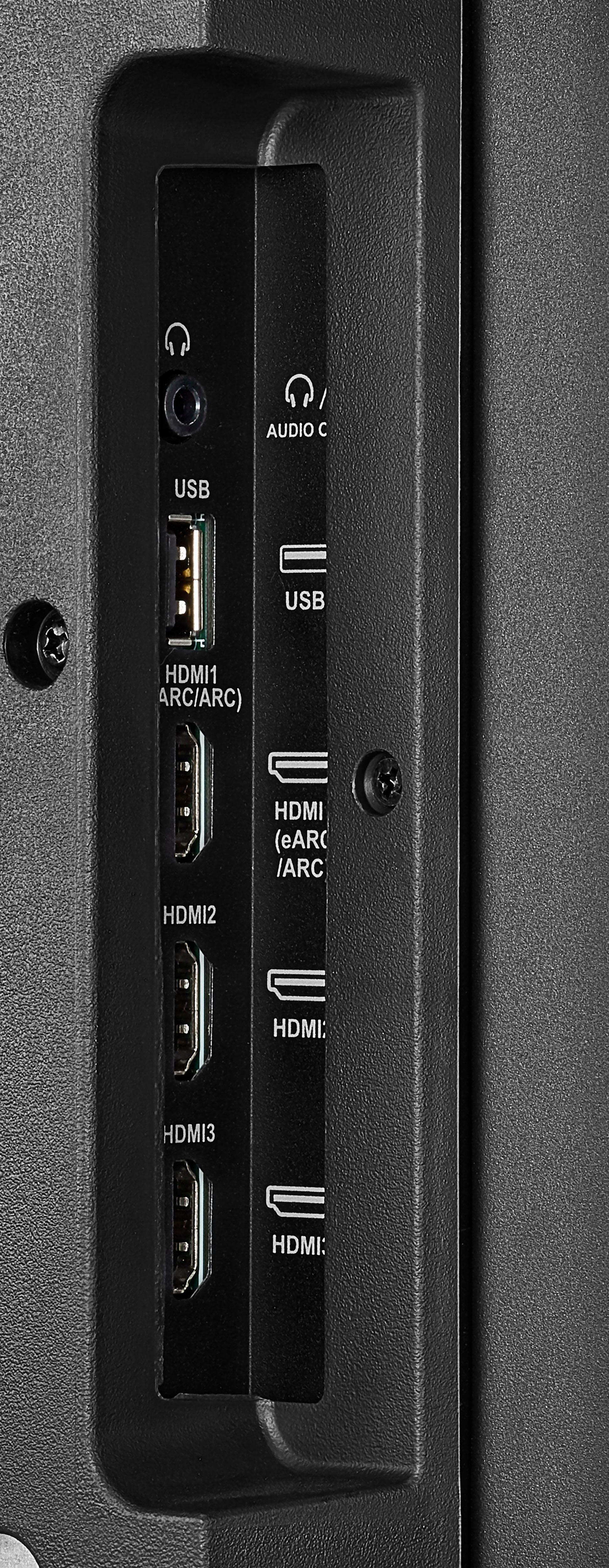
On the HOME screen, navigate to the INPUTS row, then select HDMI1, HDMI2, or HDMI3
Mary II Insignia Products Customer Support