“monitor connections I need to connect two monitors to the new computer I just bought from you. There is only space in the back to do one. Do you make an adapter to do this?”
Answer This Question
1-10 of 12 Answers
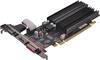
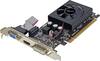
There are up to 3 types of connections that might be available on the rear of your computer (or side, if it's a laptop). One is VGA (old school), the other two are HDMI (like the cable for your home DVD player/HDTV) and DVI. Look for these plugs on the computer. If you only have one plug in on back and you want to connect an addtional monitor, you'll probably need to install a new graphics card. There are inexpensive ones available, but be careful not to exceed the power supply's (inside your computer) capabilities. If you look up graphics cards, under specifications, they will list power requirements. Also, since this card will be installed inside the computer, you will need to make sure you have an open PCI slot.
Sorry, there was a problem. Please try again later.When setting up a dual monitor (with extended display), one must verify if they have the graphic card to support this. The easiest way to check is to see if you you have 2 DVI ports or 2 VGA ports or 1 DVI and 1 VGA. Could also have HDMI ports as well in some combination. If you only have 1 port, you will need to have a graphic card installed to your computer. If you want mirror displays, you can just use a splitter and it will show the same thing on both screens. But to drag from one screen to the other you will need the new card.
Sorry, there was a problem. Please try again later.Yes! You will need to purchase a video card that supports 2 monitors. If you do not feel you can do this yourself, then your Geek Squad can take care of it for you.
Sorry, there was a problem. Please try again later.I have seen USB adapters and multi port options, hope this helps
Sorry, there was a problem. Please try again later.There are adapters to make it a USB port but I don't know if best buy carries them. I got mine online.
Sorry, there was a problem. Please try again later.You would need to buy a video card that supports dual monitors.
Sorry, there was a problem. Please try again later.Targus makes a dual video adapter USB adapter Model ACP7OUS
Sorry, there was a problem. Please try again later.You would need a new video card that supports dual monitors.
I would recommend:
Sorry, there was a problem. Please try again later.They do, yes, you need a USB/Video adapter. Just make sure your computer has the additional video card so accommodate the 2 screens.
Sorry, there was a problem. Please try again later.In most cases you will need to add a video card that supports dual monitors. In some rare cases some PC's come with a DVI and VGA output in which case you can connect 2 monitors up to those ports with their respective cables.
Sorry, there was a problem. Please try again later.