“Just received freezer today. What temp as in what snowflake do i need ro set this freezer to because i put it on middle snowflake and my popsicles arent freezing What temp is each snowflake?”
Answer This Question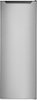
1-4 of 4 Answers
This is the setting I have for mines not quite to the second snowflake and it's done just fine for everything I've put in so far popsicles are freezing have no snow no ice in the freezer I hope this helps
Sorry, there was a problem. Please try again later.I think that you should buy a freezer thermometer in any case, to eliminate uncertainty about whether your food is properly stored. You can good a reasonably good one for < $10 or so.
Sorry, there was a problem. Please try again later.I'm curious which "middle snowflake" you're referring to. Unfortunately, Insignia didn't use different icons for Freezer and Fridge modes, so it's possible the wrong mode is selected. In the picture I attached: The yellow line represents the two modes (three if you include Off). The blue arrows indicate the settings for Freezer mode. The green arrows point to Fridge mode. If your unit is set to the snowflake I circled in red, it’s in Fridge mode and won’t get cold enough to freeze anything. If it’s set to the snowflake circled in purple, I recommend checking the internal temperature with a thermometer. If it's not freezing, the unit might be malfunctioning, running outside its rated operating temperature, or possibly not sealing properly due to an obstruction in the door.
Sorry, there was a problem. Please try again later.Thank you for your inquiry! The Insignia™ 7 Cu. Ft. Garage Ready Upright Convertible Freezer uses snowflake icons to indicate different temperature settings. Typically, the more snowflakes, the colder the setting. One snowflake represents the warmer setting, suitable for items that need to be kept cool but not frozen. Two snowflakes indicate a moderate setting, good for general freezing needs. Three snowflakes signify the coldest setting, ideal for items that need to be deeply frozen, like popsicles. If your popsicles aren't freezing at the middle setting (two snowflakes), try adjusting the dial to the coldest setting (three snowflakes) to ensure they freeze properly. If you continue to experience issues, it might be helpful to check the freezer's manual or contact Insignia customer support for more detailed guidance. Keith | Insignia Support
Sorry, there was a problem. Please try again later.

