A:AnswerIf you have a iphone then it sure work like that if you say “hey Siri” and a android if you say “hey google” but on the headset theres is no button to press for you to do hands free typing or calling
A:AnswerI experienced this with ZOOM using another headset it depends on how the software you use is setup. In the case of ZOOM you get an echo (about 1/4 second delay), When used with my Moto 6G I don't experience it. Same headset different software. There is no way that a headset can block this sort of feedback if the software designers don't fix it. Sorry.
A:AnswerHi Chesney,
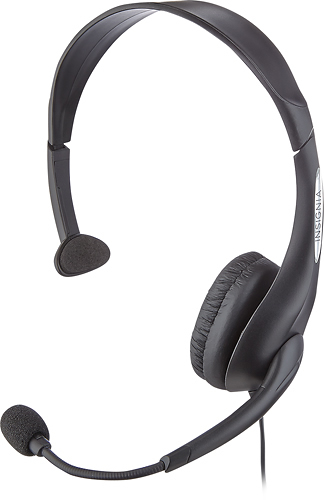
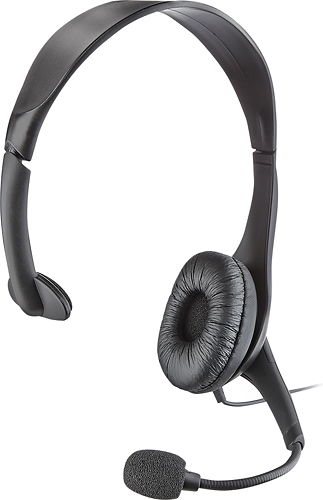
This Analog Mono Headset features a Y cable connection, therefore a USB connection will not be possible.
- Janína G. | Insignia Support | https://www.insigniaproducts.com/contact-us
A:AnswerHi, Dave.
This could be caused by several reasons and I would love for us to correctly troubleshoot your device. Please reach us at https://www.insigniaproducts.com/contact-us.
Cesar G. - Insignia Support
A:AnswerHello,
We understand that you are having troubles with your head set not responding, allow us to help you validate all of the possible options we have for you to validate the cause and resolution for you.
If you have any questions please reach us at this link below.
- Arin A.
Insignia Support
Contact us: https://www.insigniaproducts.com/contact-us
A:AnswerHi, I don't know if I'm too late, but I would consider using this (on with your computer, laptop) as a hearing aid because you can adjust the volume.
A:AnswerYes. If your laptop port is a combo port for a headset with sound/mic, you can plug this right in. but if your laptop has two different ports for sound and mic, this comes with a splitter to plug it into each port separately.
But its really cheap and mine quit working after a few months so i wouldnt recommend it.