“Does it have a pen pressure ? I'm asking because I wan to use it for drawing,so is it enough sensitive?”
Answer This Question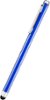
1-10 of 11 Answers
The tip is too wide for drawing. Works well for writing notes but you will need to go with a finer tip for drawing
Sorry, there was a problem. Please try again later.Yes it does, that is the main reason I bought mine. It works great for this!
Sorry, there was a problem. Please try again later.I use it on penulite to draw with it works ok
Sorry, there was a problem. Please try again later.It has a soft rubber rounded tip on it. Not sure what you mean by "Pen Pressure". The tip does depress when you push down on the stylus. Not sure I'd want to use this for drawing as it's not gong to have the best accuracy being a rounded tip. Hope this helps!
Sorry, there was a problem. Please try again later.Probably wouldn't use it for drawing. Makes pretty thick lines
Sorry, there was a problem. Please try again later.I don't know about that. I don't use it for drawing purposes. I use it for tapping and dragging items, but not that detailed of a movement on the screen.
Sorry, there was a problem. Please try again later.Probably ok for doodling, but I'd get something sturdier for serious artwork.
Sorry, there was a problem. Please try again later.Hmmm ... it is sensitive, but I'm not certain that the line left would be the dimension you'd want. It has only been used for choosing letters on a keyboard.
Sorry, there was a problem. Please try again later.no
Sorry, there was a problem. Please try again later.I think you could do basic drawing with the Surface Pro 3 pen, but I do not think you could use if for very fine details as it does not seem to be quite sensitive enough for all that at this point. There are drawing products on the market that work way better than what I feel this would do.
Sorry, there was a problem. Please try again later.