“Does anyone know how to use the Bluetooth shutter button to start and stop videos on an Android device (Samsung Galaxy Note 5)?”
Answer This Question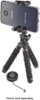
1-3 of 3 Answers
Pair the remote with your phone and make sure it is connected. Turn on the remote with the switch on the edge. Set your phone's camera to video mode, and press the button to start recording. Press it again to stop.
Sorry, there was a problem. Please try again later.Some phones are not compatible with it's Bluetooth. It's not compatible with my galaxy 6 edge plus. It is compatible with Galaxy 6 note.
Sorry, there was a problem. Please try again later.I just turned on remote and then Bluetooth on device. It syncs and gives you the option to link on screen. Once linked, should work.
Sorry, there was a problem. Please try again later.