A:AnswerThank you for considering IOGEAR!
The GCS22U/GCS24U is fully compatible with all current versions of Windows up to and including Windows 10.
Thank you,
IOGEAR Technical Support.
A:AnswerIOGEAR says : The Switch is hardwired and cannot be replaced. The KVM itself carries a 3 year warranty . Since the unit is backed by IOGEAR's 3 year warranty feel free to contact our customer support at 1-866-946-4327 or email us: [email protected]. Again, thank you for choosing IOGEAR.
A:AnswerIOGEAR says: There is no guarantee when using adapters. You can use an adapter like a GVC311 however the only way to get audio would be to connect the 3mm speaker connection on the GVC311 to a set of speakers. VGA normally does not support Audio. For more information please contact IOGEAR support at 866-946-4327. Thank you for choosing IOGEAR.
A:AnswerThank you for choosing IOGEAR and we apologize for the inconvenience. We need to know the model number and more about your setup to answer your question. To better service you and understand your set up, please feel to contact our customer support at 1-866-946-4327 or email us: [email protected]. Once again, thank you for choosing IOGEAR.
A:AnswerYes,
I use this KVM switch with my Plex media server, my gaming computer, and my work laptop. One is a Windows 7 machine and the other two are Windows 10 machines. Hope that helps.
A:AnswerYes, the IOGear 4-port USB KVM switch does support Linux distros. I am running four computers, one with Linux Mint, one with Ubuntu, one with Windows 7, and one with Windows XP. I am very satisfied with this kvm switch and would not hesitate to buy another one if I need it. I have also used the IOGear 2 port with various Linux distros as well. I hope this helps you and I hope you enjoy your new switch!
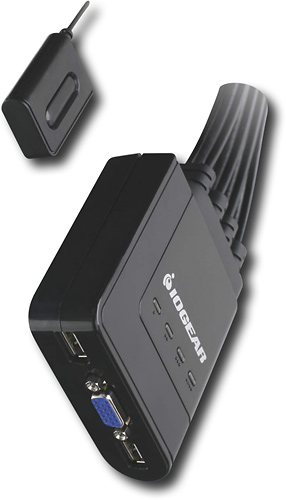
A:Answeri am using a wired mouse and wired keyboard and have two windows machines connected. i am able to switch back and forth between the two machines and use the mouse/keyboard without issues.