Questions & Answers
- Model:
- GCS632U
- |
- SKU:
- 6191569
Highly rated by customers for: Ease of use, USB, Size
Page Showing 21-25 of 25 questions
Q: QuestionI have 2 computers and I have one monitor. I want to switch from one computer to the other. Will this work for that?
Asked by Jonathan.
- A:Answer Yes and audio. Also all you need is 1 keyboard ( Keyboard got to have a Scroll Lock Key on it) and 1 mouse
Answered by RickAtlantaGa
Q: QuestionUse with wireless keyboard & mouse?Can this product be utilized with a wireless keyboard & mouse?
Asked by mikerp.
- A:Answer Some users have been unable to get it to work with wireless keyboard and mouse.
Answered by CommunityAnswer
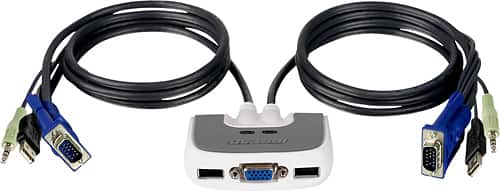
Q: QuestionCan u hook your laptop to you flat screen with this
Asked by ihhh.
- A:Answer Thank you for choosing IOGEAR. It depends on the model number of the 2 port KVM used. To better service you and understand your set up, please feel to contact our customer support at 1-866-946-4327 or email us: [email protected]. Once again, thank you for choosing IOGEAR.
Answered by IOGEAR

Q: QuestionLaptop and desktop computersDesktop currently uses wireless keyboard and mouse and works with my wireless network. Laptop will be new but I would like to use the desktop monitor for both computers. I would plan to remove the wireless stick from my desktop and place in my laptop to control the keyboard and mouse. I assume this would work. What kind of KVM device would I need to use one monitor? I only want to use the Wi-Fi network on the laptop to do financial transactions, so I guess I would have to turn off the Wi-Fi function on the laptop when I am done using it if I no longer want to be on-line.. Do you agree, or is there an easier method? Thanks for any help you can provide.
Asked by unclebob.
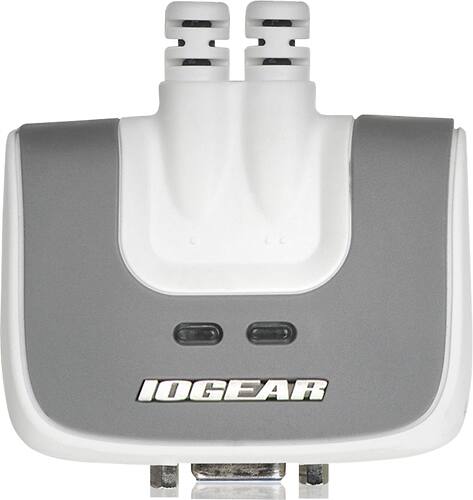
- A:Answer First, thank you for choosing IOGEAR. To make a recommendation we would need to know more about your setup. To better service you and understand your set up, please feel to contact our customer support at 1-866-946-4327 or email us: [email protected]. Once again, thank you for choosing IOGEAR.
Answered by IOGEAR

Q: Questionproblems getting mouse to workwhen switch to 2nd computer, can't get the mouse to work
Asked by Di.
- A:Answer I experienced problems when I tried using a wireless mouse and keyboard. Switched to a wired mouse and keyboard and the problem went away
Answered by Female
Page 2, Showing 21-25 of 25 questions