“I bought a jbl partybox 310 six months ago.now there is some decrease of loudness.please help me.”
Answer This Question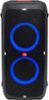
Memorial Day Deal
$499.95
Save $80
The comparable value is $579.95
1-2 of 2 Answers
It could be the sound settings on your phone.
Sorry, there was a problem. Please try again later.We're sorry to hear about what happened. Here are some steps for us to check your JBL PartyBox 310: 1. Please try using a different music player and if you're using an equalizer, turn it off. 2. Try using a different source device like a phone or tablet to check if you'll experience the same problem. 3. Make sure speaker has enough battery when being used. If the problem persists, please contact our customer support, so we can assist you in checking your warranty.
Sorry, there was a problem. Please try again later.