Questions & Answers
- Model:
- HBGOWORKRBLK4
- |
- SKU:
- 6460025
Highly rated by customers for: Sound Quality, Comfort, Battery Life
$49.99Your price for this item is $49.99
Page Showing 81-90 of 90 questions
Q: QuestionI was wondering if I was able to use this for my PS4 as a cheep alternative to a gaming headset but wireless I don't expect it to work but worth checking.
Asked by Ps4.
- A:Answer The Go Work does have a AUX connection to us with the PS4. -JLab
Answered by JLab Audio Team
Q: QuestionCan this be connected to a desktop?
Asked by JAWs.
- A:Answer Yes But you have turn off cell phone first then after you do that connect blue tooth JLAB on your PC then turn phone back on.
Answered by Bastos1
Q: QuestionCan I purchase a dongle and use it wirelessly without Bluetooth support?
Asked by Yrstates.
- A:Answer This does not come with a dongle and after purchasing both the headset and the dongle the answer is NO it won’t work with a USB dongle
Answered by Anonymous
Q: QuestionI love this headset but… I hear a lot of static when people are talking. Can I do something to fix this??
Asked by Anonymous.
- A:Answer The static might be coming from the caller's end. -JLab
Answered by JLab Audio Team
Q: QuestionDoes the headset plug into an Apple MacBook Air?
Asked by LR.
- A:Answer Yes, it comes with a plug in AUX in addition to the bluetooth connection. -JLab
Answered by JLab Audio Team
Q: Questionwhen i answer a phone call the caller says my voice sounds like i'am in a drumb, why?
Asked by roy.
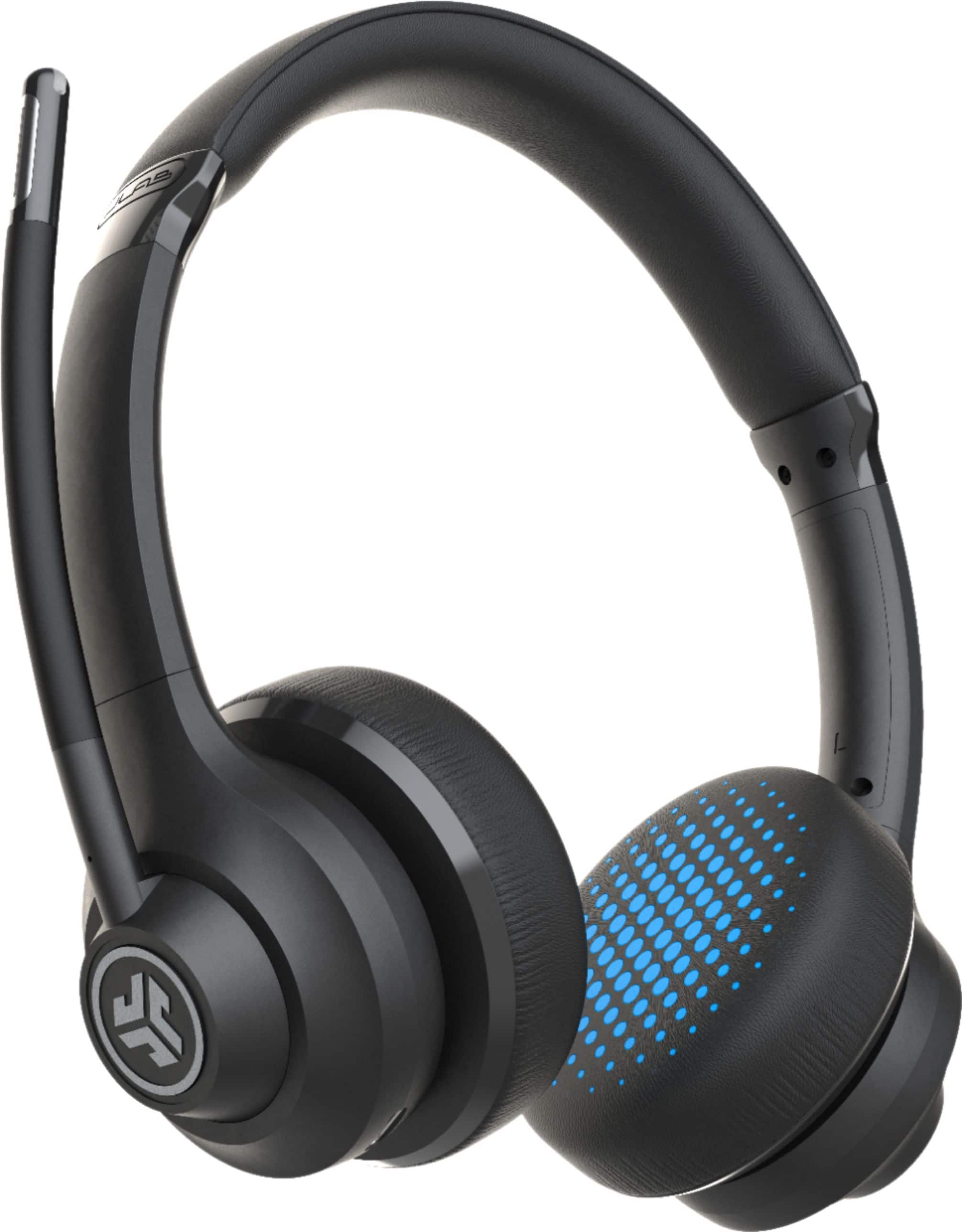
- A:Answer It's definitely unpleasant to hear that your voice sounds muffled or drum-like when using your JLab GO Work Wireless Office Headset for calls. Several factors could be contributing to this issue. We can try to diagnose the problem and find a solution: Microphone placement: Double-check the microphone boom position. Ensure it's close enough to your mouth and angled towards your lips. Sometimes, slight adjustments can significantly improve your voice clarity. Make sure the boom isn't obstructed by hair or clothing. This can dampen your voice by muffling the incoming sound. Audio settings: Adjust the headset's microphone volume and equalizer settings. Increasing the volume might help, while adjusting the equalizer can potentially boost specific frequency ranges that enhance voice clarity. Check the JLab Go Work app or your device's audio settings for these options. Disable any noise-canceling features if available. Sometimes, these features can inadvertently affect microphone output as they try to filter out background noise. Connection and environmental factors: Verify a strong Bluetooth connection. Weak or unstable connections can disrupt audio quality and cause choppiness. Ensure your device and headset are close together and free from interference. Consider surrounding noise. Are you in a noisy environment? Background noise can make your voice hard to understand for the caller, even with a good microphone. Try moving to a quieter space for calls. Check for physical damage. While less likely, the microphone itself could be malfunctioning due to internal damage. If you suspect this, contact JLab customer support for assistance. Troubleshooting tips: Test the microphone with other apps or voice recordings. Check if the issue persists in other calling platforms or recording apps. This can help isolate the problem to the headset or your device. Try resetting the headset. Consult the JLab GO Work manual or online guides for the specific reset procedure. This can sometimes resolve software glitches affecting audio quality. For assistance, please email [email protected] or call 405-445-7219.
Answered by JLab Audio Team
Q: QuestionI can't get my mute button to shut off. Yes I have pressed the mute button and reset the device. It is still stuck.
Asked by KarenM.
- A:Answer Hi Karen, Please reach out to our support team at [email protected] or chat with a representative via our website so that we can replace the set for you!
Answered by JLab Audio Team
Q: QuestionCan you answer calls from the headset from the computer?
Asked by Anonymous.
- A:Answer No you aren’t able to answer the call from the headset you would need to answer from the computer.
Answered by StephanieB
Best-selling headsets and microphones
- $21.99Your price for this item is $21.99$24.99The comparable value for this item is $24.99
- $109.99Your price for this item is $109.99
- $48.99Your price for this item is $48.99$69.99The comparable value for this item is $69.99
- $69.99Your price for this item is $69.99$99.99The comparable value for this item is $99.99
- $159.95Your price for this item is $159.95
- $119.99Your price for this item is $119.99$149.99The comparable value for this item is $149.99
- $87.99Your price for this item is $87.99
- $29.99Your price for this item is $29.99$39.99The comparable value for this item is $39.99
- $97.99Your price for this item is $97.99$139.99The comparable value for this item is $139.99
- $199.95Your price for this item is $199.95
- $169.99Your price for this item is $169.99
- $129.99Your price for this item is $129.99
- $89.97Your price for this item is $89.97
- $199.95Your price for this item is $199.95
- $156.99Your price for this item is $156.99$169.99The comparable value for this item is $169.99
- $119.00Your price for this item is $119.00$149.99The comparable value for this item is $149.99
- $99.99Your price for this item is $99.99
- $44.99Your price for this item is $44.99
- $99.99Your price for this item is $99.99