“Adding a Hard Drive. Someone mentioned a proprietary cable adding a HD. Is this the SATA cable from the drive to the motherboard, or power supply cable. Most power supplies have extra connectors for accessories?”
Answer This Question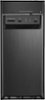
1-3 of 3 Answers
The questions about additional Hard Drive basically are related to adding additional Hard Drives inside the Tower Box. On my old computer I usually have an External Hard Drive that I plug into the front of the Tower and I use that External Hard Drive for Storage of my Files (Letters, Lists, Photos, Videos, Movies, and More). My current External Hard Drive has a 2TB Memory and is only about 3 inches X 4 inches and about a Half inch thick. It has an attached cord that is about 15 inches in length. I assume I will be able to plug this external Hard Drive into the computer Tower and continue to use it. That is why I do prefer the connector holes to be at or near the bottom of the front of the computer Tower so that the External Hard Drive unit can sit flush on the desk and not be hanging in Mid-Air. I currently have an ACER brand computer with the slimmer style Tower box. It has Windows 7.
Sorry, there was a problem. Please try again later.No, they were asking if there was one.
Sorry, there was a problem. Please try again later.You can replace existing hard drive, but there is no adding an extra hard drive. There are no extra data ports and no extra power supply connectors. It doesn't have an internal power supply. It's set up more like a laptop with external power supply, but no battery like laptop.
Sorry, there was a problem. Please try again later.