“1. What external speakers would work with this tower? 2. "What's included" indicates a "User Guide". I did not see same in the box. What form is it in?”
Answer This Question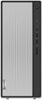
1-1 of 1 Answer
You can use any 3.5mm compatible-Windows OS compatible, external computer speakers with this Lenovo IdeaCentre 5i Desktop Computer. There is a 3.5mm audio out jack on the back of the computer for connecting compatible external computer speakers. Here is a link to the online copy of the User Guide for this model that can be printed out: https://download.lenovo.com/consumer/desktop_pub/5-14iob6_5-14acn6_ug_en_202104.pdf. If you have questions about your Lenovo IdeaCentre 5i Desktop Computer, we recommend you contact lenovo Tech Support for more information at: 877-453-6686.
Sorry, there was a problem. Please try again later.